

How to check the SN of the Redmi 13C 5G?
To check the SN of the Redmi 13C 5G, please refer to the following steps:
1. Go to [Settings] on your phone;
2. Select [About phone];
3. Tap [Detailed info and specs];
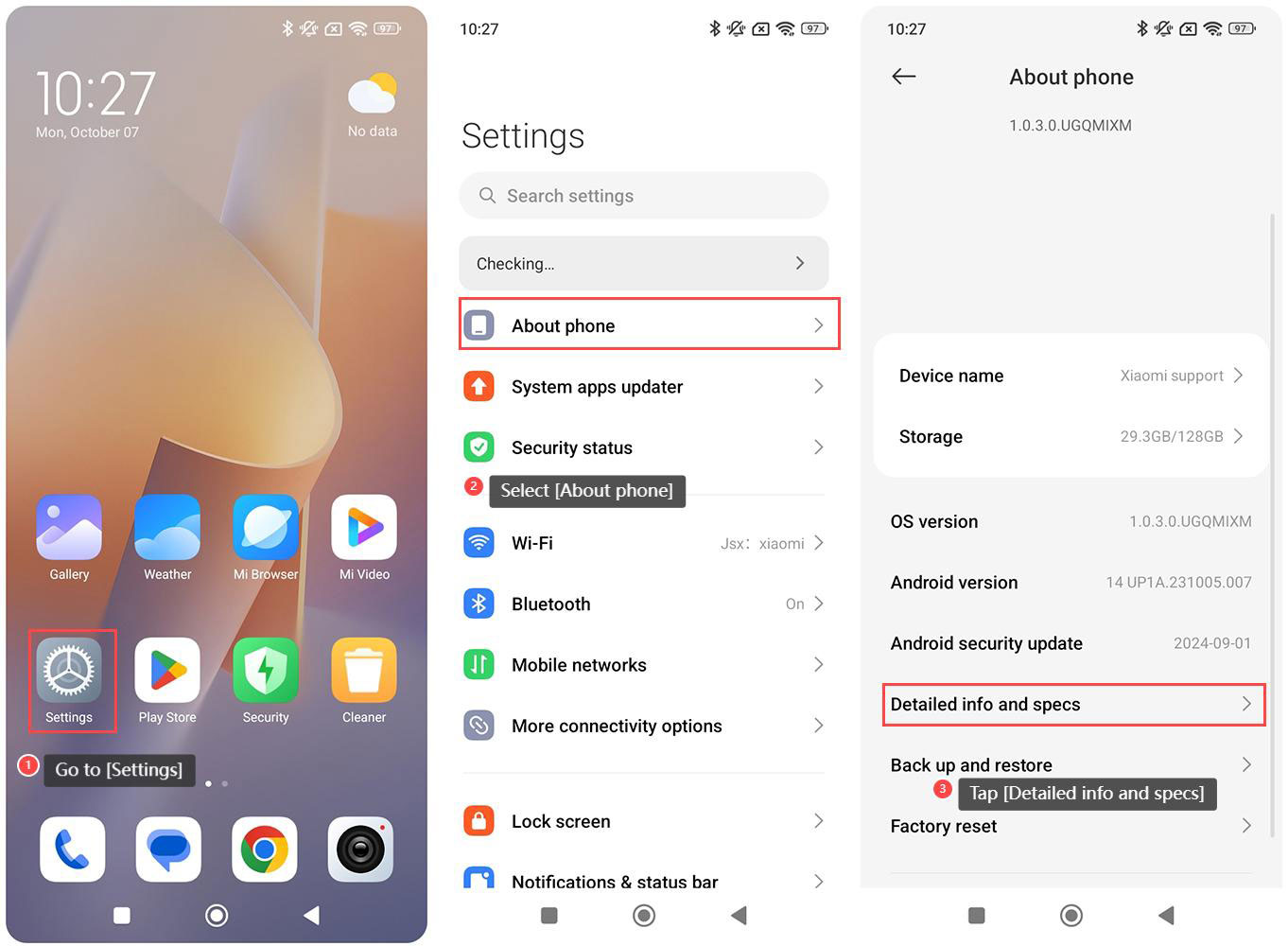
1. Go to [Settings] on your phone;
2. Select [About phone];
3. Tap [Detailed info and specs];
4. Select [Status];
5. Tap [Model];
6. You can check [Serial number] here.
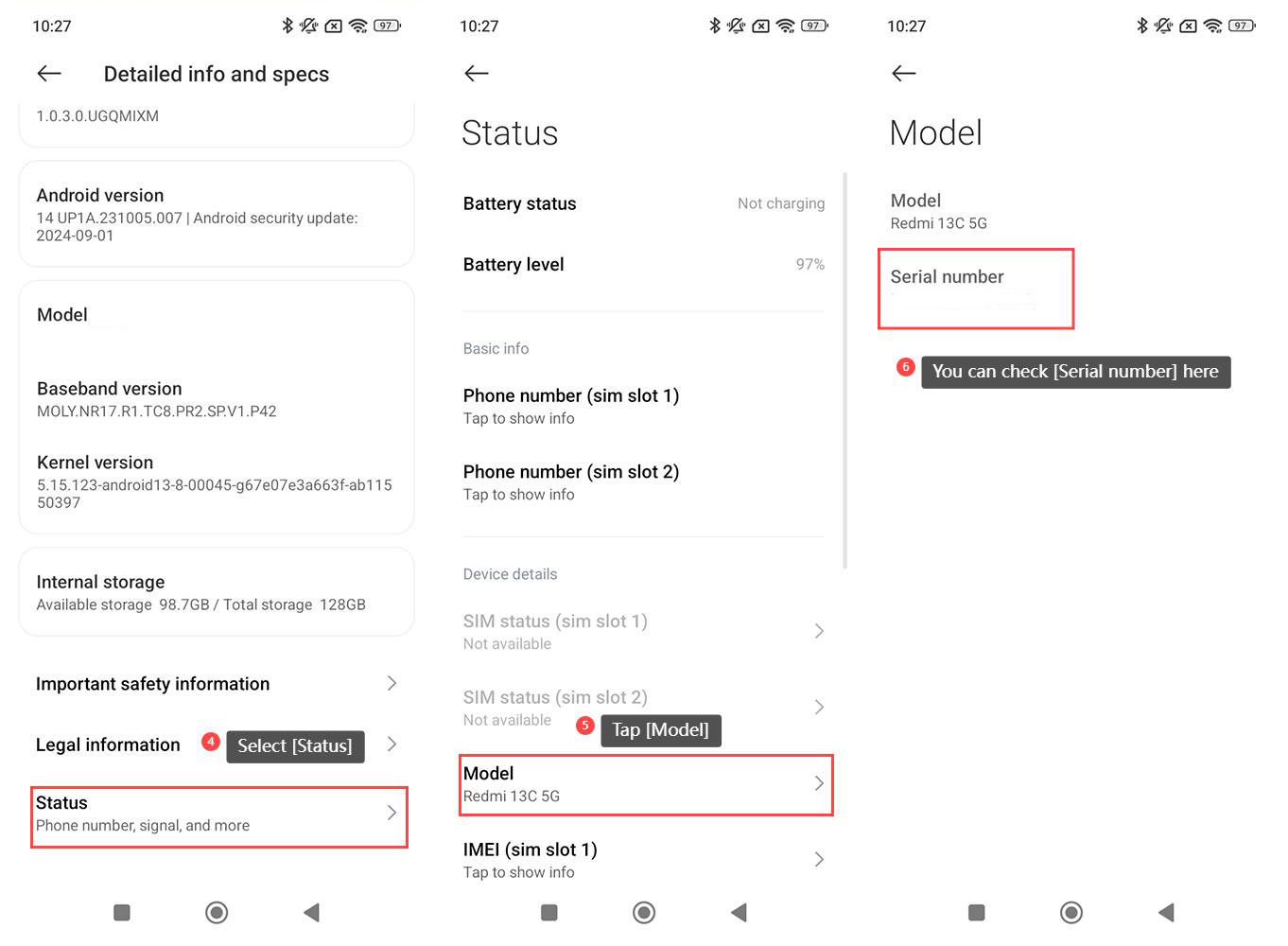
5. Tap [Model];
6. You can check [Serial number] here.
Note:
For your reference, here are more details about the serial number:
1. The serial number identifies each individual device. It is a combination of letters and numbers that is assigned to a specific unit during the manufacturing process. This helps distinguish between different devices;
2. Xiaomi uses the serial number to track warranty information and provide support. When you contact customer support for assistance or warranty claims, you will be asked for the serial number to verify the device’s eligibility for support or warranty services.
For your reference, here are more details about the serial number:
1. The serial number identifies each individual device. It is a combination of letters and numbers that is assigned to a specific unit during the manufacturing process. This helps distinguish between different devices;
2. Xiaomi uses the serial number to track warranty information and provide support. When you contact customer support for assistance or warranty claims, you will be asked for the serial number to verify the device’s eligibility for support or warranty services.
Does it help?
Yes
No