

How to enable Battery saver on the Redmi 13C?
The Battery Saver feature on the Redmi 13C is designed to extend battery life by adjusting system settings and reducing background activities. When enabled, it helps conserve power by limiting certain functions and processes that consume battery.
To enable Battery saver on your phone, please refer to the following methods:
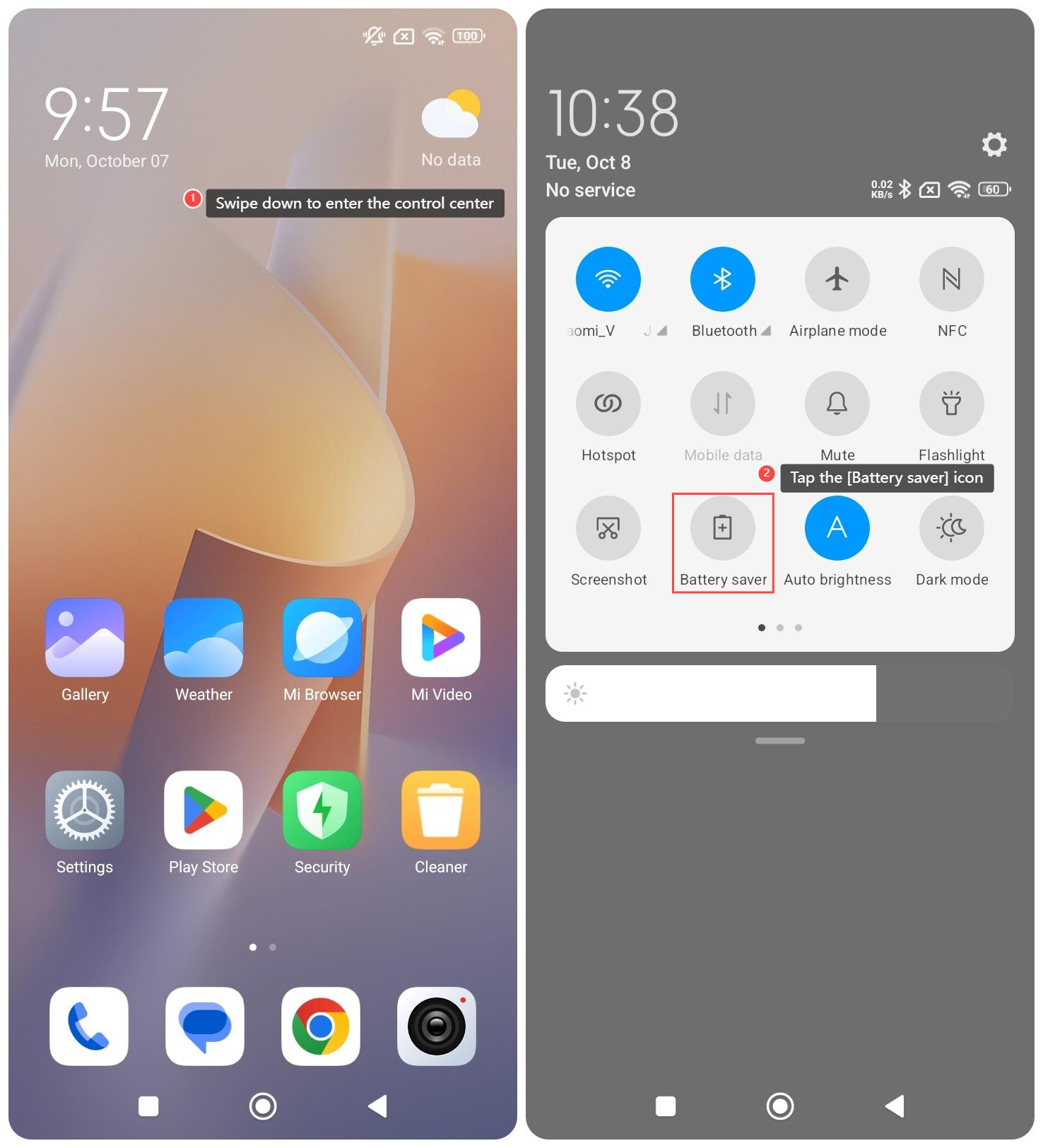
Method 1:
1. Swipe down to enter the control center;
2. Tap the [Battery saver] icon.
Method 2:
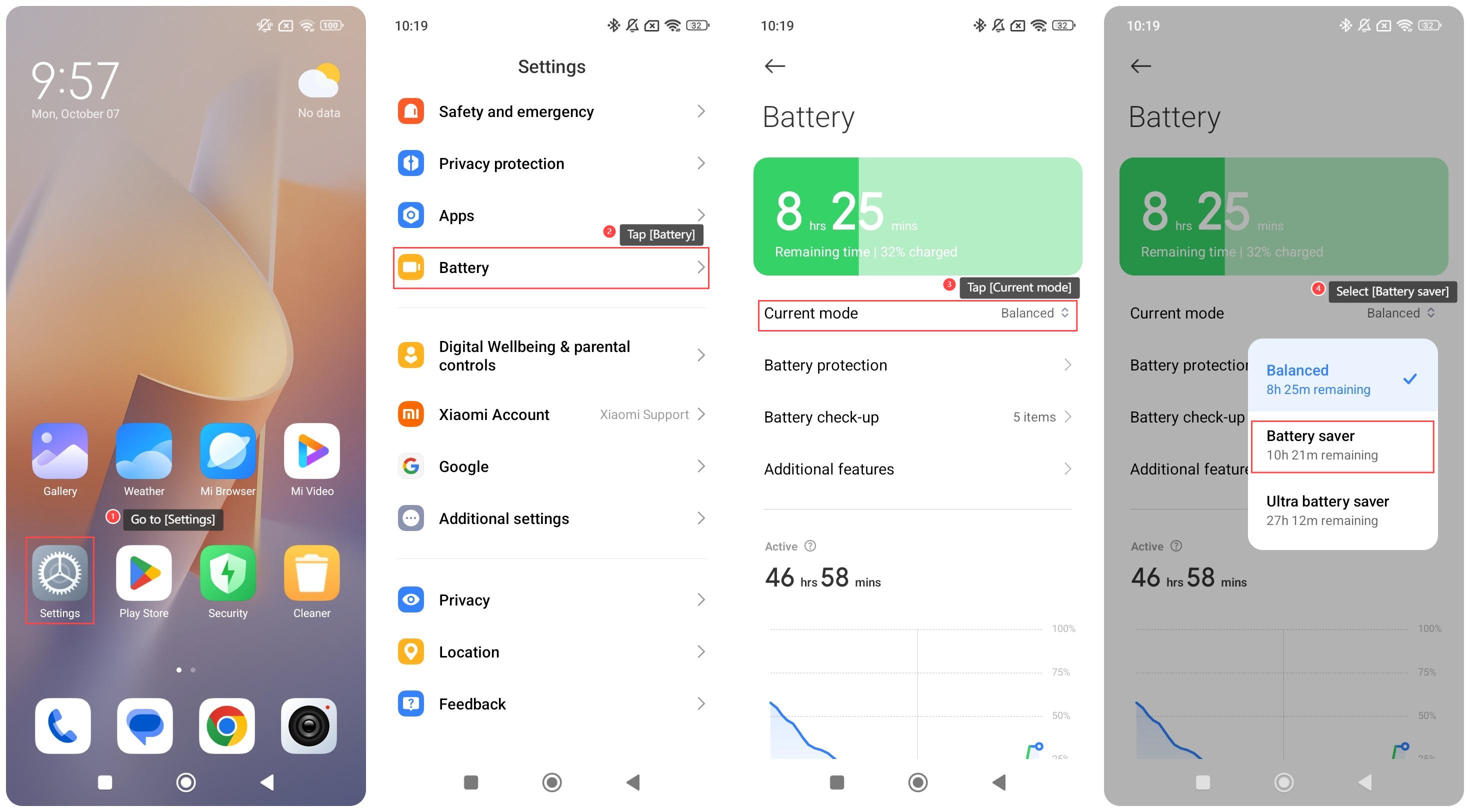
1. Go to [Settings];
2. Tap [Battery];
3. Tap [Current mode];
4. Select [Battery saver].
Method 3:
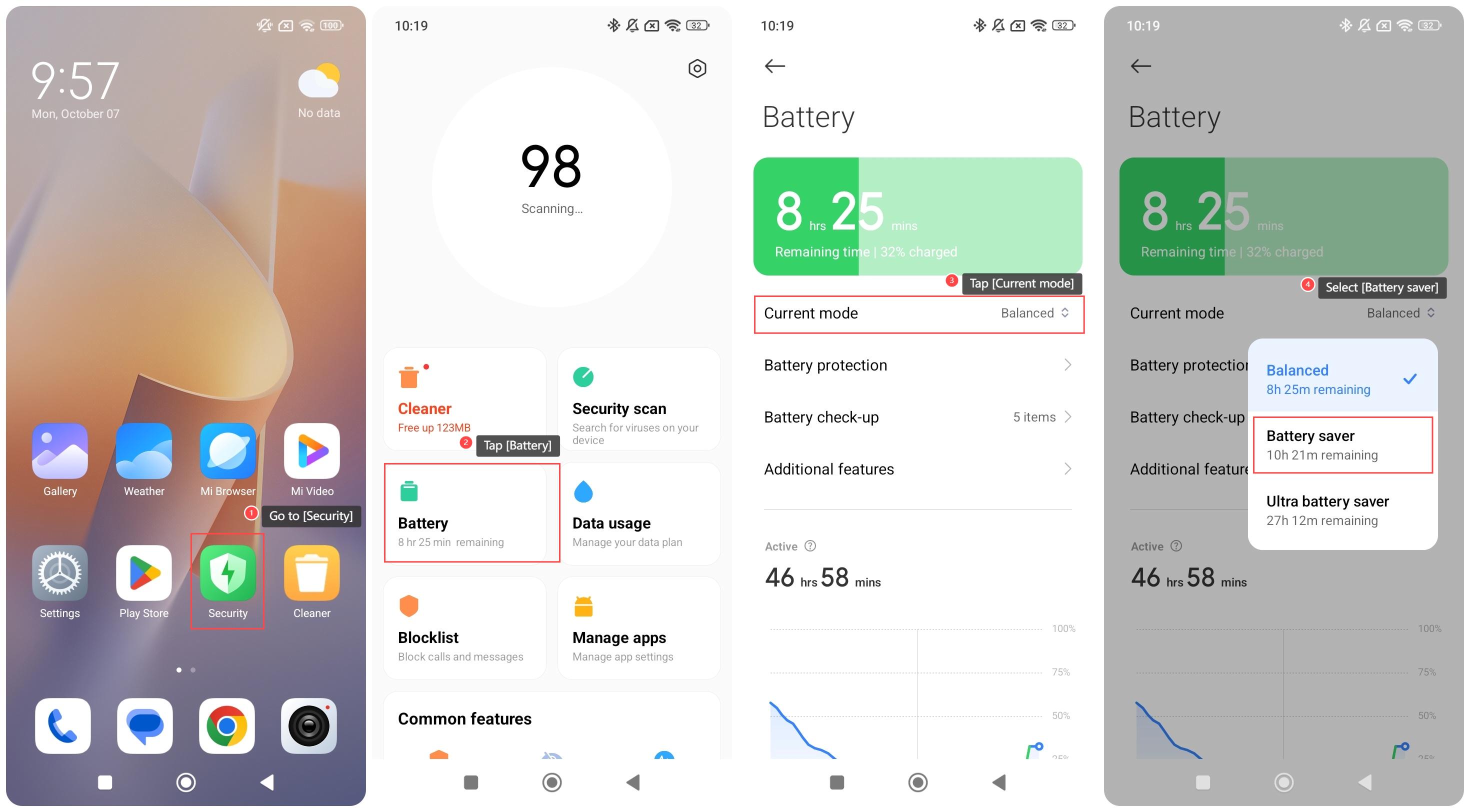
1. Go to [Security];
2. Tap [Battery];
3. Tap [Current mode];
4. Select [Battery saver].
Note:
Battery saver activates the following restrictions:
1. Restrict the activity of system APPs;
2. Freeze APPs in the background;
3. Automatically reduces screen brightness to minimize energy use.
To enable Battery saver on your phone, please refer to the following methods:
Method 1:
1. Swipe down to enter the control center;
2. Tap the [Battery saver] icon.
Method 2:
1. Go to [Settings];
2. Tap [Battery];
3. Tap [Current mode];
4. Select [Battery saver].
Method 3:
1. Go to [Security];
2. Tap [Battery];
3. Tap [Current mode];
4. Select [Battery saver].
Note:
Battery saver activates the following restrictions:
1. Restrict the activity of system APPs;
2. Freeze APPs in the background;
3. Automatically reduces screen brightness to minimize energy use.
Does it help?
Yes
No