

How to check the other permissions of APPs on the Redmi 13C 5G?
The Redmi 13C 5G supports checking the other permissions of APPs, which support Service SMS, Home screen shortcuts, Show on Lock screen, Open new windows while running in the background, and Display pop-up windows. It allows better control the privacy-related permissions.
To check the other permissions of APPs on your phone, please refer to the following steps:
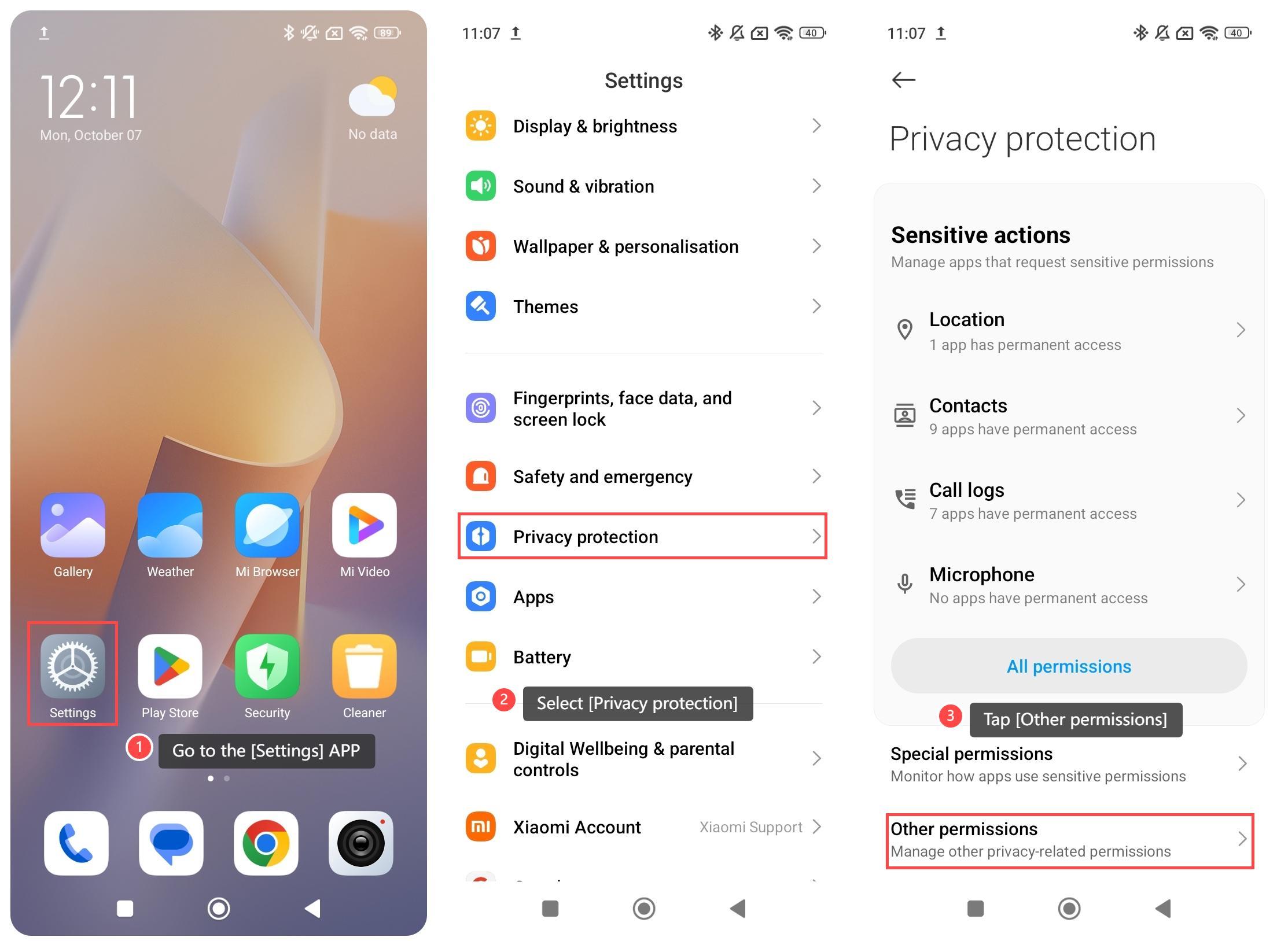
1. Go to the [Settings] APP on your phone;
2. Select [Privacy protection];
3. Tap [Other permissions];
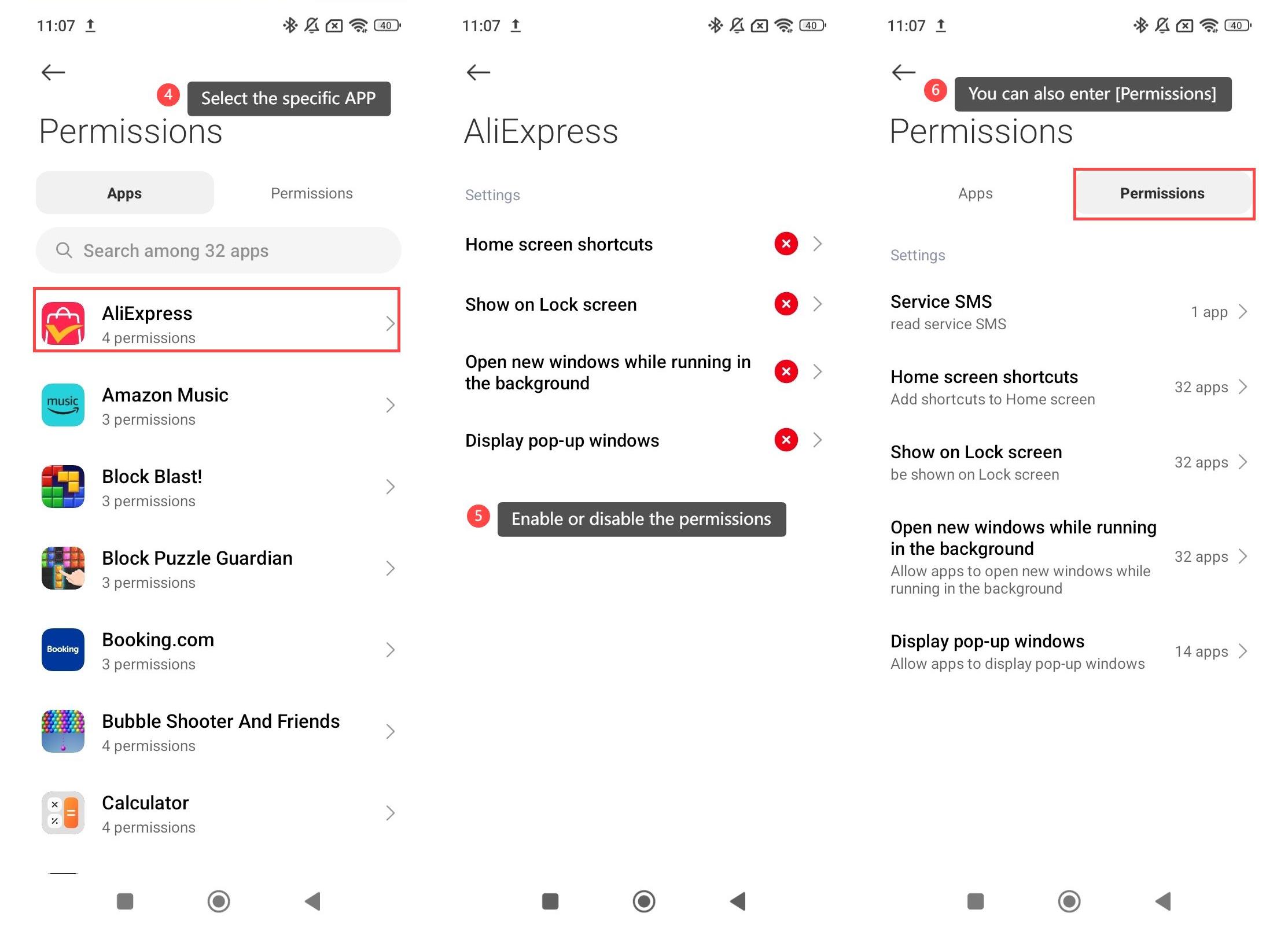
4. Select the specific APP for which you want to manage;
5. Enable or disable the permissions as you prefer, such as [Home screen shortcuts], [Show on Lock screen], [Open new windows while running in the background], [Display pop-up windows];
6. Additionally, you can also enter [Permissions] on the previous page to manage these permissions as a whole.
To check the other permissions of APPs on your phone, please refer to the following steps:
1. Go to the [Settings] APP on your phone;
2. Select [Privacy protection];
3. Tap [Other permissions];
4. Select the specific APP for which you want to manage;
5. Enable or disable the permissions as you prefer, such as [Home screen shortcuts], [Show on Lock screen], [Open new windows while running in the background], [Display pop-up windows];
6. Additionally, you can also enter [Permissions] on the previous page to manage these permissions as a whole.
Does it help?
Yes
No