

How to set the emergency contacts on the Redmi 13C?
Setting emergency contacts on the Redmi 13C allows you to quickly access and notify key contacts in case of an emergency.
To set the emergency contacts on your phone, please refer to the following steps:
1. Go to the [Settings] APP on your phone;
2. Select [Safety & emergency];
3. Tap [Emergency contacts];
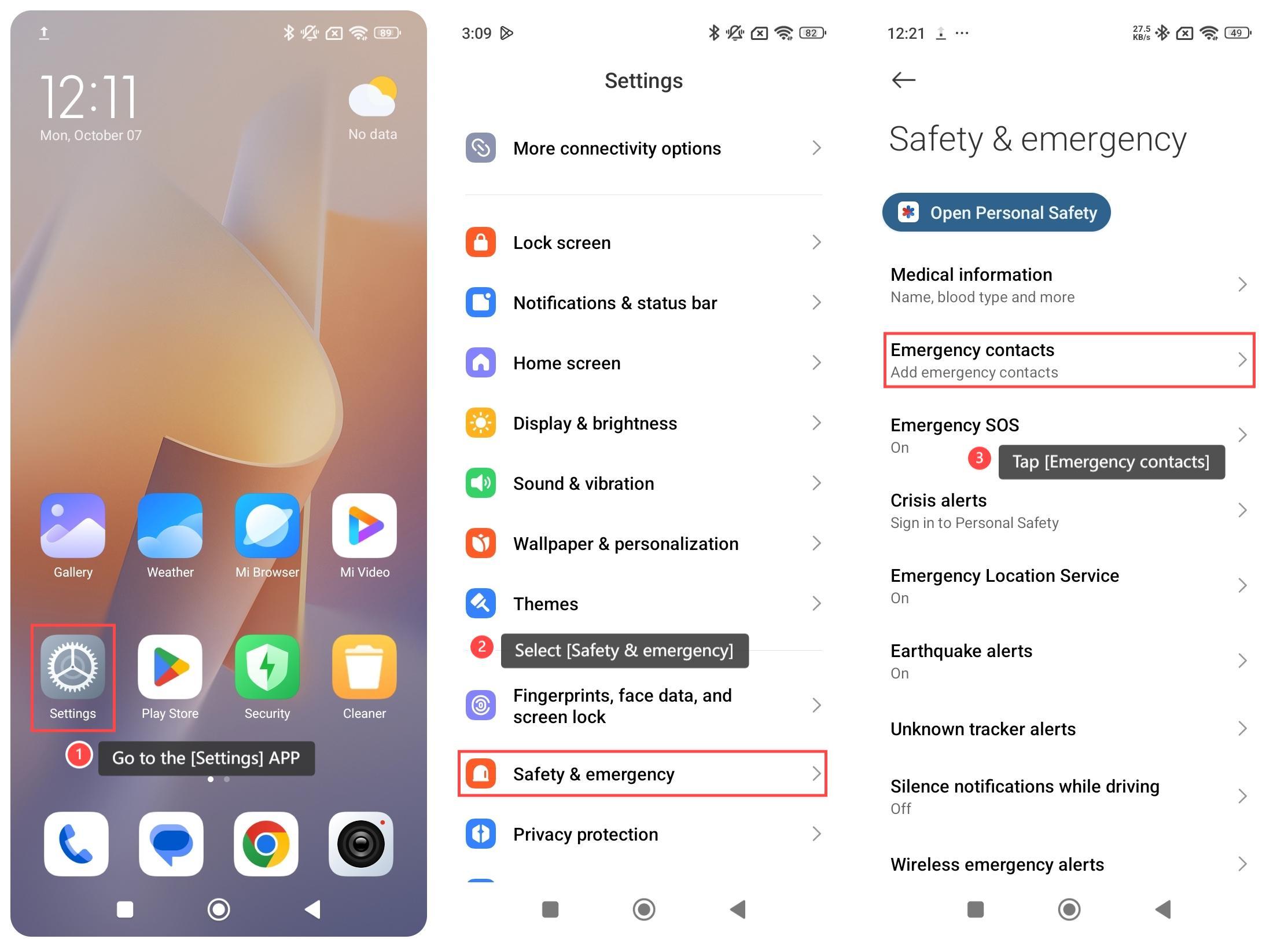
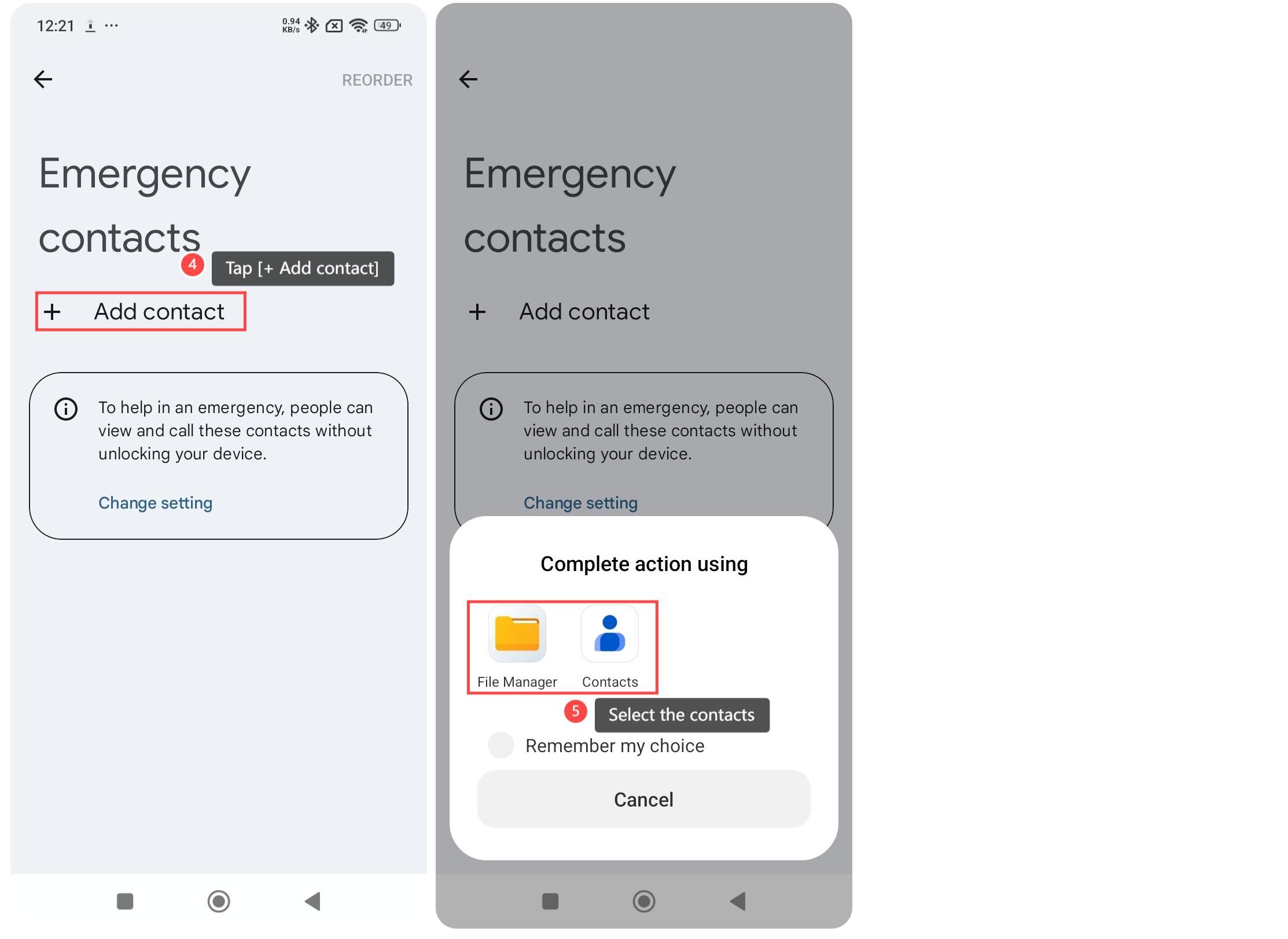
4. Tap [+ Add contact];
5. Select the contacts from [File Manager] or [Contacts]. Then follow the prompts to complete adding contacts.
Note:
1. Emergency contacts can be quickly accessed regardless of whether the phone is unlocked, providing convenience in emergency situations;
2. In case of emergency, medical or other rescue personnel can directly contact your emergency contact person via mobile phone;
3. In critical moments, it is possible to issue a distress call without complex operations, reducing the possibility of errors in a tense state.
To set the emergency contacts on your phone, please refer to the following steps:
1. Go to the [Settings] APP on your phone;
2. Select [Safety & emergency];
3. Tap [Emergency contacts];
4. Tap [+ Add contact];
5. Select the contacts from [File Manager] or [Contacts]. Then follow the prompts to complete adding contacts.
Note:
1. Emergency contacts can be quickly accessed regardless of whether the phone is unlocked, providing convenience in emergency situations;
2. In case of emergency, medical or other rescue personnel can directly contact your emergency contact person via mobile phone;
3. In critical moments, it is possible to issue a distress call without complex operations, reducing the possibility of errors in a tense state.
Does it help?
Yes
No