

How to switch on/off the Background autostart for APPs on the Redmi 13C?
Managing the Background autostart settings on the Redmi 13C allows you to strike a balance between convenience and resource optimization. Enabling the Background autostart for critical APPs ensures a smooth experience while disabling the Background autostart for unnecessary APPs can improve system performance and extend battery life.
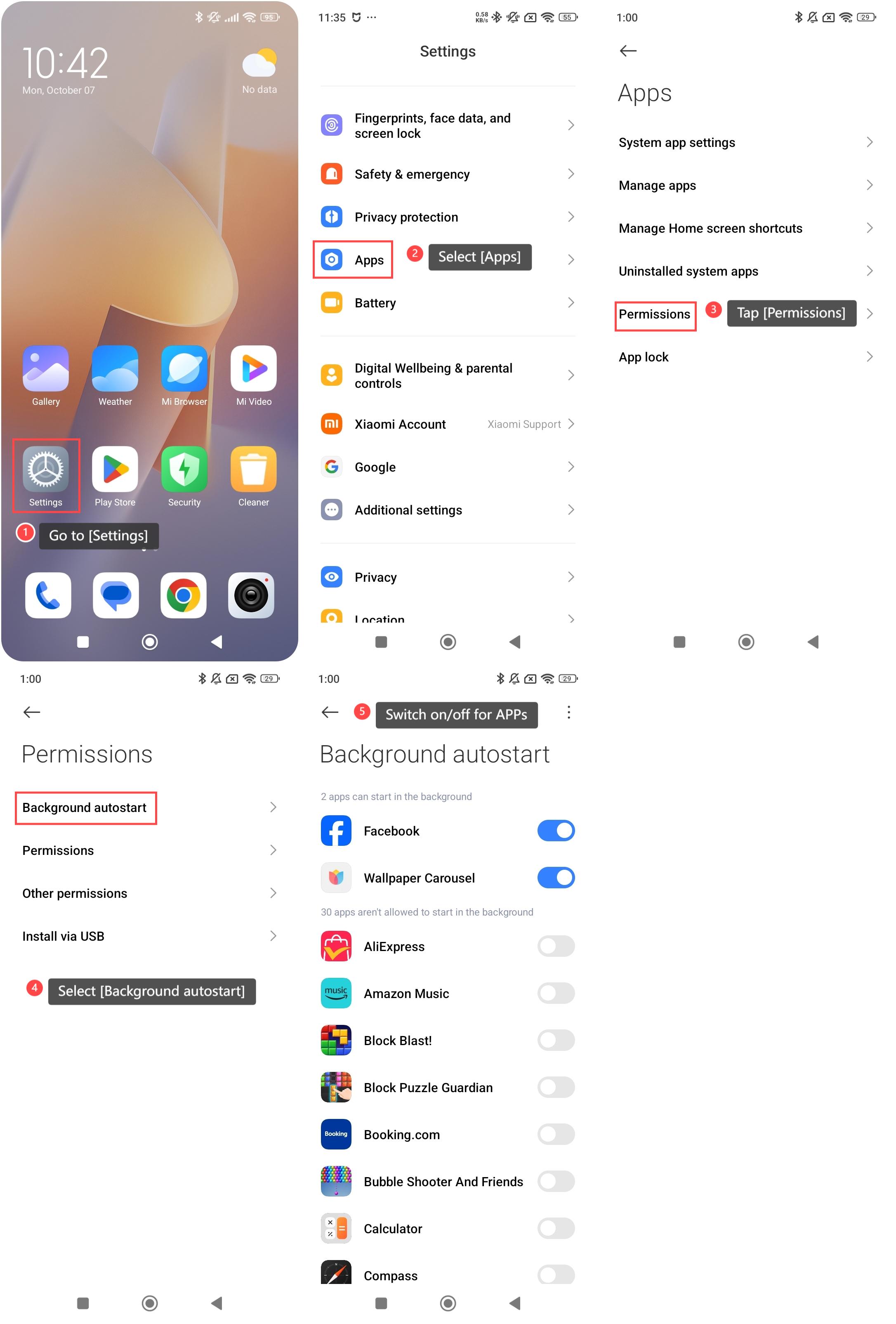
To switch on/off the Background autostart for APPs on your phone, please refer to the following steps:
1. Go to [Settings] on your phone;
2. Scroll down and select [Apps];
3. Tap [Permissions];
4. Select [Background autostart];
5. You can switch on or off [Background autostart] for APPs.
Note:
Preventing certain APPs with the Background autostart feature can be beneficial for improving your phone’s performance and battery life. However, be cautious not to disable the Background autostart feature for essential system APPs or APPs that you rely on for notifications.
To switch on/off the Background autostart for APPs on your phone, please refer to the following steps:
1. Go to [Settings] on your phone;
2. Scroll down and select [Apps];
3. Tap [Permissions];
4. Select [Background autostart];
5. You can switch on or off [Background autostart] for APPs.
Note:
Preventing certain APPs with the Background autostart feature can be beneficial for improving your phone’s performance and battery life. However, be cautious not to disable the Background autostart feature for essential system APPs or APPs that you rely on for notifications.
Does it help?
Yes
No