

How to set the lock screen wallpaper on the Redmi 13C?
The lock screen wallpaper on the Redmi 13C can be customized to display any image you choose. By default, it will feature a pre-installed wallpaper that showcases vibrant colors or landscapes.
To set the lock screen wallpaper on your phone, please refer to the following methods:
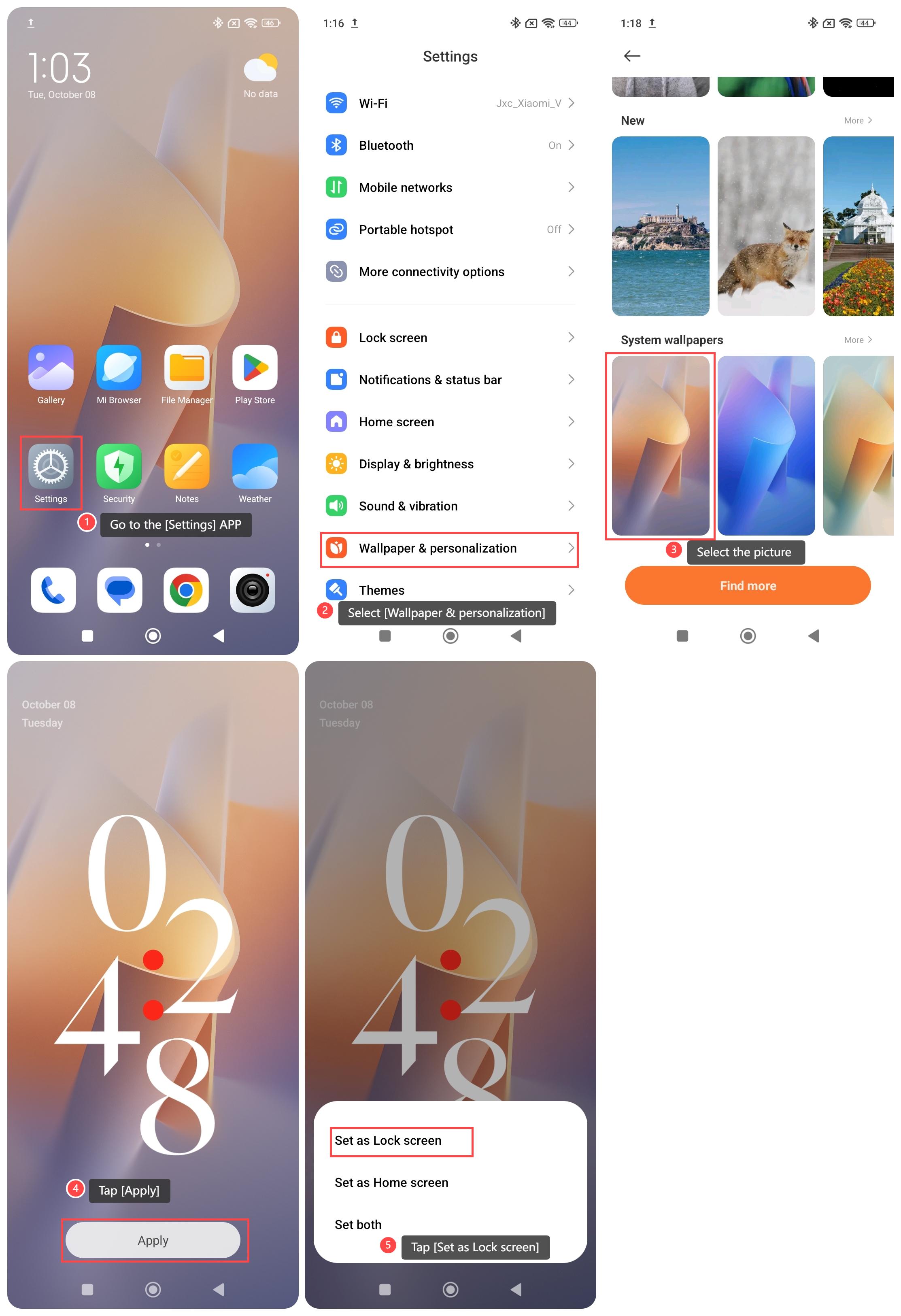
Method 1:
1. Go to the [Settings] APP on your phone;
2. Select [Wallpaper & personalization];
3. Select the picture you want to use;
4. Tap [Apply];
5. Tap [Set as Lock screen].
Method 2:
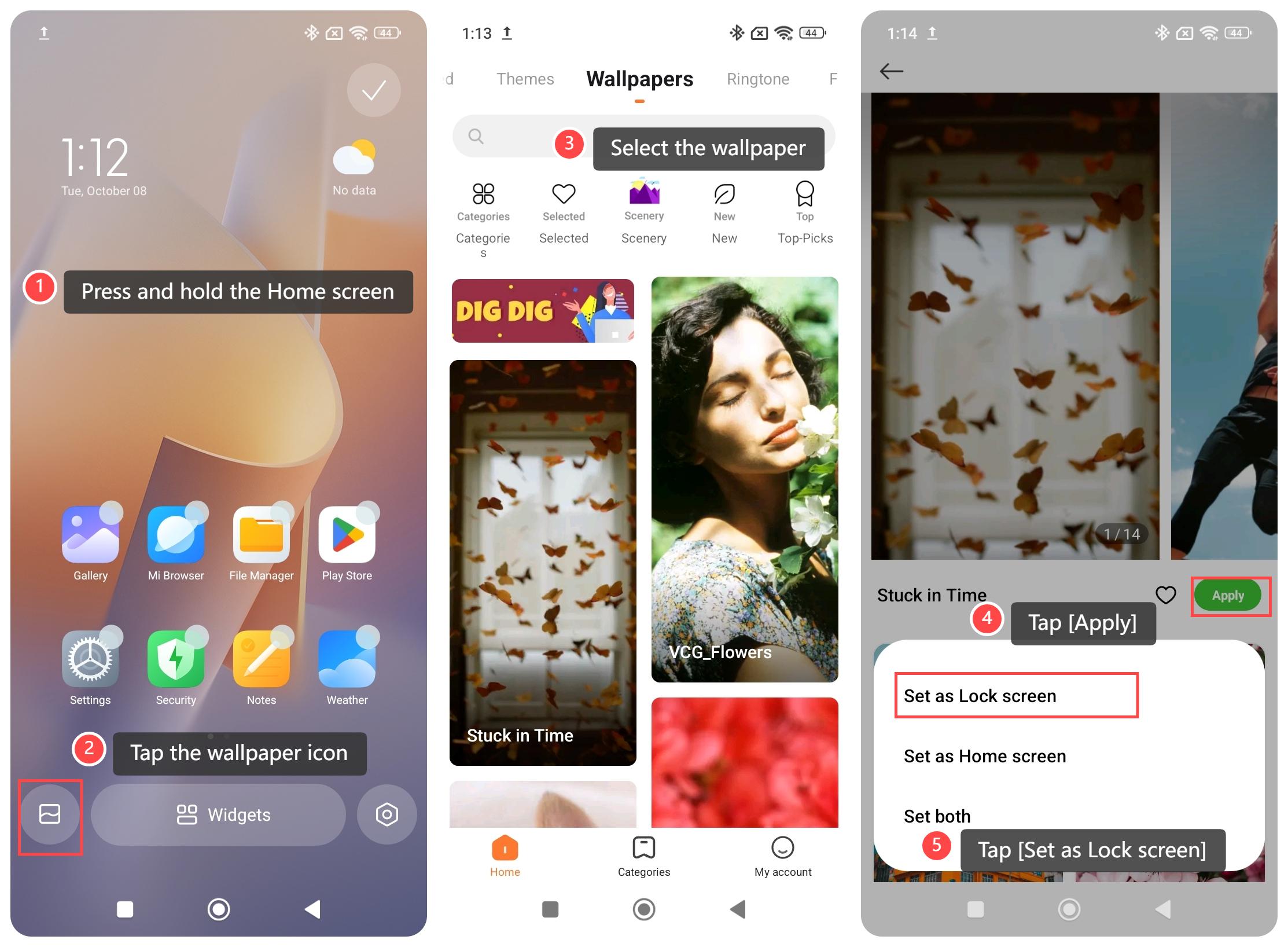
1. Press and hold the Home screen;
2. Tap the wallpaper icon;
3. Select the wallpaper according to your preference;
4. Tap [Apply];
5. Tap [Set as Lock screen].
Method 3:
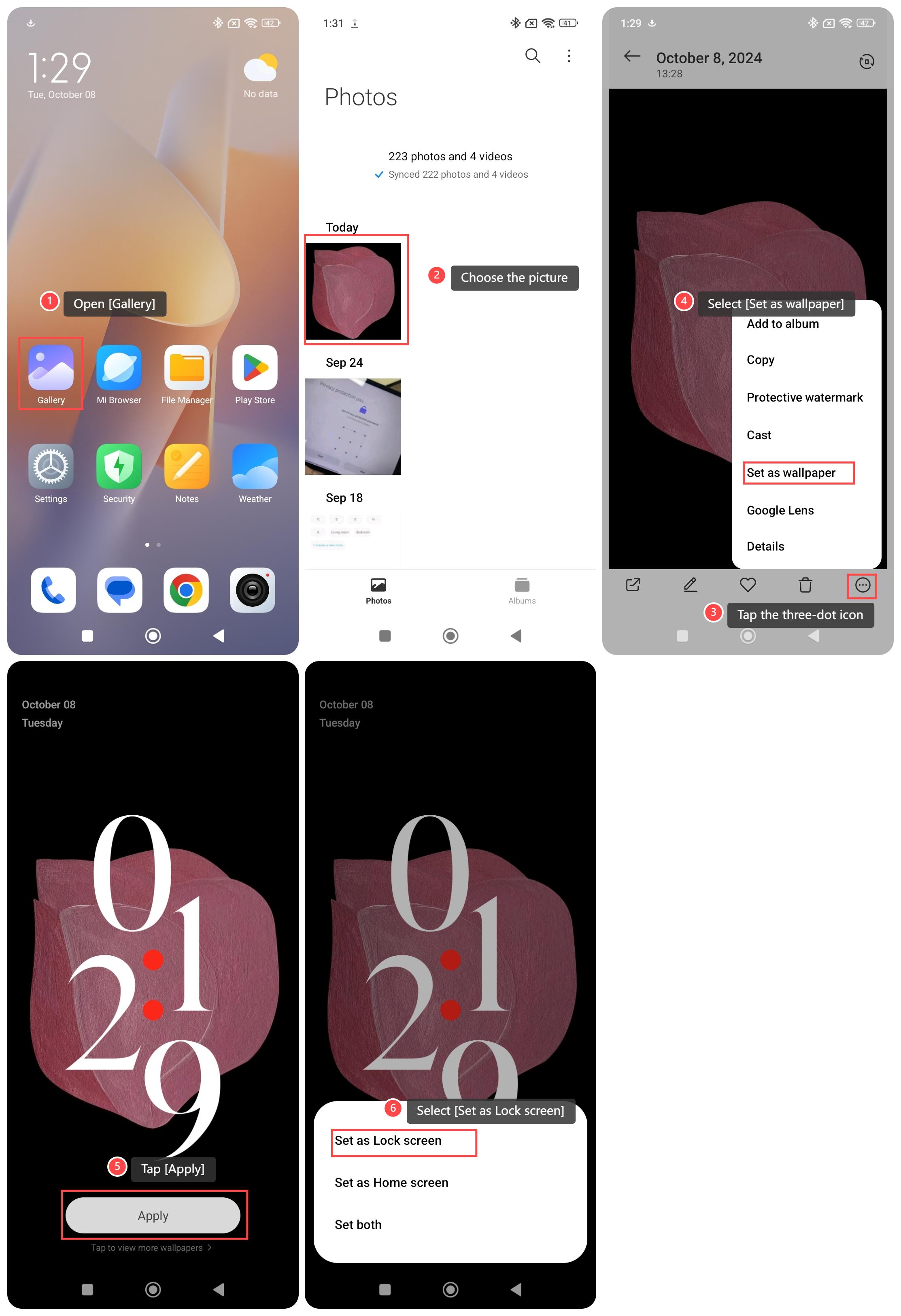
1. Open [Gallery];
2. Choose the picture you want to use;
3. Tap the three-dot icon at the upper right corner;
4. Select [Set as wallpaper];
5. Tap [Apply];
6. Select [Set as Lock screen].
To set the lock screen wallpaper on your phone, please refer to the following methods:
Method 1:
1. Go to the [Settings] APP on your phone;
2. Select [Wallpaper & personalization];
3. Select the picture you want to use;
4. Tap [Apply];
5. Tap [Set as Lock screen].
Method 2:
1. Press and hold the Home screen;
2. Tap the wallpaper icon;
3. Select the wallpaper according to your preference;
4. Tap [Apply];
5. Tap [Set as Lock screen].
Method 3:
1. Open [Gallery];
2. Choose the picture you want to use;
3. Tap the three-dot icon at the upper right corner;
4. Select [Set as wallpaper];
5. Tap [Apply];
6. Select [Set as Lock screen].
Does it help?
Yes
No