

How to enable/disable Reading mode on the Redmi 13C?
Reading mode on the Redmi 13C is a feature designed to enhance the reading experience by reducing eye strain. When activated, it can adjust the screen's color temperature to warmer tones, which helps minimize blue light exposure. This can make text easier to read and more comfortable for the eyes, especially during prolonged reading sessions.
To enable/disable Reading mode on your phone, please refer to the following methods:
Method 1:
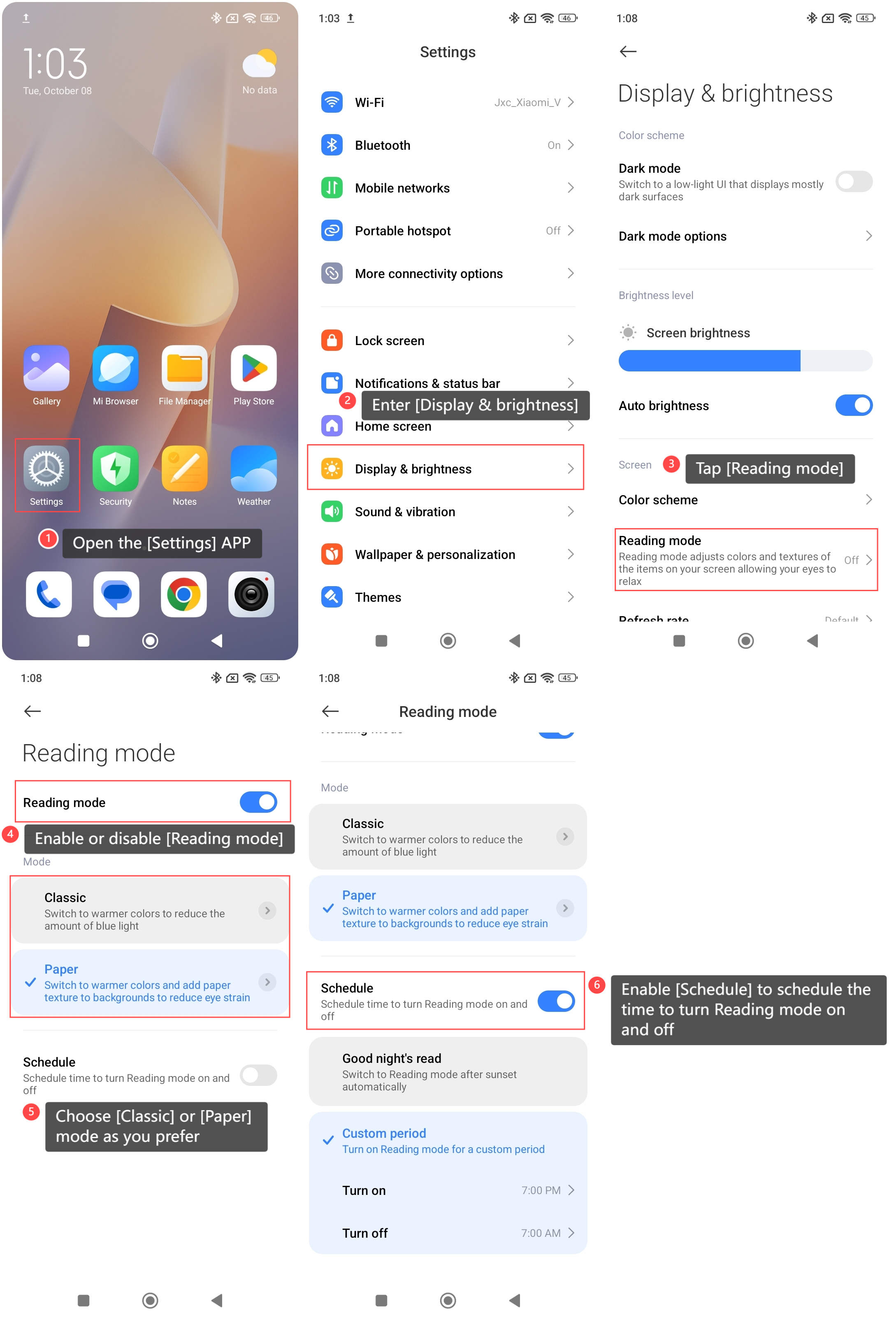
1. Open the [Settings] APP on your phone;
2. Enter [Display & brightness];
3. Tap [Reading mode];
4. Enable or disable [Reading mode];
5. You can choose [Classic] or [Paper] mode as you prefer;
6. Additionally, you can enable [Schedule] to schedule the time to turn Reading mode on and off. There are two options you can set: [Good night’s read] or [Custom period].
To enable/disable Reading mode on your phone, please refer to the following methods:
Method 1:
1. Open the [Settings] APP on your phone;
2. Enter [Display & brightness];
3. Tap [Reading mode];
4. Enable or disable [Reading mode];
5. You can choose [Classic] or [Paper] mode as you prefer;
6. Additionally, you can enable [Schedule] to schedule the time to turn Reading mode on and off. There are two options you can set: [Good night’s read] or [Custom period].
Method 2:
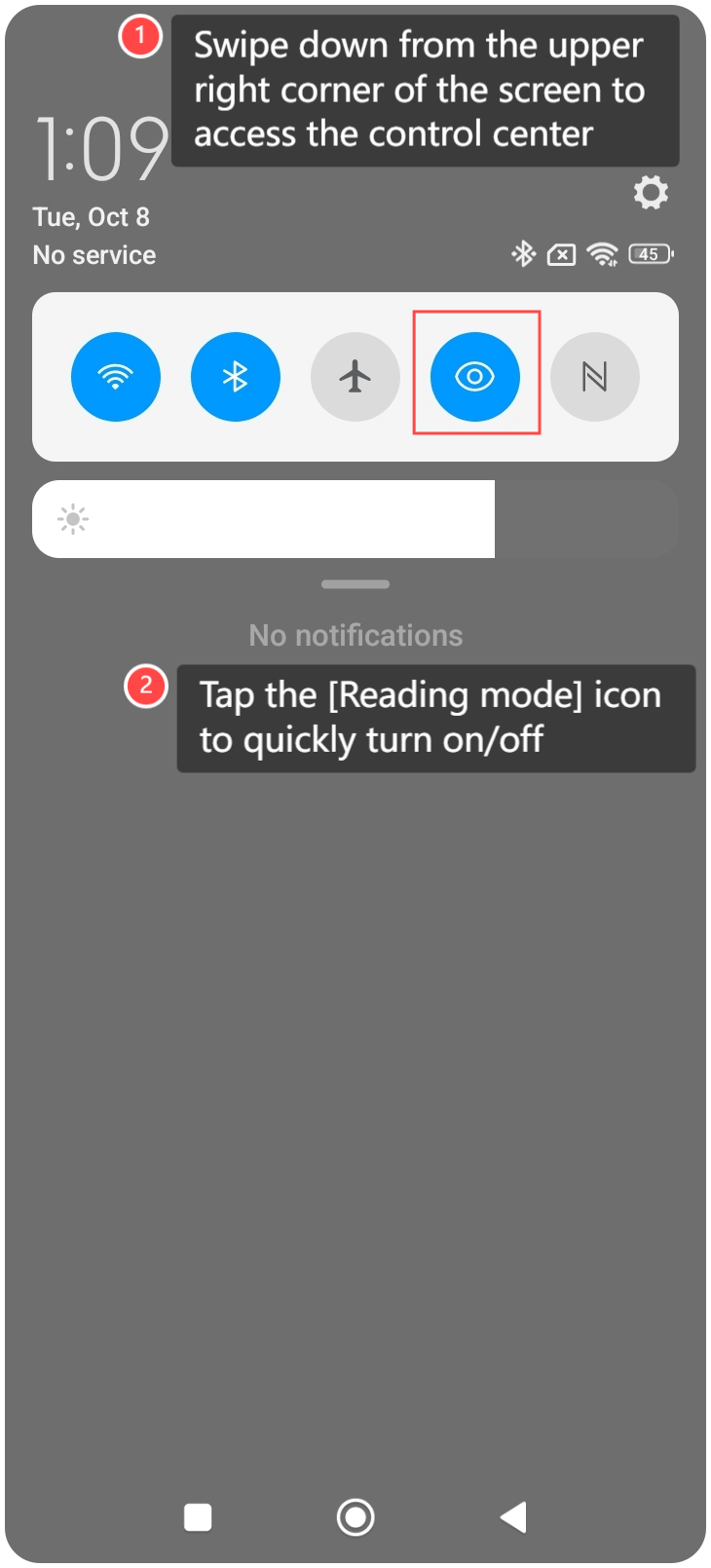
1. Swipe down from the upper right corner of the screen to access the control center;
2. Tap the [Reading mode] icon to quickly turn on/off.
1. Swipe down from the upper right corner of the screen to access the control center;
2. Tap the [Reading mode] icon to quickly turn on/off.
Note:
1. The classic reading mode can switch the screen to warmer colors to reduce the amount of blue light;
2. The paper reading mode can switch the screen to warmer colors and add paper texture to backgrounds to reduce eye strain.
1. The classic reading mode can switch the screen to warmer colors to reduce the amount of blue light;
2. The paper reading mode can switch the screen to warmer colors and add paper texture to backgrounds to reduce eye strain.
Does it help?
Yes
No