

How to lock Home screen layout on the Redmi 13C?
The Redmi 13C supports locking the home screen layout, which can stop accidental rearrangement or deletion of applications and widgets, keeping your setup intact. A familiar layout will be maintained, which can enhance usability, and ensure that frequently used applications remain in the same place, improving accessibility. It also can reduce distractions by keeping the layout static, allowing you to concentrate on your activities without interruptions. This feature is especially useful for those who share their phone with others or want to maintain consistency in their using experience.
To lock Home screen layout on the Redmi 13C, please refer to the following methods:
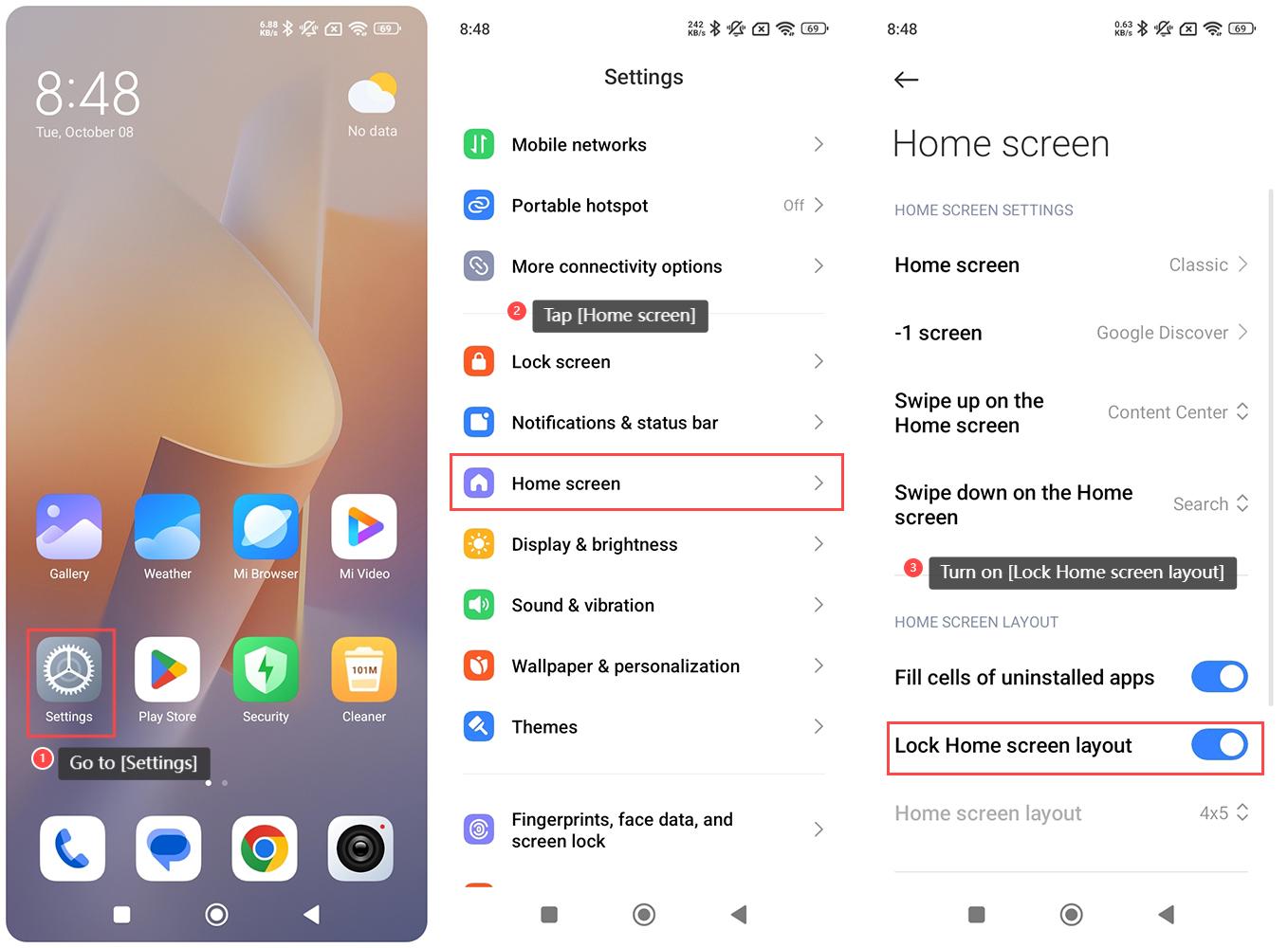
Method 1:
1. Go to [Settings] on your phone;
2. Tap [Home screen];
3. Turn on [Lock Home screen layout].
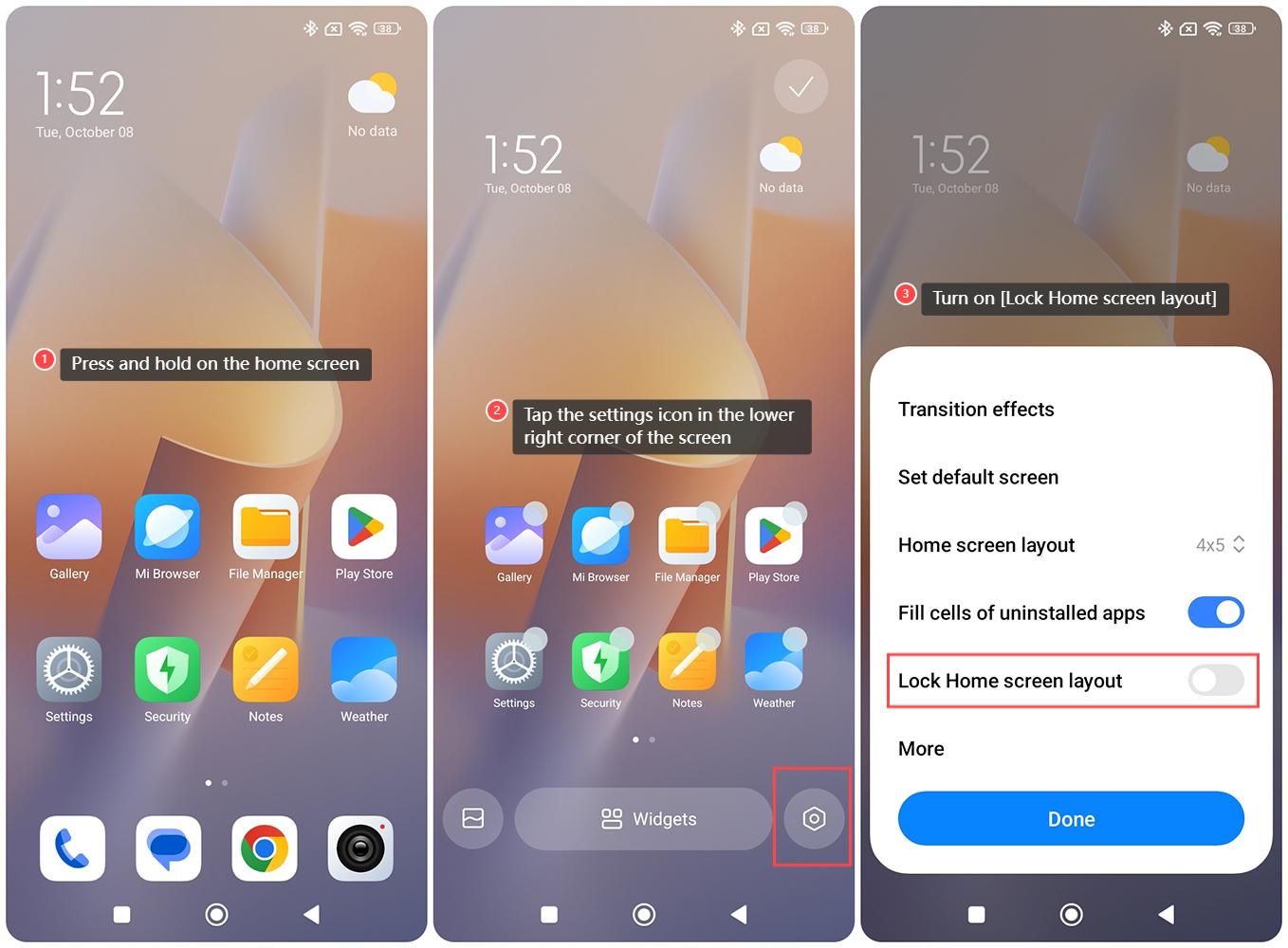
Method 2:
1. Press and hold on the home screen;
2. Tap the settings icon in the lower right corner of the screen;
3. Turn on [Lock Home screen layout].
To lock Home screen layout on the Redmi 13C, please refer to the following methods:
Method 1:
1. Go to [Settings] on your phone;
2. Tap [Home screen];
3. Turn on [Lock Home screen layout].
Method 2:
1. Press and hold on the home screen;
2. Tap the settings icon in the lower right corner of the screen;
3. Turn on [Lock Home screen layout].
Does it help?
Yes
No