

How to share files on the Redmi 13C 5G with nearby devices?
The Redmi 13C 5G supports the Quick Share function, allowing you to send and receive files immediately from devices close to your location. This feature can significantly reduce the time of transferring large files compared to traditional methods. You can also share files directly without needing an internet connection, which is helpful in areas with poor connectivity.
To share files on your phone with nearby devices, please refer to the following methods:
Method 1:
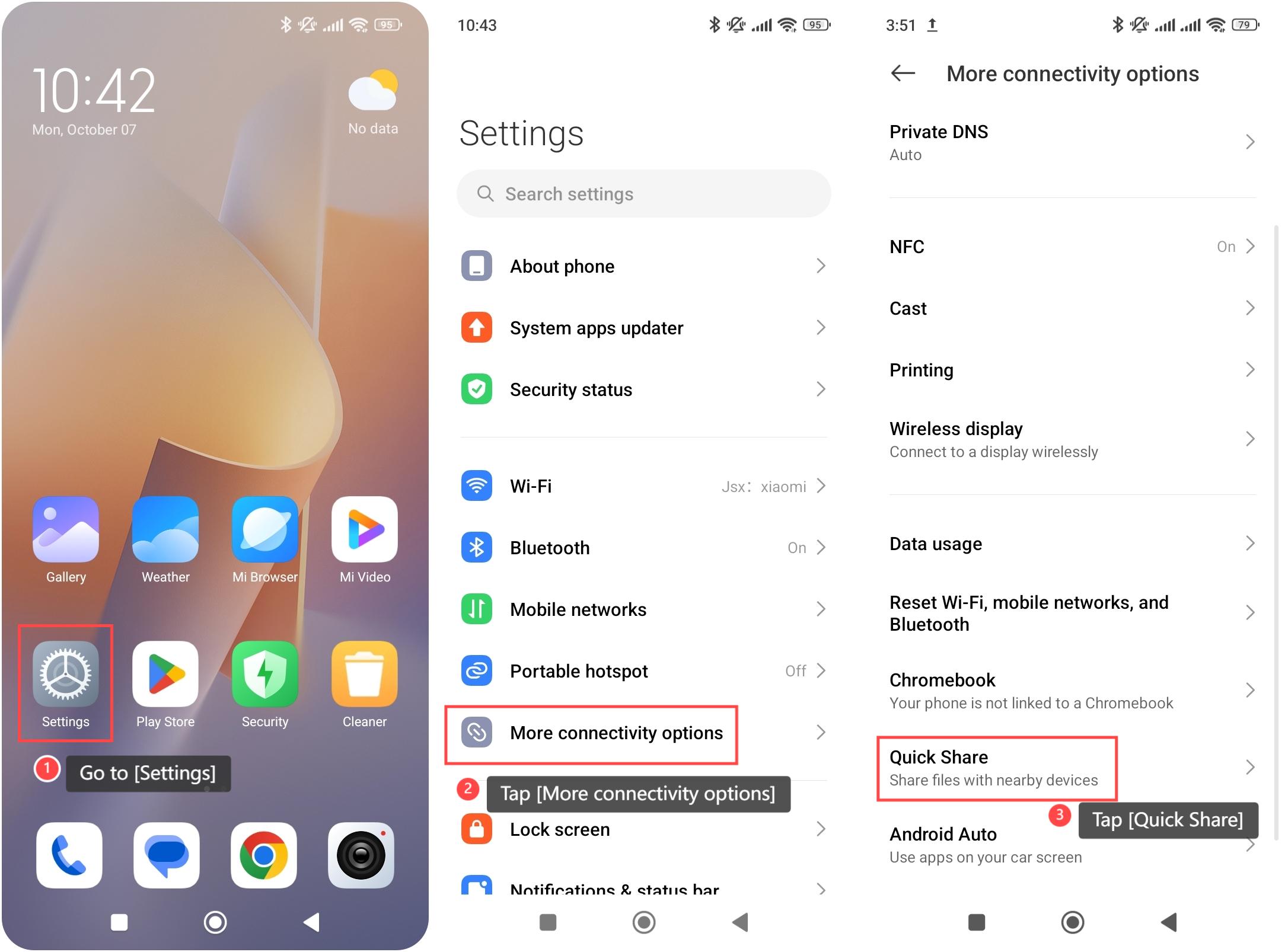
1. Go to [Settings];
2. Tap [More connectivity options];
3. Swipe down to find and tap [Quick Share] to use this feature.
Method 2:
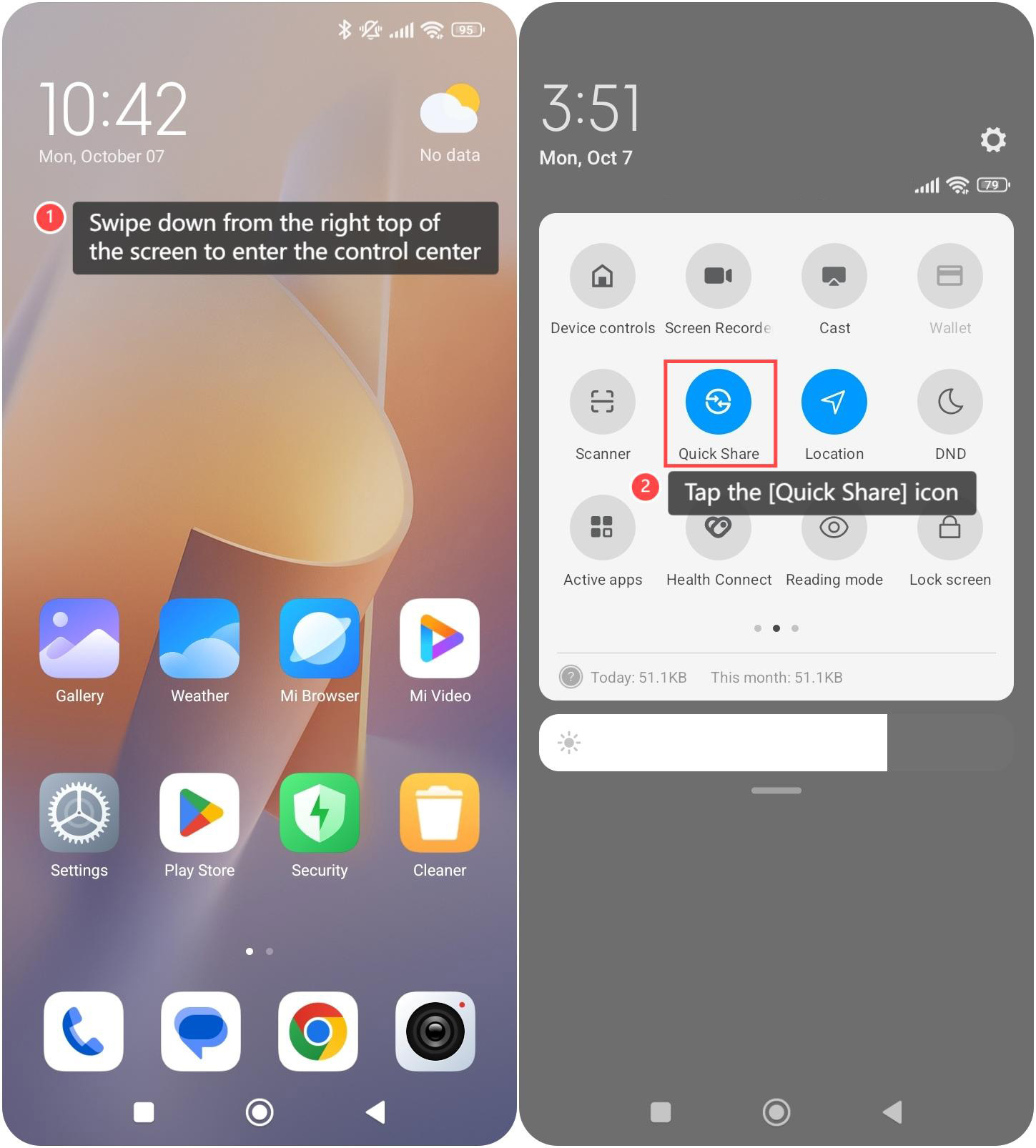
1. Swipe down from the right top of the screen to enter the control center;
2. Tap the [Quick Share] icon to use this feature.
To share files on your phone with nearby devices, please refer to the following methods:
Method 1:
1. Go to [Settings];
2. Tap [More connectivity options];
3. Swipe down to find and tap [Quick Share] to use this feature.
Method 2:
1. Swipe down from the right top of the screen to enter the control center;
2. Tap the [Quick Share] icon to use this feature.
Does it help?
Yes
No