

How to set the default SIM card for mobile data on the Redmi 13C?
The Redmi 13C supports setting the default SIM for mobile data, which can make you use the mobile data according to your needs, and avoid unnecessary consumption of mobile data of another SIM.
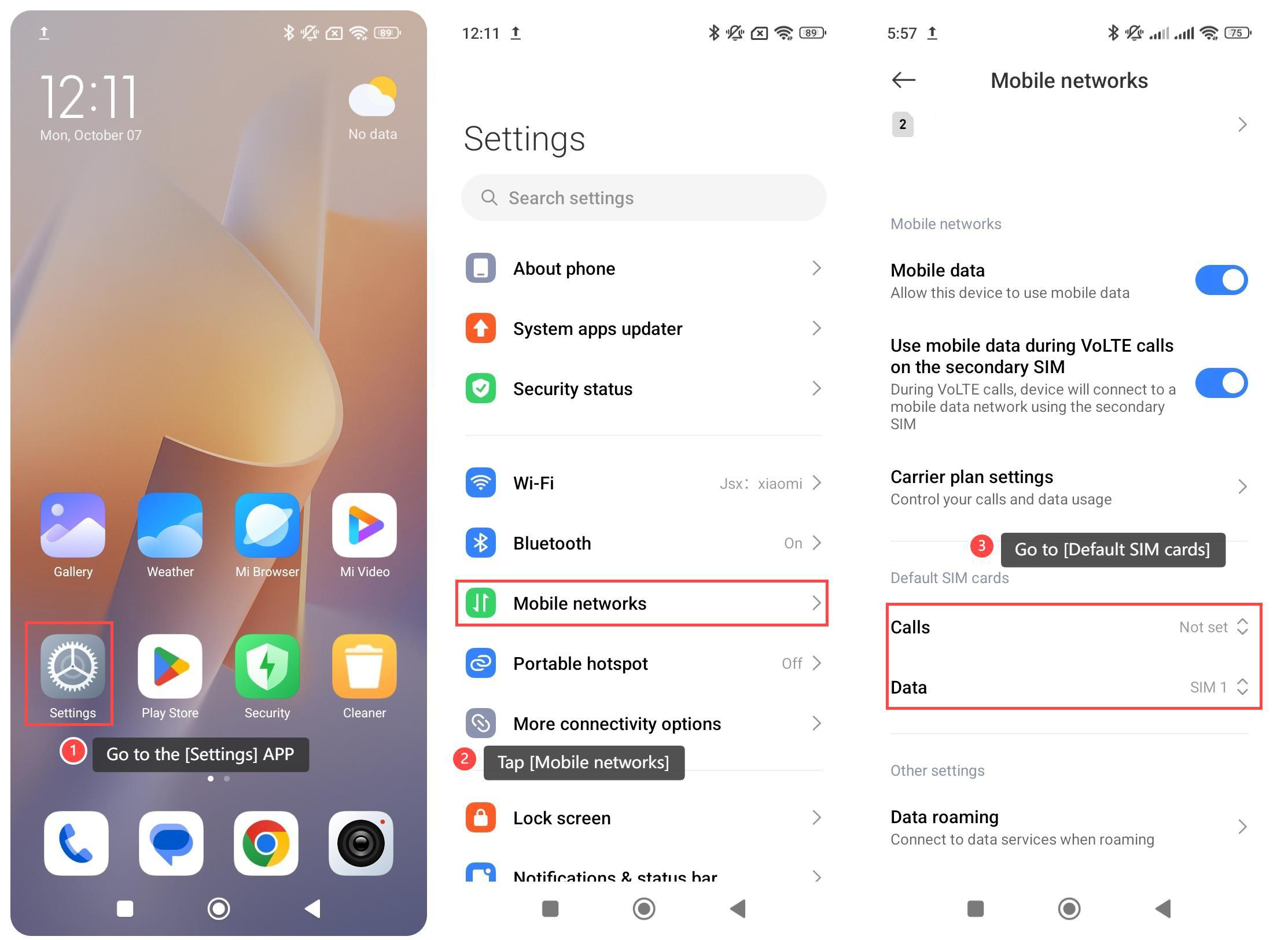
To set the default SIM for mobile data, please refer to the following steps:
1. Go to the [Settings] APP on your phone;
2. Tap [Mobile networks];
3. Go to [Default SIM cards];
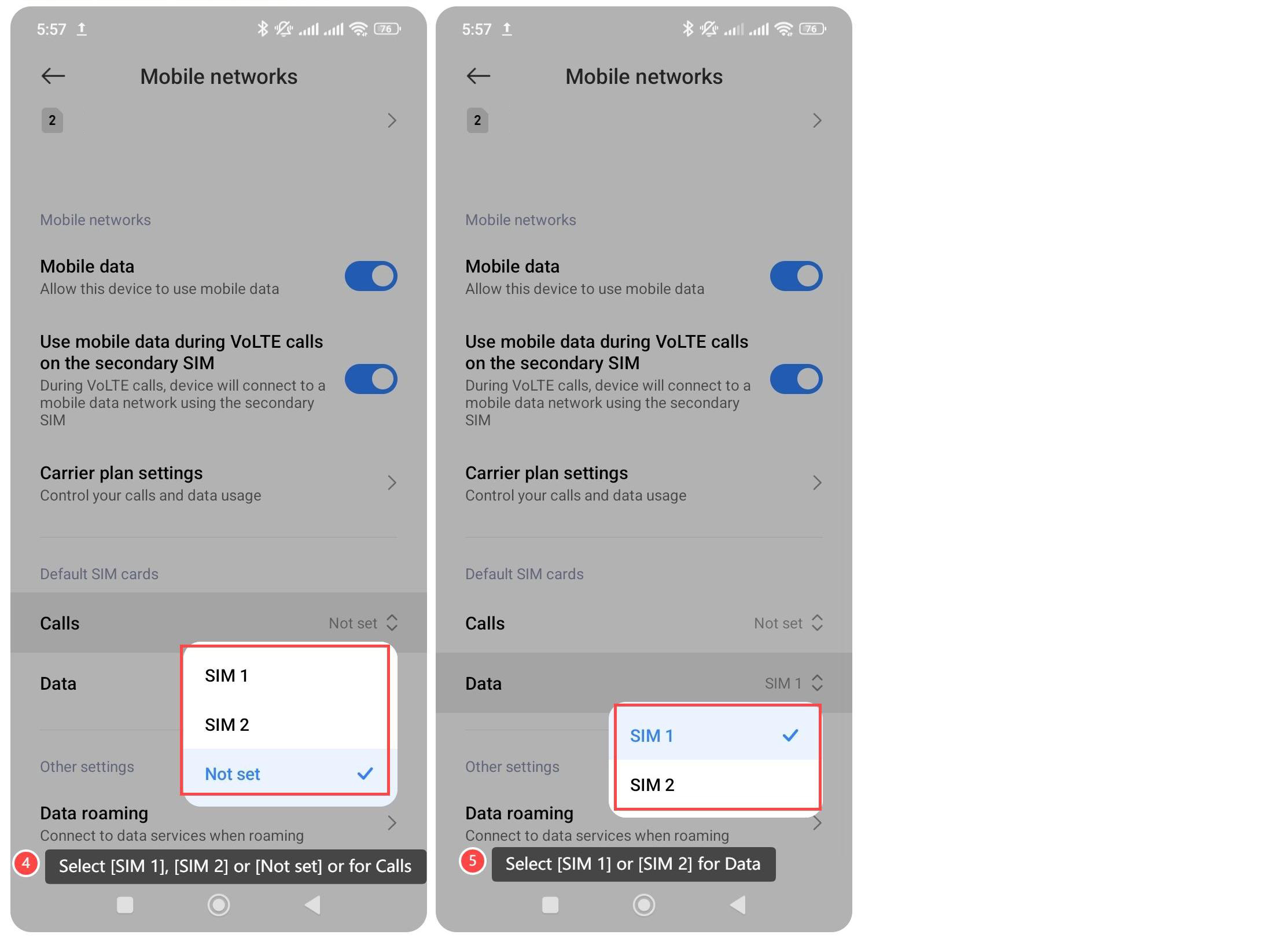
4. Select [SIM 1], [SIM 2] or [Not set] for calls;
5. Select [SIM 1] or [SIM 2] for data.
Note:
1. Choosing the right data card can improve network speed and stability;
2. Ensure that the selected SIM card has good signal coverage in your area;
3. Confirm that the data package of the selected SIM card is sufficient to meet your usage needs.
To set the default SIM for mobile data, please refer to the following steps:
1. Go to the [Settings] APP on your phone;
2. Tap [Mobile networks];
3. Go to [Default SIM cards];
4. Select [SIM 1], [SIM 2] or [Not set] for calls;
5. Select [SIM 1] or [SIM 2] for data.
Note:
1. Choosing the right data card can improve network speed and stability;
2. Ensure that the selected SIM card has good signal coverage in your area;
3. Confirm that the data package of the selected SIM card is sufficient to meet your usage needs.
Does it help?
Yes
No