

How to set up the shortcut for the camera if the Redmi 13C 5G's screen is locked?
The Redmi 13C 5G features the Launch Camera function. It will provide a convenient and speedy way to access the Camera APP without having to unlock the phone or navigate through applications, so that you can capture the important moment swiftly.
To enable Launch Camera on your phone, please refer to the following methods:
Method 1:
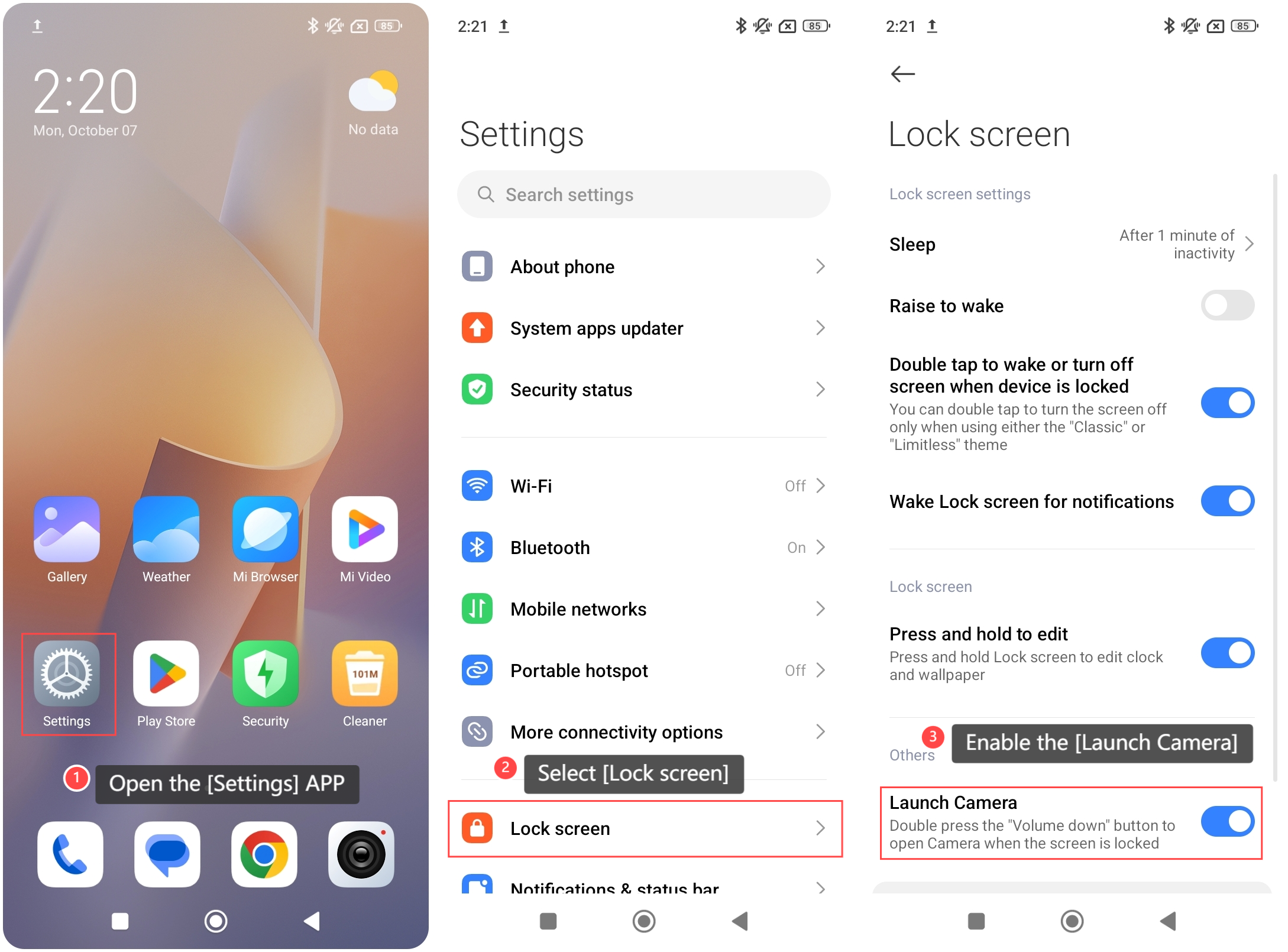
1. Open the [Settings] APP on your phone;
2. Scroll down and select [Lock screen];
3. Enable the [Launch Camera]. Then you can press the “Volume down” button twice to open the Camera when the screen is locked.
To enable Launch Camera on your phone, please refer to the following methods:
Method 1:
1. Open the [Settings] APP on your phone;
2. Scroll down and select [Lock screen];
3. Enable the [Launch Camera]. Then you can press the “Volume down” button twice to open the Camera when the screen is locked.
Method 2:
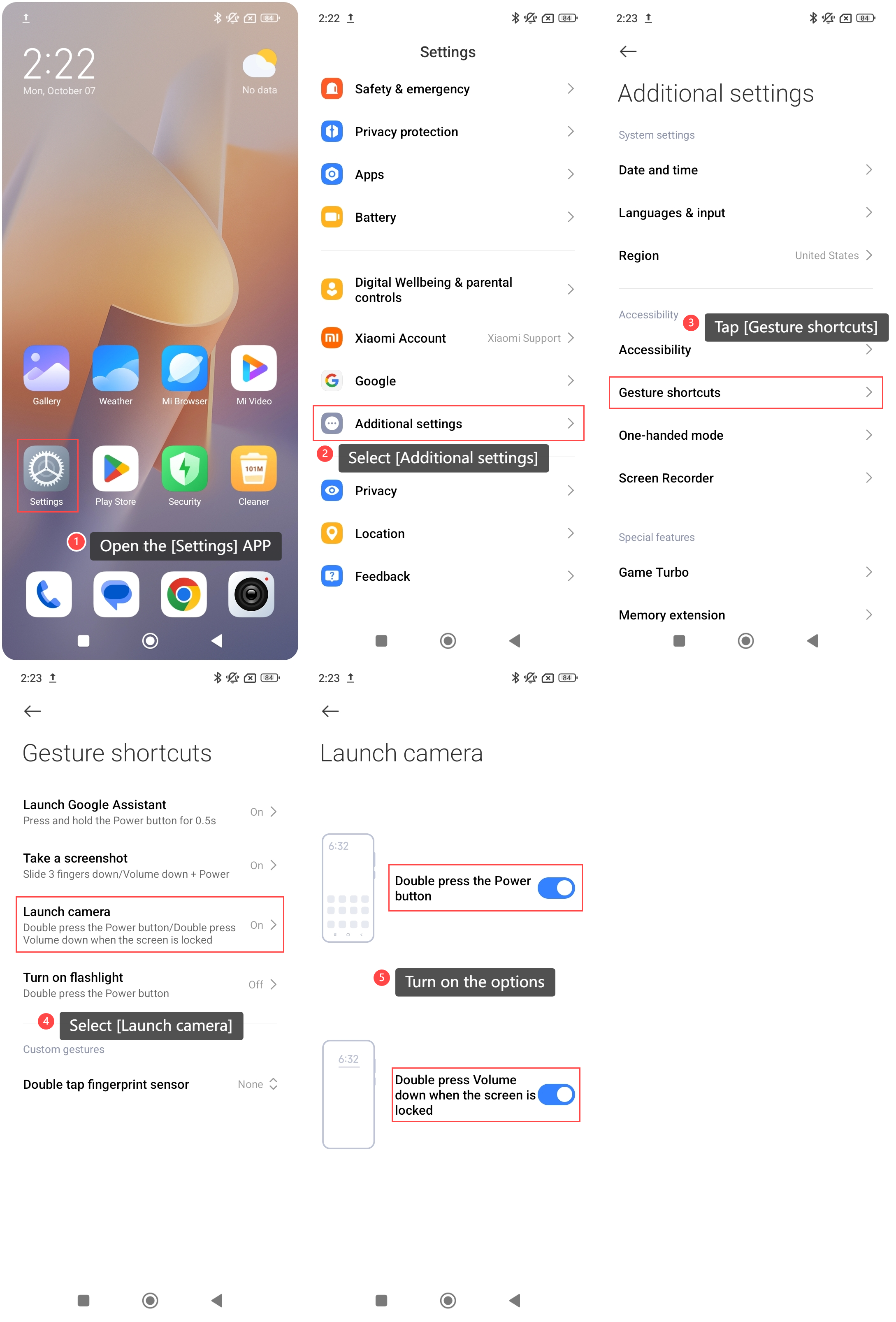
1. Open the [Settings] APP on your phone;
2. Scroll down and select [Additional settings];
3. Tap [Gesture shortcuts];
4. Select [Launch camera];
5. Turn on the options. Then you can press the “Volume down” button twice to open the Camera when the screen is locked. You can also open the Camera by pressing the Power button twice.
1. Open the [Settings] APP on your phone;
2. Scroll down and select [Additional settings];
3. Tap [Gesture shortcuts];
4. Select [Launch camera];
5. Turn on the options. Then you can press the “Volume down” button twice to open the Camera when the screen is locked. You can also open the Camera by pressing the Power button twice.
Does it help?
Yes
No