

How to scan APPs with Play Protect on the Redmi 13C?
Scanning apps with Google Play Protect on the Redmi 13C allows you to enhance your device security by detecting malware and harmful applications, conducting regular safety checks on installed APPs, and verifying the safety of applications before installation.
To scan APPs with Play Protect on your phone, please refer to the following steps:
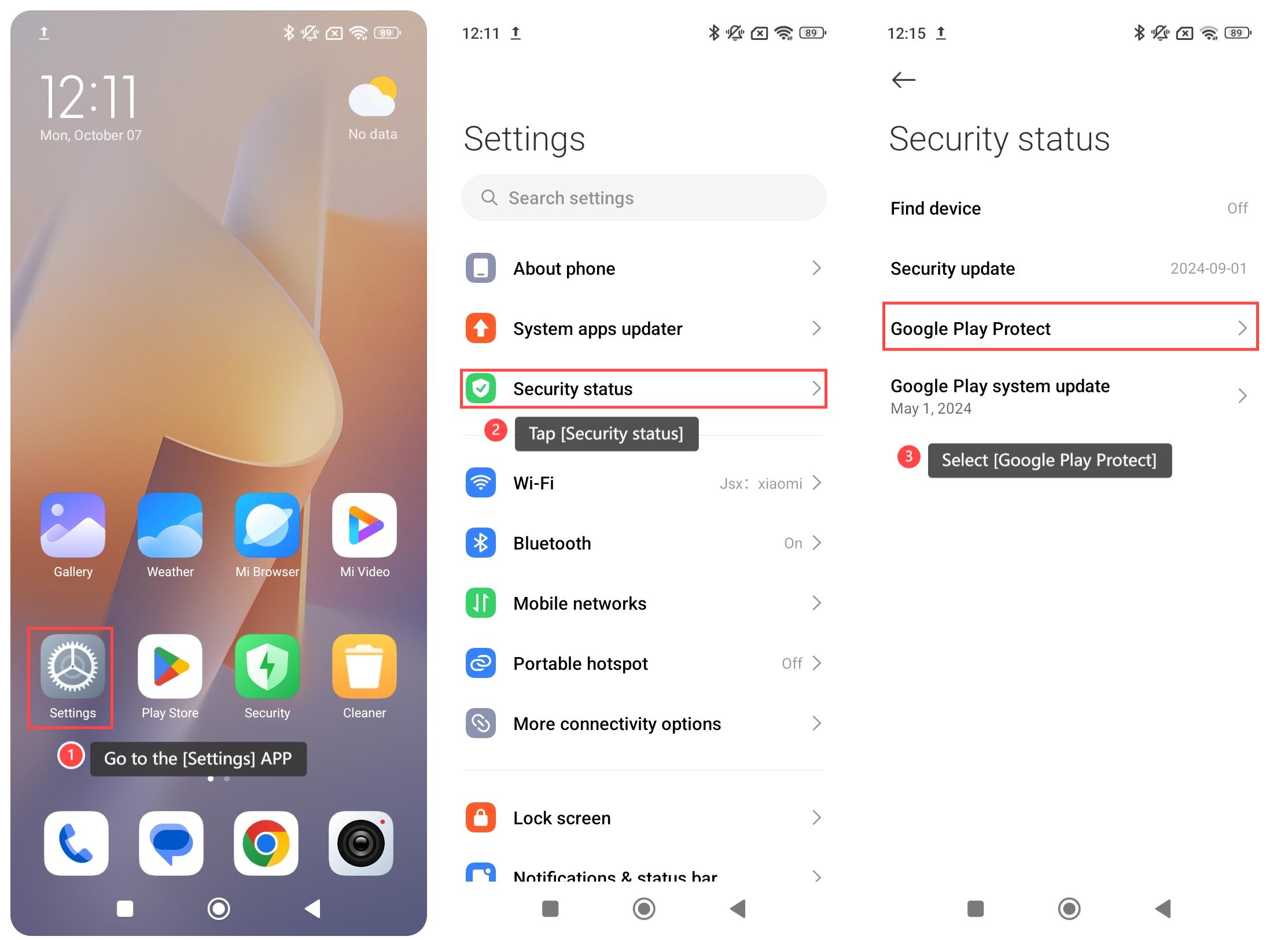
1. Go to the [Settings] APP on your phone;
2. Tap [Security status];
3. Select [Google Play Protect];
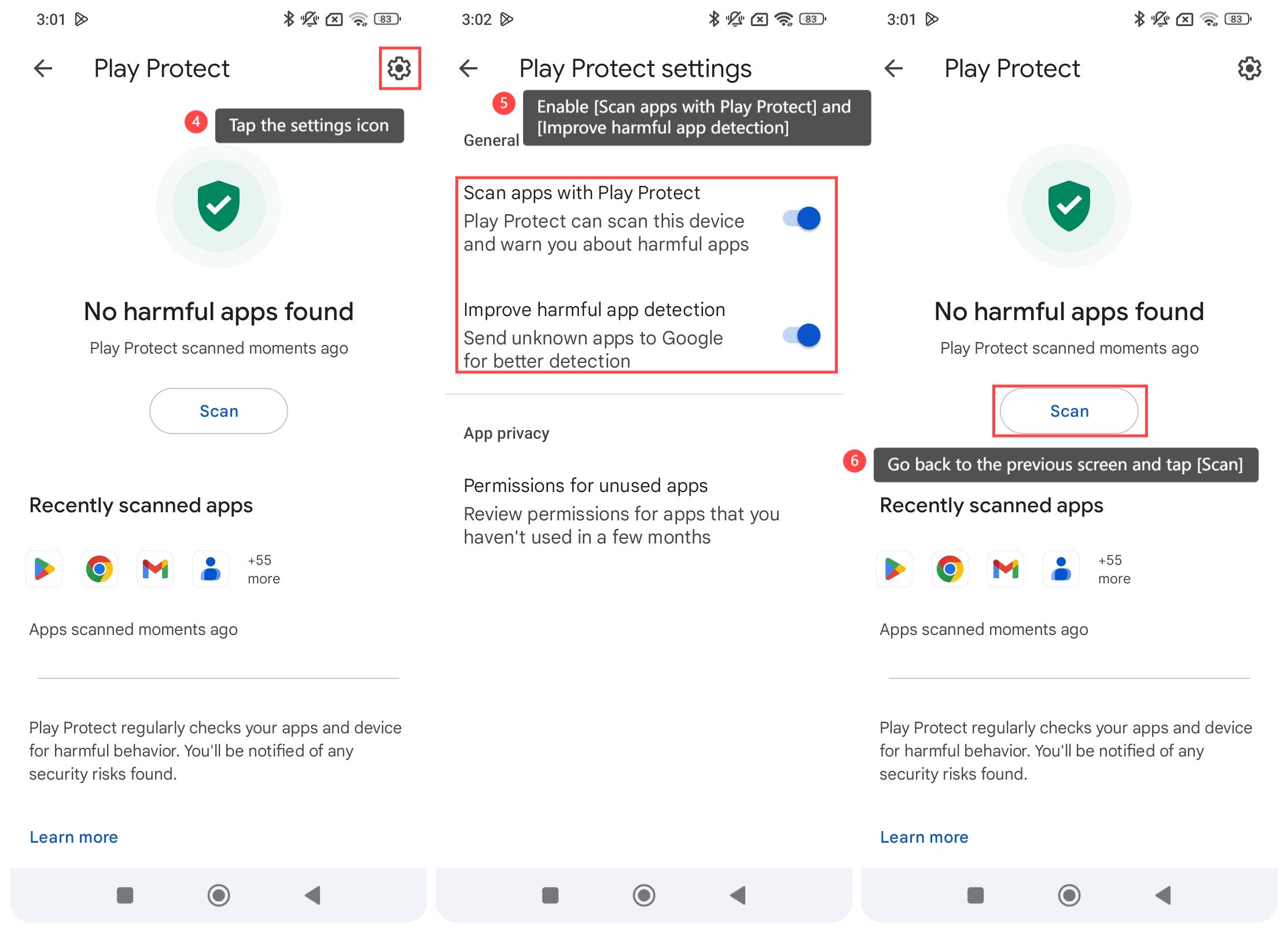
4. Tap the settings icon at the upper right corner;
5. Enable [Scan apps with Play Protect] and [Improve harmful app detection];
6. Go back to the previous screen and then tap [Scan] to check your APPs and device for harmful behavior. You’ll be notified of any security risks found.
Note:
Even if Play Protect scans APPs, it is still important to avoid downloading apps from unknown sources to reduce risks.
To scan APPs with Play Protect on your phone, please refer to the following steps:
1. Go to the [Settings] APP on your phone;
2. Tap [Security status];
3. Select [Google Play Protect];
4. Tap the settings icon at the upper right corner;
5. Enable [Scan apps with Play Protect] and [Improve harmful app detection];
6. Go back to the previous screen and then tap [Scan] to check your APPs and device for harmful behavior. You’ll be notified of any security risks found.
Note:
Even if Play Protect scans APPs, it is still important to avoid downloading apps from unknown sources to reduce risks.
Does it help?
Yes
No