

How to change the keyboard layout on the Redmi Note 13 5G?
The keyboard on the Redmi Note 13 5G supports multi-language input. You can switch between different languages on the same keyboard without having to switch keyboards frequently. After adding a language, the keyboard will automatically identify and switch languages based on what you input, improving input efficiency.
To change the keyboard layout, here are the methods for your reference:
Methods 1:
1. Navigate to [Settings];
2. Scroll down to find [Additional settings];
3. Select [Languages & input];
4. Tap [Manage keyboards];
5. Tap [Gboard];
6. Select [Languages];
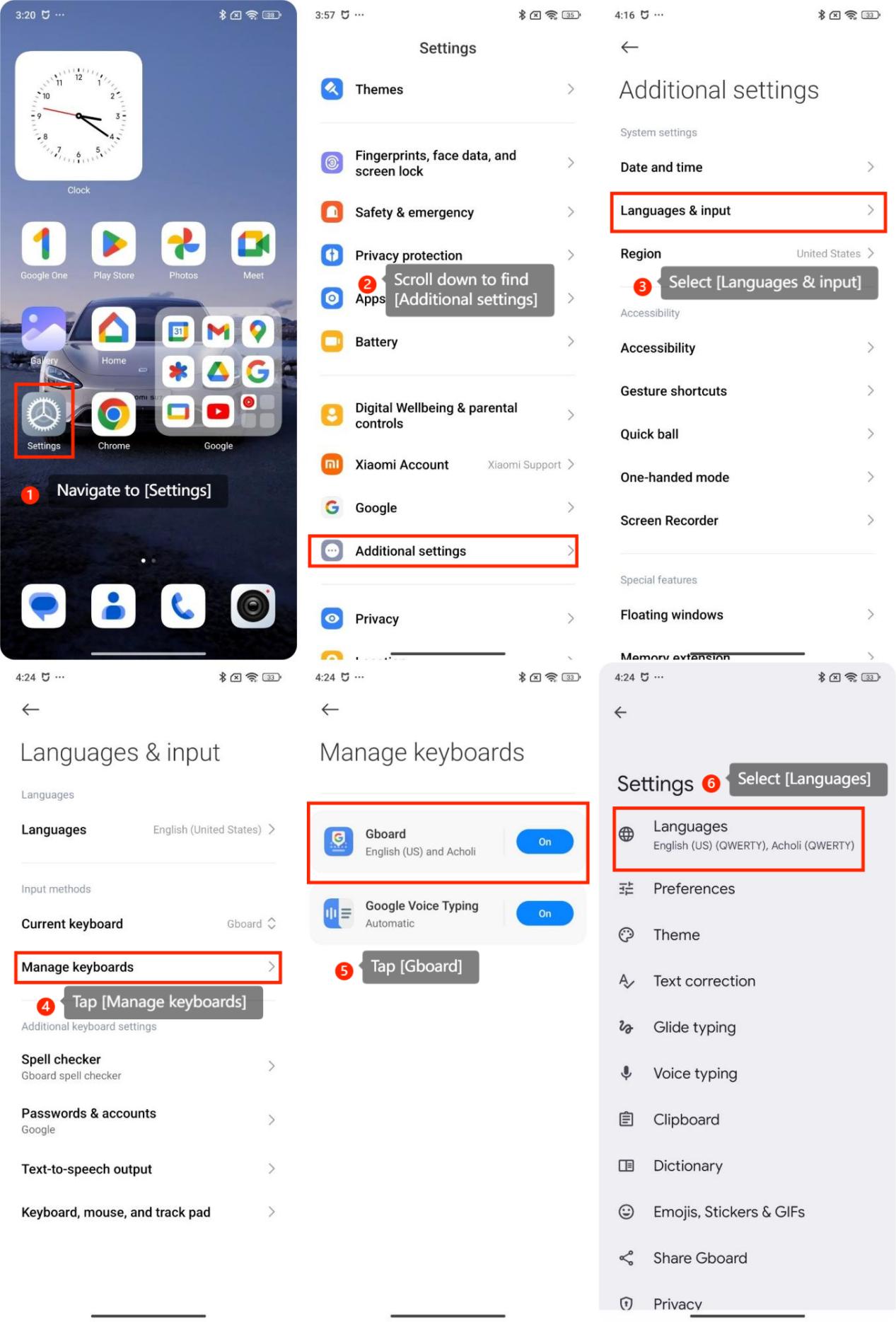
7. Tap [Add keyboard];
8. Search the language as you need;
9. Select the layout according your preference and tap [Done].
10. Tap the switch icon to change the layout.
Method 2:
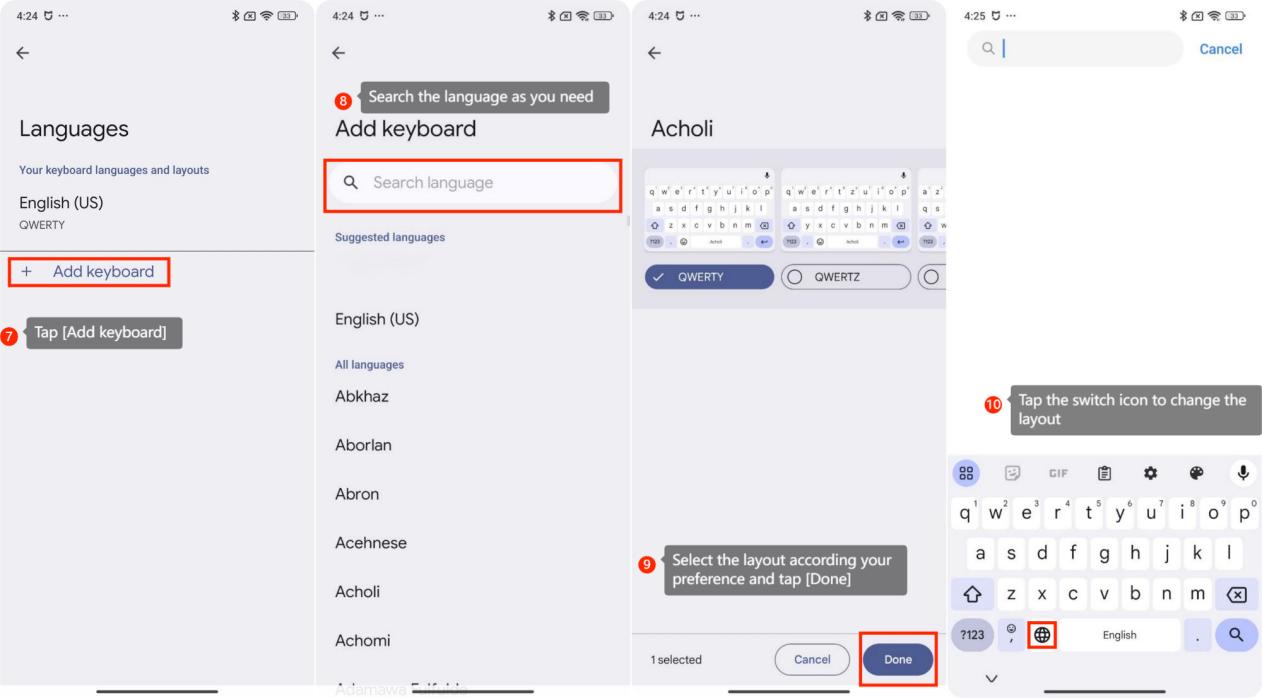
1. Tap the setting icon on the keyboard;
2. Select [Languages];
3. Tap [Add keyboard];
4. Search the language as you need;
5. Select the layout according your preference and tap [Done];
6. Tap the switch icon to change the layout.
To change the keyboard layout, here are the methods for your reference:
Methods 1:
1. Navigate to [Settings];
2. Scroll down to find [Additional settings];
3. Select [Languages & input];
4. Tap [Manage keyboards];
5. Tap [Gboard];
6. Select [Languages];
7. Tap [Add keyboard];
8. Search the language as you need;
9. Select the layout according your preference and tap [Done].
10. Tap the switch icon to change the layout.
Method 2:
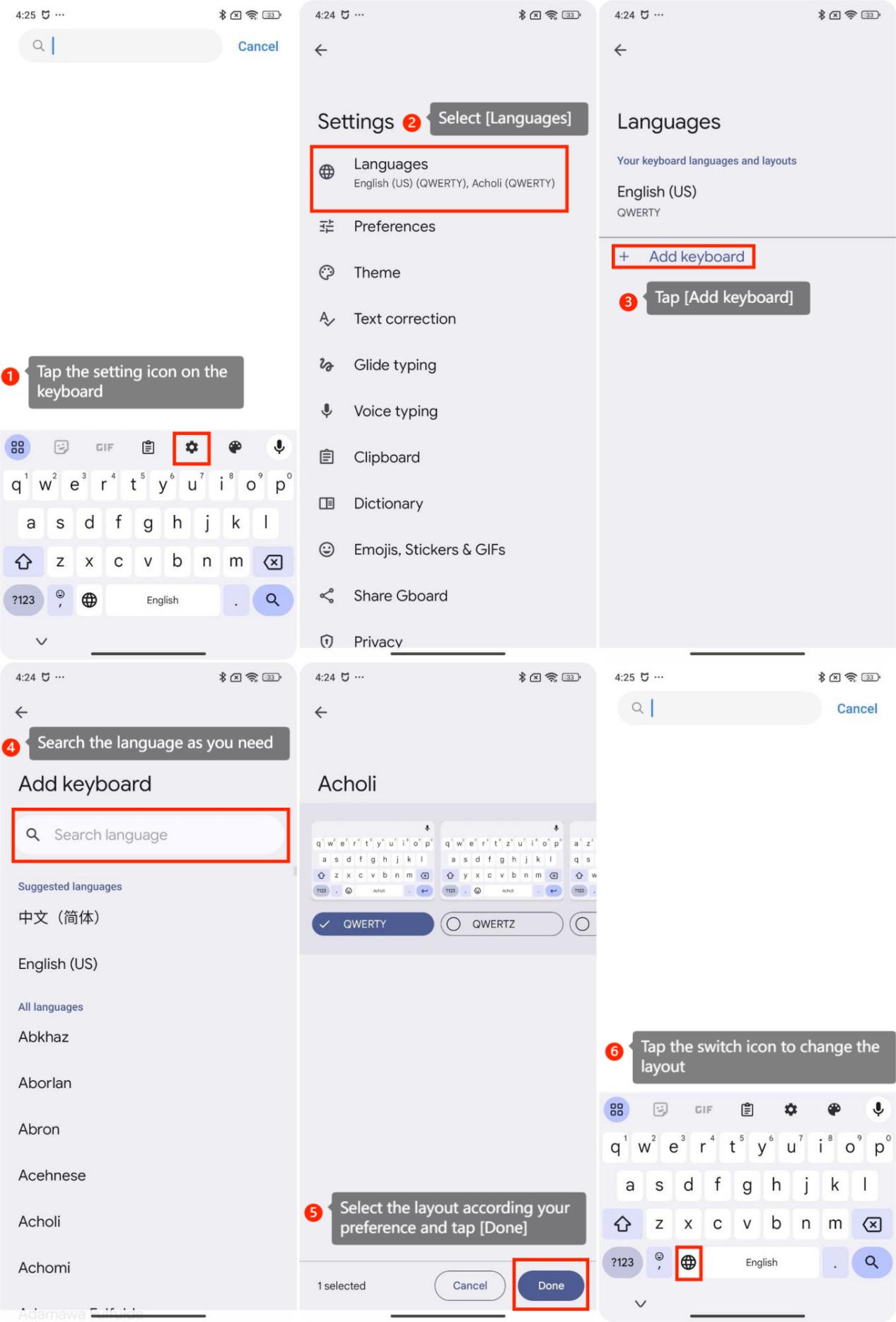
1. Tap the setting icon on the keyboard;
2. Select [Languages];
3. Tap [Add keyboard];
4. Search the language as you need;
5. Select the layout according your preference and tap [Done];
6. Tap the switch icon to change the layout.
Does it help?
Yes
No