

How to set different notification sound for each APP?
The mobile phone supports setting special notification ringtones for some APPs, which can help you better manage phone notifications and improve use experience.
For your reference, here are the advantages of custom notifications ringtones for each APP:
1. Using different ringtones can help you reduce unnecessary interruptions;
2. Ringtones for different APPs allow you to be more selective when receiving messages, helping you focus on important tasks without being interrupted by irrelevant notifications;
3. When you hear a specific ringtone, you can immediately know if it is an urgent message and respond quickly.
To set up different notification ringtones, please refer to the following methods:
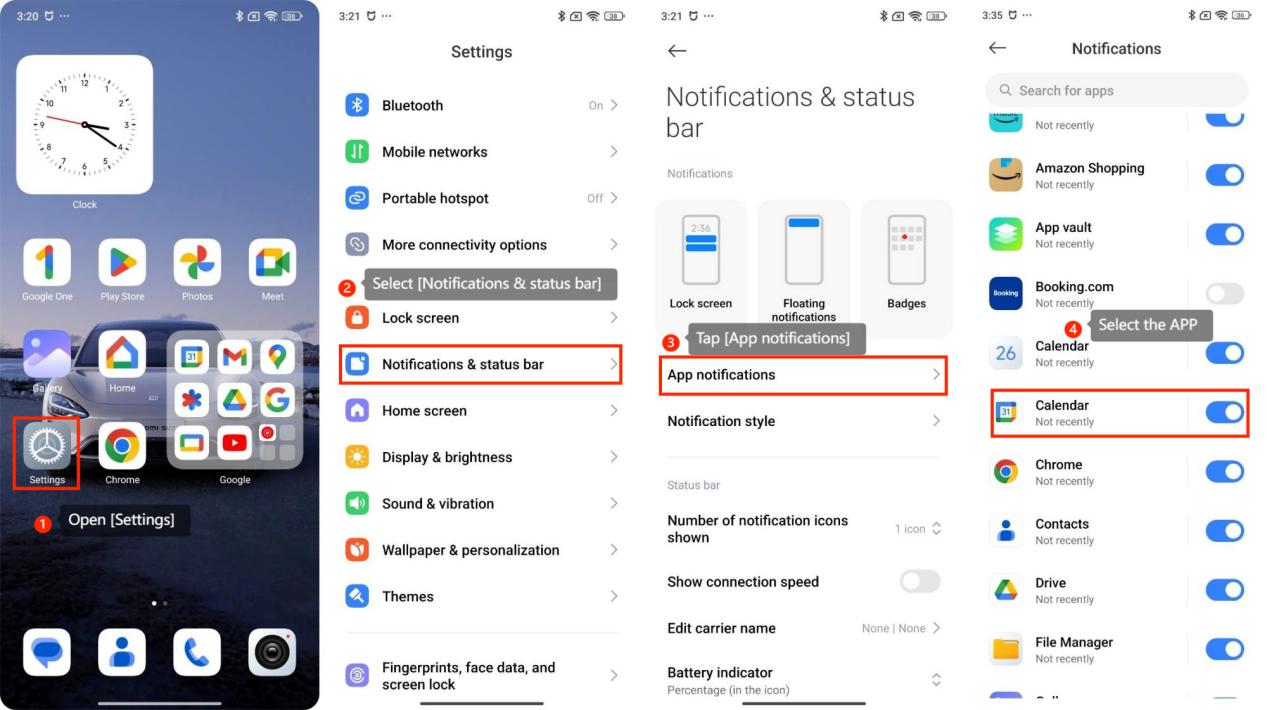
1. Open [Settings];
2. Select [Notifications & status bar];
3. Tap [App notifications];
4. Select the APP as you need and turn it on;
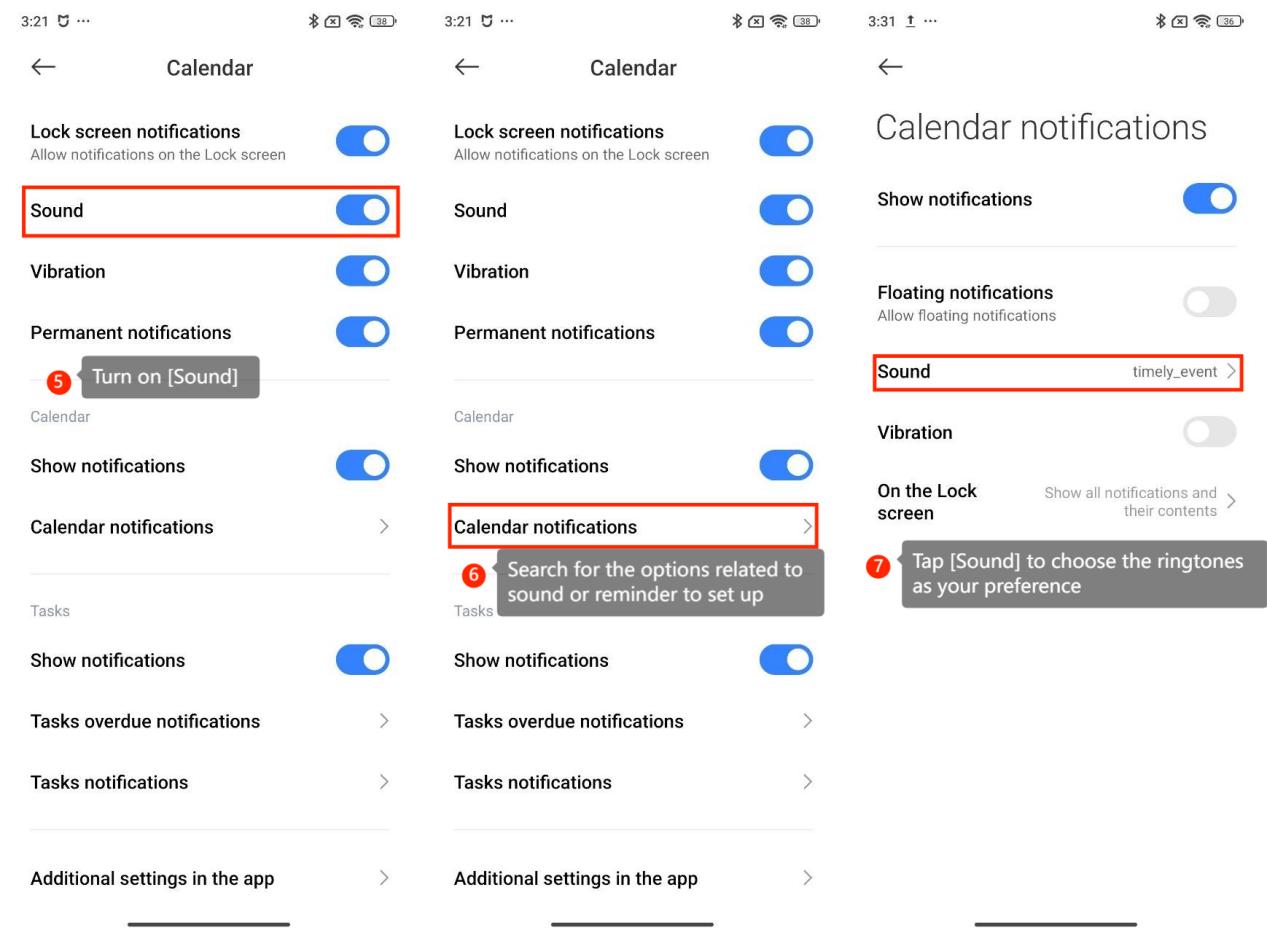
5. Turn on [Sound];
6. Search for the options related to sound or reminder to set up;
7. Tap [Sound] to choose the ringtones as your preference.
Note:
Not all APPs support custom notification ringtones on the phone.
For your reference, here are the advantages of custom notifications ringtones for each APP:
1. Using different ringtones can help you reduce unnecessary interruptions;
2. Ringtones for different APPs allow you to be more selective when receiving messages, helping you focus on important tasks without being interrupted by irrelevant notifications;
3. When you hear a specific ringtone, you can immediately know if it is an urgent message and respond quickly.
To set up different notification ringtones, please refer to the following methods:
1. Open [Settings];
2. Select [Notifications & status bar];
3. Tap [App notifications];
4. Select the APP as you need and turn it on;
5. Turn on [Sound];
6. Search for the options related to sound or reminder to set up;
7. Tap [Sound] to choose the ringtones as your preference.
Note:
Not all APPs support custom notification ringtones on the phone.
Does it help?
Yes
No