

How to turn off Personalize ads on the REDMI Note 13 Pro?
The advertisements that appear on your REDMI Note 13 Pro can be effectively decreased through many methods, including Ad services in system settings, the specific App settings, and turning off notifications for the specific App.
To turn off ads on your phone, please refer to the following methods:
Method 1:
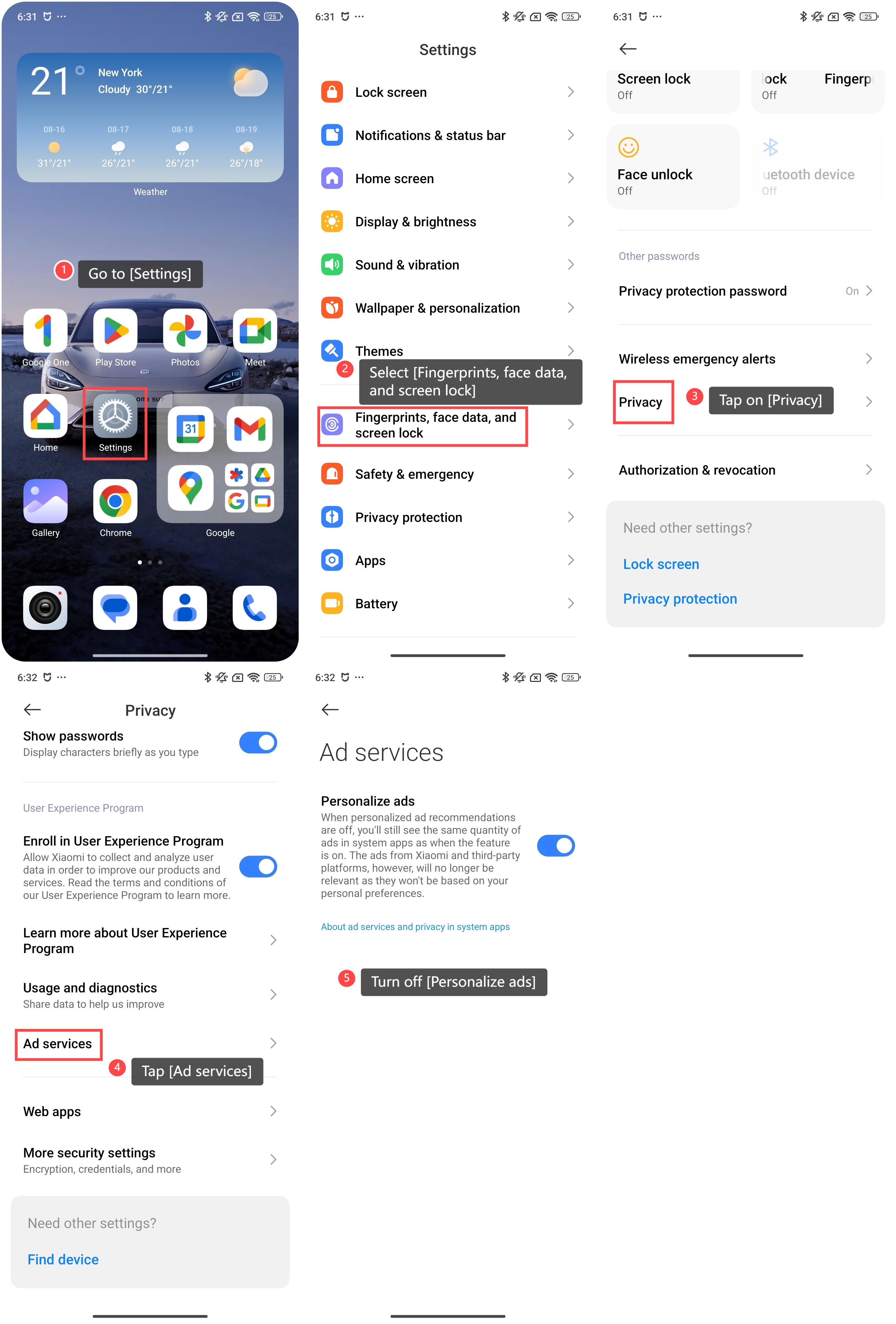
1. Go to [Settings];
2. Select [Fingerprints, face data, and screen lock];
3. Tap on [Privacy];
4. Scroll down and tap [Ad services];
5. Turn off [Personalize ads].
To turn off ads on your phone, please refer to the following methods:
Method 1:
1. Go to [Settings];
2. Select [Fingerprints, face data, and screen lock];
3. Tap on [Privacy];
4. Scroll down and tap [Ad services];
5. Turn off [Personalize ads].
Method 2:
For some system Applications like Security, Cleaner, or Mi Browser, you need to open each App individually, look for settings related to ads or notifications, and turn them off.
Here’s how to turn off ads-related settings in Security as an example:
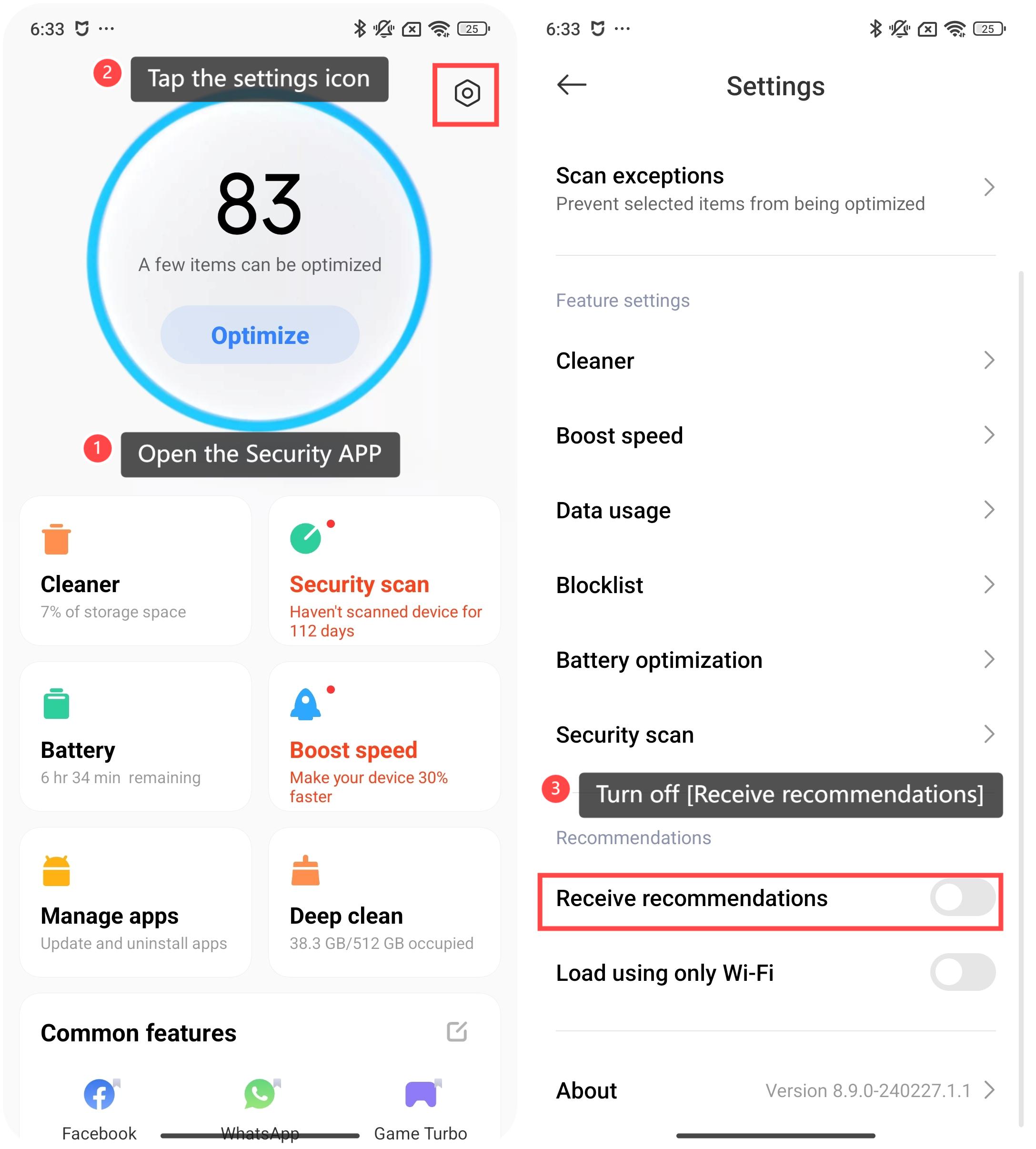
1. Open the Security App on your phone.
2. Tap the settings icon in the upper right corner.
3. Scroll down and turn off [Receive recommendations].
For some system Applications like Security, Cleaner, or Mi Browser, you need to open each App individually, look for settings related to ads or notifications, and turn them off.
Here’s how to turn off ads-related settings in Security as an example:
1. Open the Security App on your phone.
2. Tap the settings icon in the upper right corner.
3. Scroll down and turn off [Receive recommendations].
Method 3:
You can also turn off the notifications of the specific App that shows ads.
Here’s how to turn off notifications of a specific App:
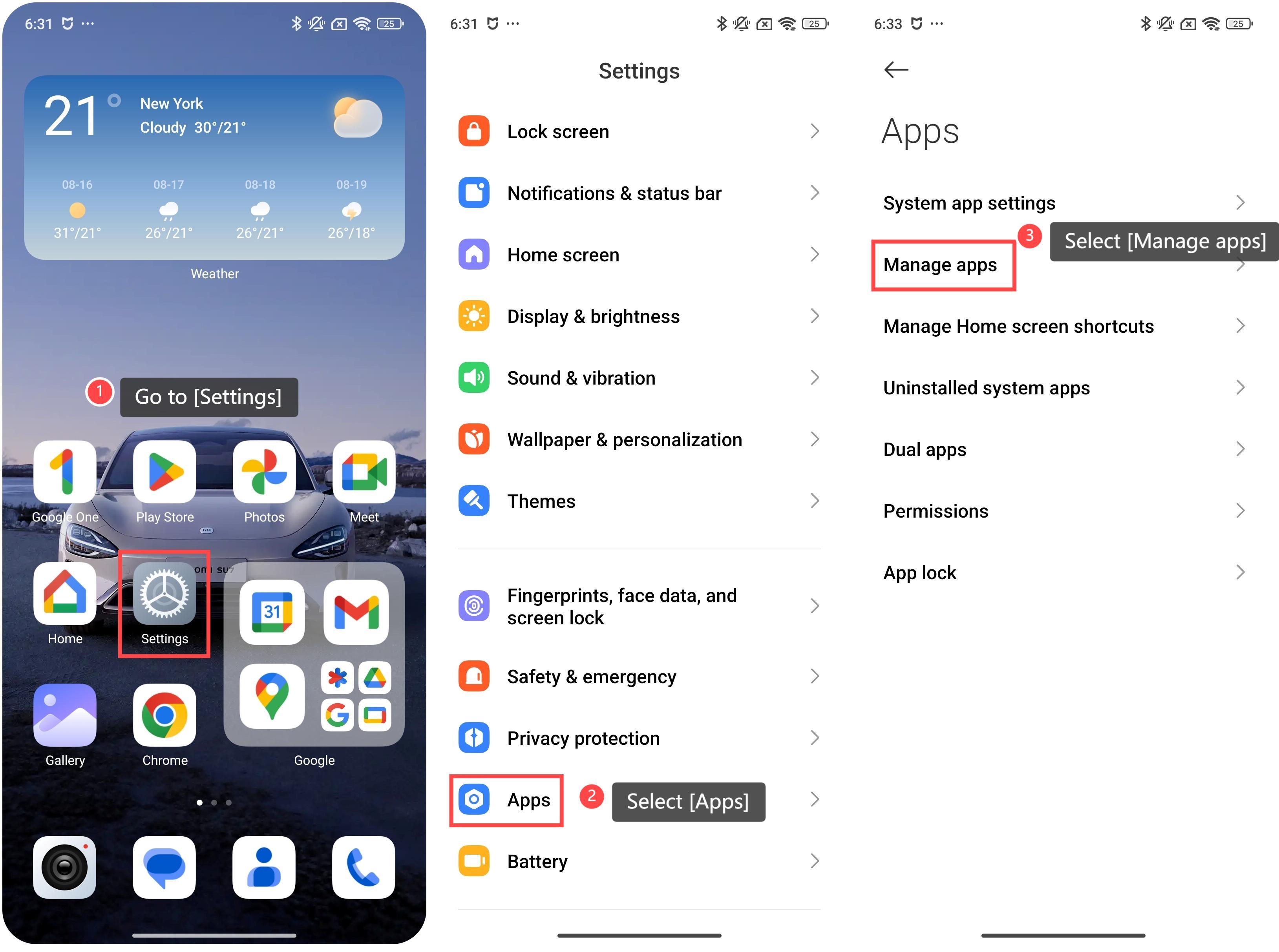
1. Go to [Settings].
2. Scroll down and select [Apps].
3. Select [Manage Apps].
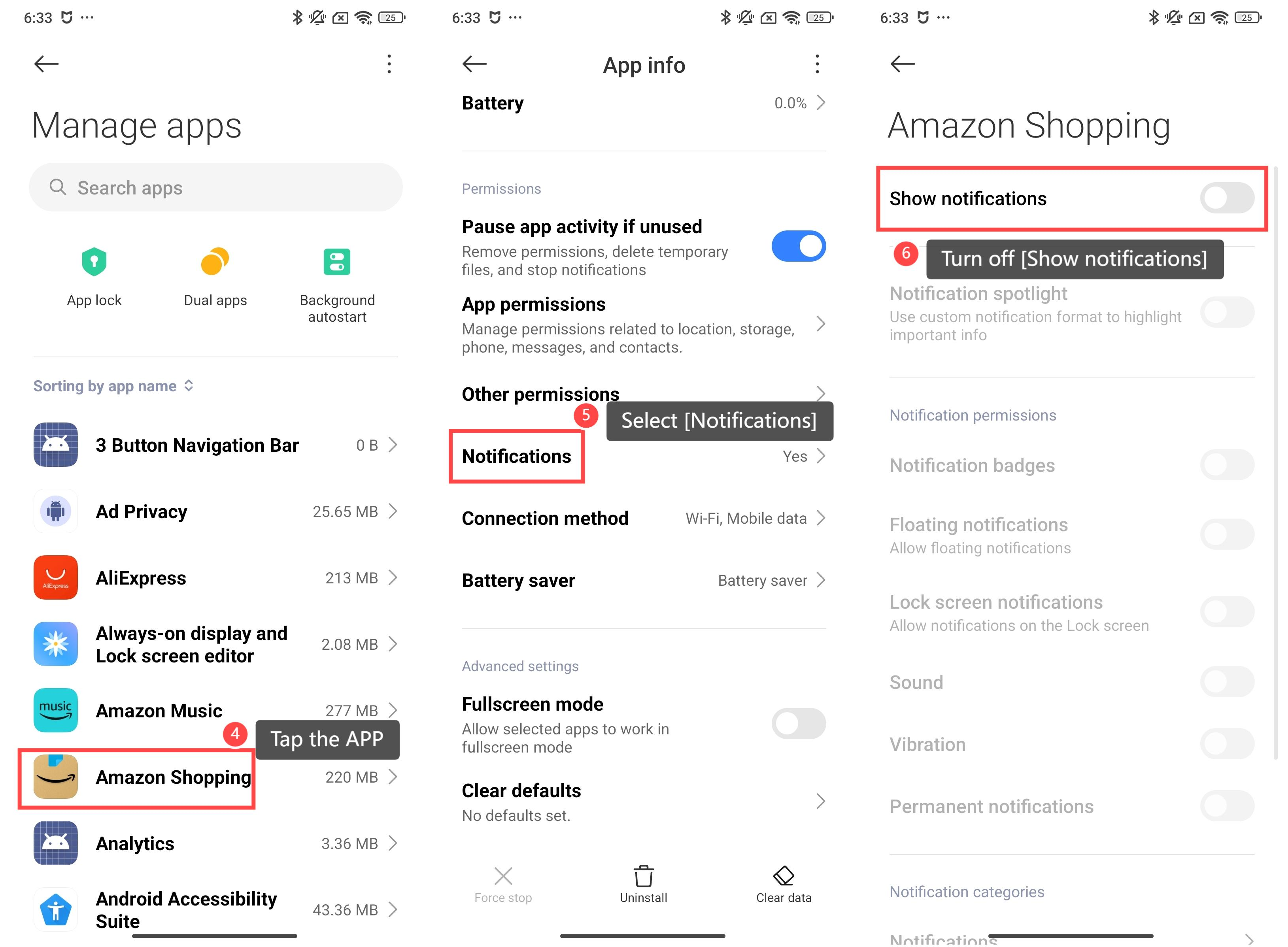
4. Tap the App that often shows ads.
5. Select [Notifications].
6. Turn off [Show notifications].
Note:
Any notifications of this specific App will no longer be received or displayed after turning off the notifications.
Any notifications of this specific App will no longer be received or displayed after turning off the notifications.
Does it help?
Yes
No