

How to adjust the notification volume separately on the Redmi Pad SE 8.7 4G?
This function on the Redmi Pad SE 8.7 4G allows you to customize the notification volume independently, ensuring a personalized audio experience, avoiding disruptions in quiet environments, managing notification priorities effectively, enhancing convenience, and adapting to different settings.
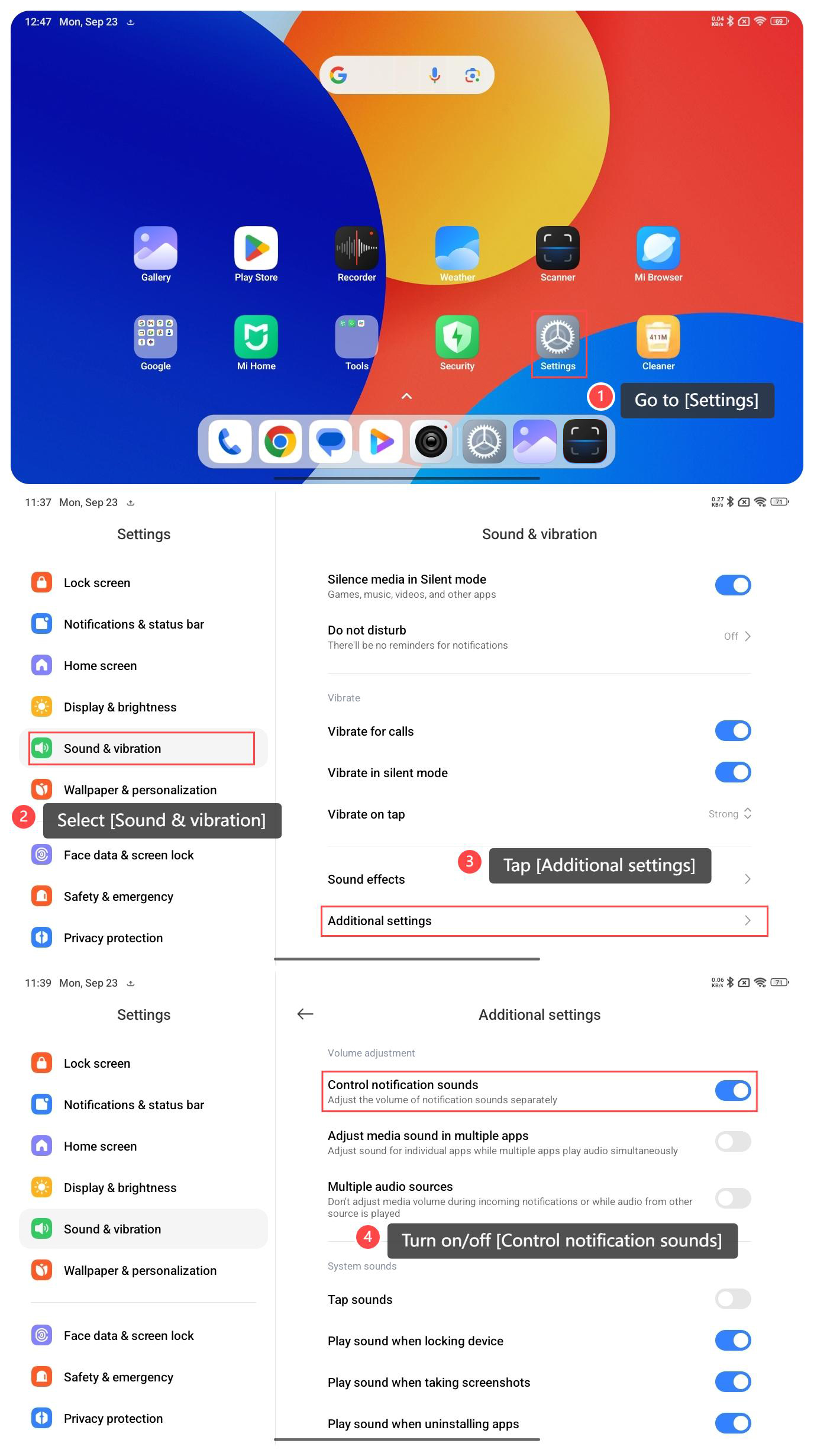
To adjust the notification volume separately on your tablet, please refer to the following steps:
1. Go to [Settings];
2. Select [Sound & vibration];
3. Tap [Additional settings];
4. Turn on/off [Control notification sounds].
Note:
1. Assess your surroundings, lower the volume in quiet settings to avoid disturbances, and increase it in noisy environments to ensure you hear notifications;
2. Consider the urgency of notifications, important alerts will require a higher volume to ensure they are heard;
3. Higher volumes can lead to increased battery consumption. If battery life is a concern, you need to keep the volume at a moderate level.
To adjust the notification volume separately on your tablet, please refer to the following steps:
1. Go to [Settings];
2. Select [Sound & vibration];
3. Tap [Additional settings];
4. Turn on/off [Control notification sounds].
Note:
1. Assess your surroundings, lower the volume in quiet settings to avoid disturbances, and increase it in noisy environments to ensure you hear notifications;
2. Consider the urgency of notifications, important alerts will require a higher volume to ensure they are heard;
3. Higher volumes can lead to increased battery consumption. If battery life is a concern, you need to keep the volume at a moderate level.
Does it help?
Yes
No