

How to reset Wi-Fi and Bluetooth on the Redmi Pad SE 8.7?
The Redmi Pad SE 8.7 features resetting Wi-Fi and Bluetooth, which will restore all wireless connections to the factory settings. This feature is a useful method to troubleshoot and refresh any wireless connecting configurations, helping to address connectivity problems and ensure a clean state for establishing new connections.
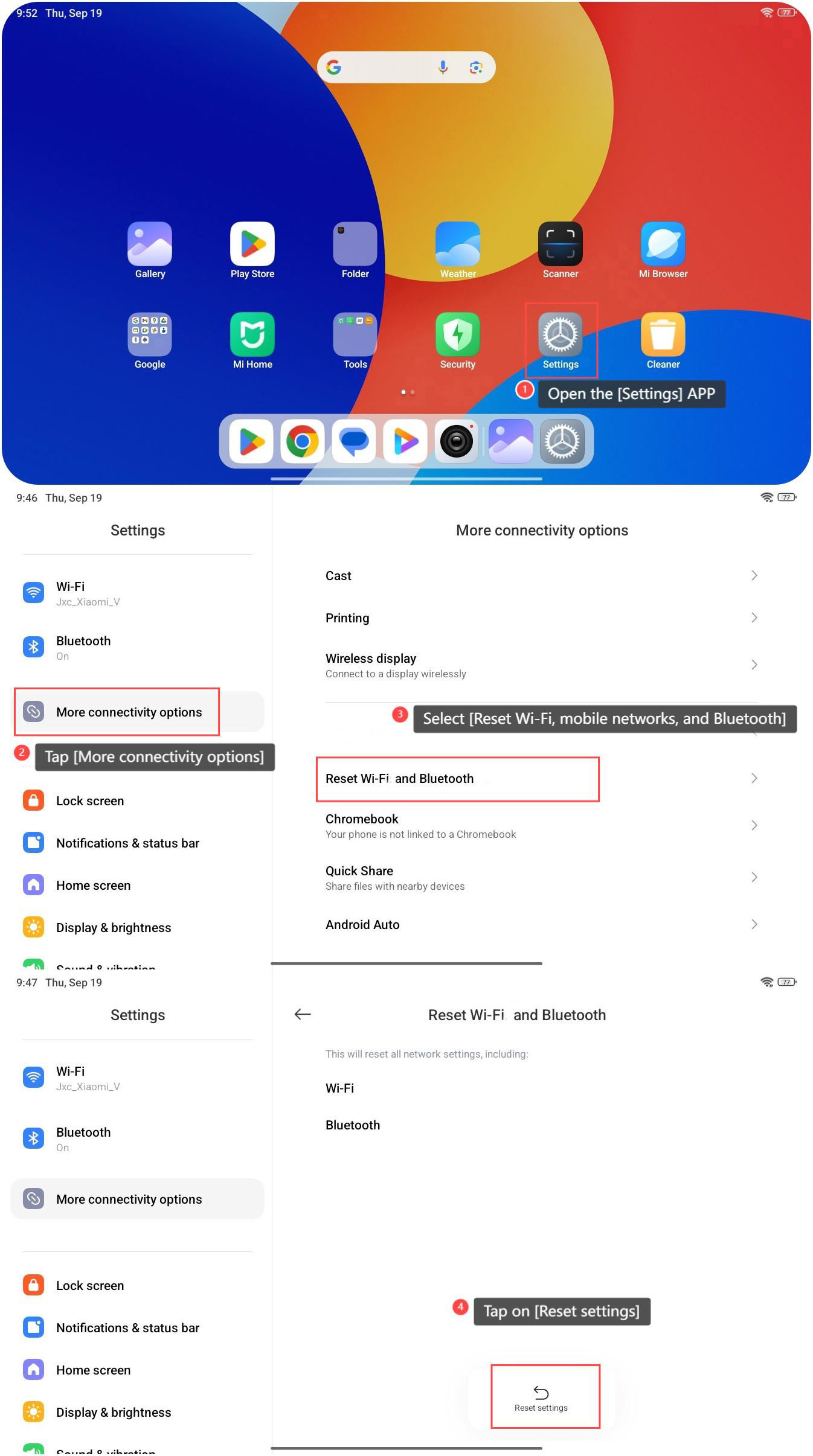
To reset Wi-Fi and Bluetooth, please refer to the following steps:
1. Open the [Settings] APP on your tablet;
2. Tap [More connectivity options];
3. Select [Reset Wi-Fi and Bluetooth];
4. Tap on [Reset settings].
Friendly tip:
Resetting network settings will clear all network-related configurations, including Wi-Fi and Bluetooth settings. It's advisable to back up important data. Having a backup ensures you can restore any critical information if needed.
To reset Wi-Fi and Bluetooth, please refer to the following steps:
1. Open the [Settings] APP on your tablet;
2. Tap [More connectivity options];
3. Select [Reset Wi-Fi and Bluetooth];
4. Tap on [Reset settings].
Friendly tip:
Resetting network settings will clear all network-related configurations, including Wi-Fi and Bluetooth settings. It's advisable to back up important data. Having a backup ensures you can restore any critical information if needed.
Does it help?
Yes
No