

How to allow 4G connectivity for both SIM slots on the Redmi Pad SE 8.7 4G?
Enabling 4G connectivity for both SIM slots ensures that you can fully utilize the capabilities of the Redmi Pad SE 8.7 4G's network functionality.
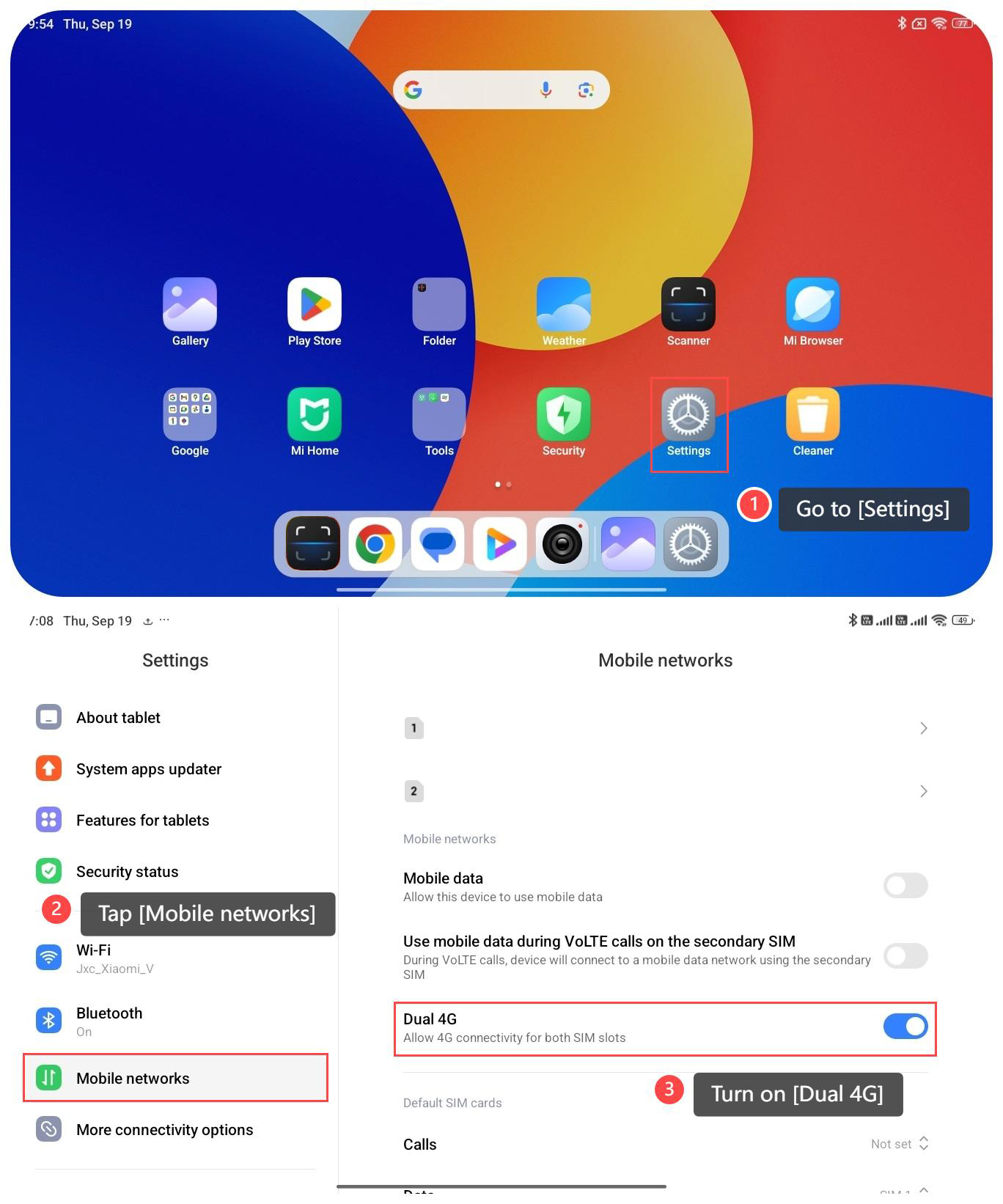
To allow 4G connectivity for both SIM slots on your tablet, please refer to the following steps:
1. Go to [Settings];
2. Scroll down and tap [Mobile networks];
3. Turn on [Dual 4G] to allow 4G connectivity for both SIM slots.
To allow 4G connectivity for both SIM slots on your tablet, please refer to the following steps:
1. Go to [Settings];
2. Scroll down and tap [Mobile networks];
3. Turn on [Dual 4G] to allow 4G connectivity for both SIM slots.
Note:
1. Enabling dual 4G function makes the connection for making calls faster and allows you to use the Internet while on the call, greatly improving the calling experience;
2. It can provide higher Internet speeds, with a peak rate of up to 150Mbps, which provides great convenience for watching videos, playing games, and other online activities;
3. Using the dual 4G function can increase the power consumption of the tablet, so it is recommended to choose and use it according to the actual needs.
1. Enabling dual 4G function makes the connection for making calls faster and allows you to use the Internet while on the call, greatly improving the calling experience;
2. It can provide higher Internet speeds, with a peak rate of up to 150Mbps, which provides great convenience for watching videos, playing games, and other online activities;
3. Using the dual 4G function can increase the power consumption of the tablet, so it is recommended to choose and use it according to the actual needs.
Does it help?
Yes
No