

How to open personal safety on the Redmi Pad SE 8.7 4G?
The Redmi Pad SE 8.7 4G supports opening personal safety, which can send alerts to designated contacts in case of emergencies, allow you to share your real-time location with trusted contacts for safety, and give you quick access to emergency contacts and services. The functions of opening personal safety will help enhance personal safety and ensure that you are prepared in emergencies.
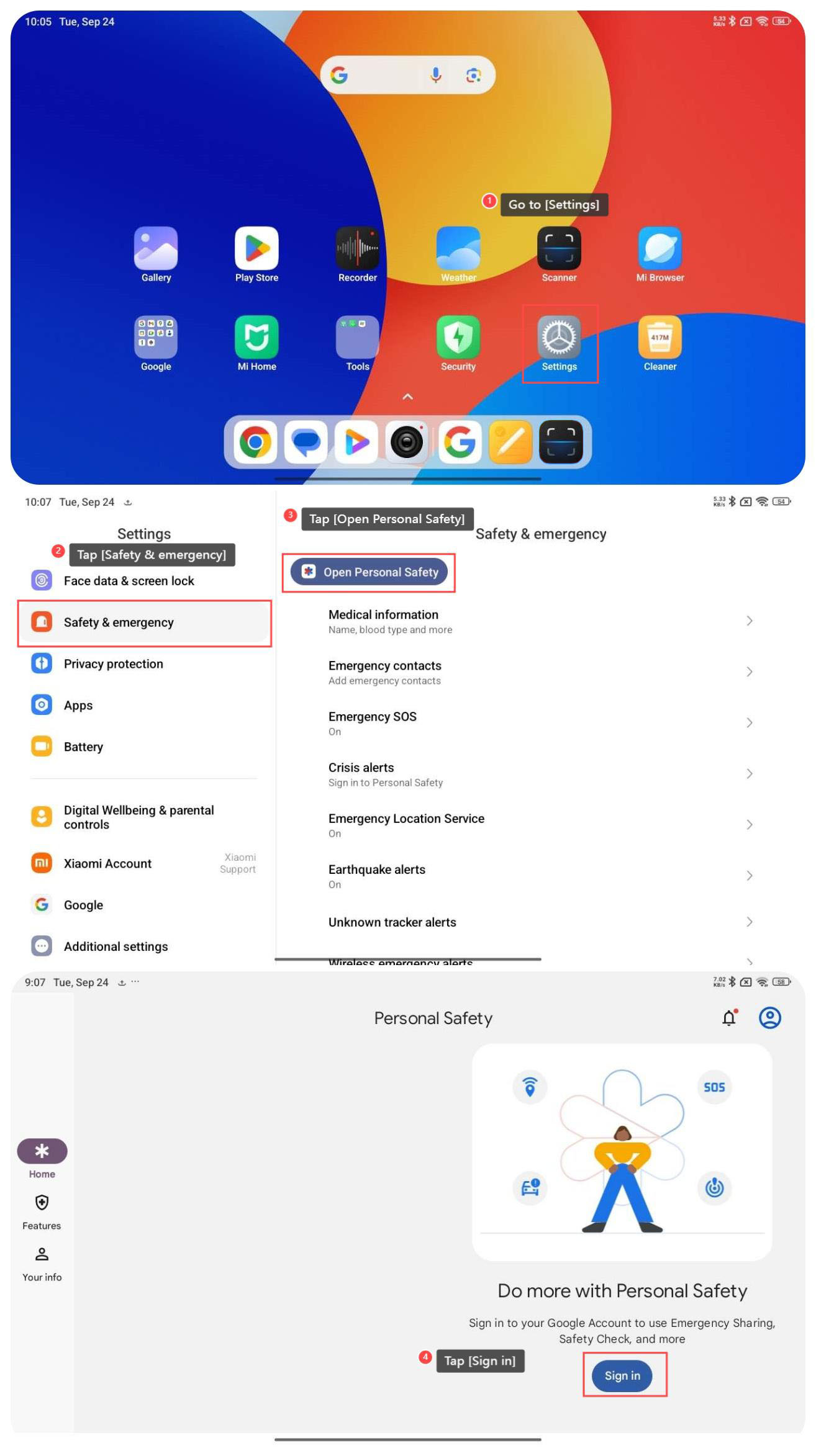
To open personal safety on your tablet, please refer to the following steps:
1. Go to [Settings];
2. Swipe down to find and tap [Safety & emergency];
3. Tap [Open Personal Safety];
4. Tap [Sign in] to sign in to your Google Account and use more functions.
To open personal safety on your tablet, please refer to the following steps:
1. Go to [Settings];
2. Swipe down to find and tap [Safety & emergency];
3. Tap [Open Personal Safety];
4. Tap [Sign in] to sign in to your Google Account and use more functions.
Does it help?
Yes
No