

How to check Wi-Fi status on the Redmi Pad SE 8.7?
Wi-Fi status on the Redmi Pad SE 8.7 refers to the current state of your Wi-Fi connection. It can indicate whether your device is connected to a Wi-Fi network.
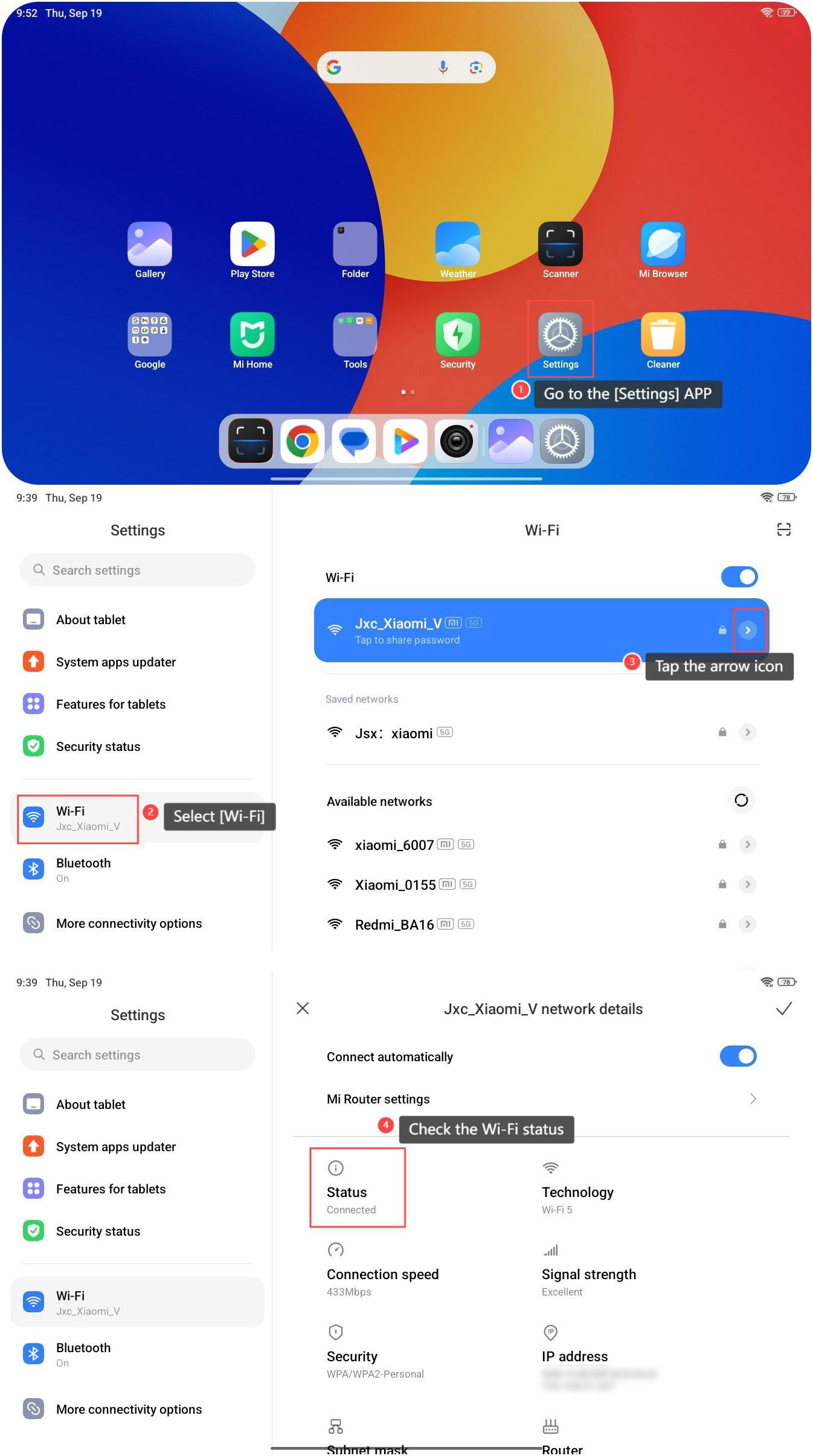
To check Wi-Fi status on your device, please refer to the following steps:
1. Go to the [Settings] APP on your tablet, which is represented by a gear-shaped icon;
2. Select the [Wi-Fi] option to access the Wi-Fi settings;
3. In the Wi-Fi settings, you'll see a list of available Wi-Fi networks. Tap the arrow icon on the right of the connected Wi-Fi;
4. Check the Wi-Fi status here. You can also view more network details of this Wi-Fi, such as Wi-Fi technology, connection speed, signal strength, security method, IP address, and so on.
To check Wi-Fi status on your device, please refer to the following steps:
1. Go to the [Settings] APP on your tablet, which is represented by a gear-shaped icon;
2. Select the [Wi-Fi] option to access the Wi-Fi settings;
3. In the Wi-Fi settings, you'll see a list of available Wi-Fi networks. Tap the arrow icon on the right of the connected Wi-Fi;
4. Check the Wi-Fi status here. You can also view more network details of this Wi-Fi, such as Wi-Fi technology, connection speed, signal strength, security method, IP address, and so on.
Does it help?
Yes
No