

How to check the Bluetooth address on the Redmi Pad SE 8.7?
The Redmi Pad SE 8.7 supports checking the Bluetooth address, which is a unique identifier assigned to each Bluetooth device, helping distinguish it from other devices in vicinity and being used during pairing process to establish a connection between devices.
To check the Bluetooth address on your tablet, please refer to the following steps:
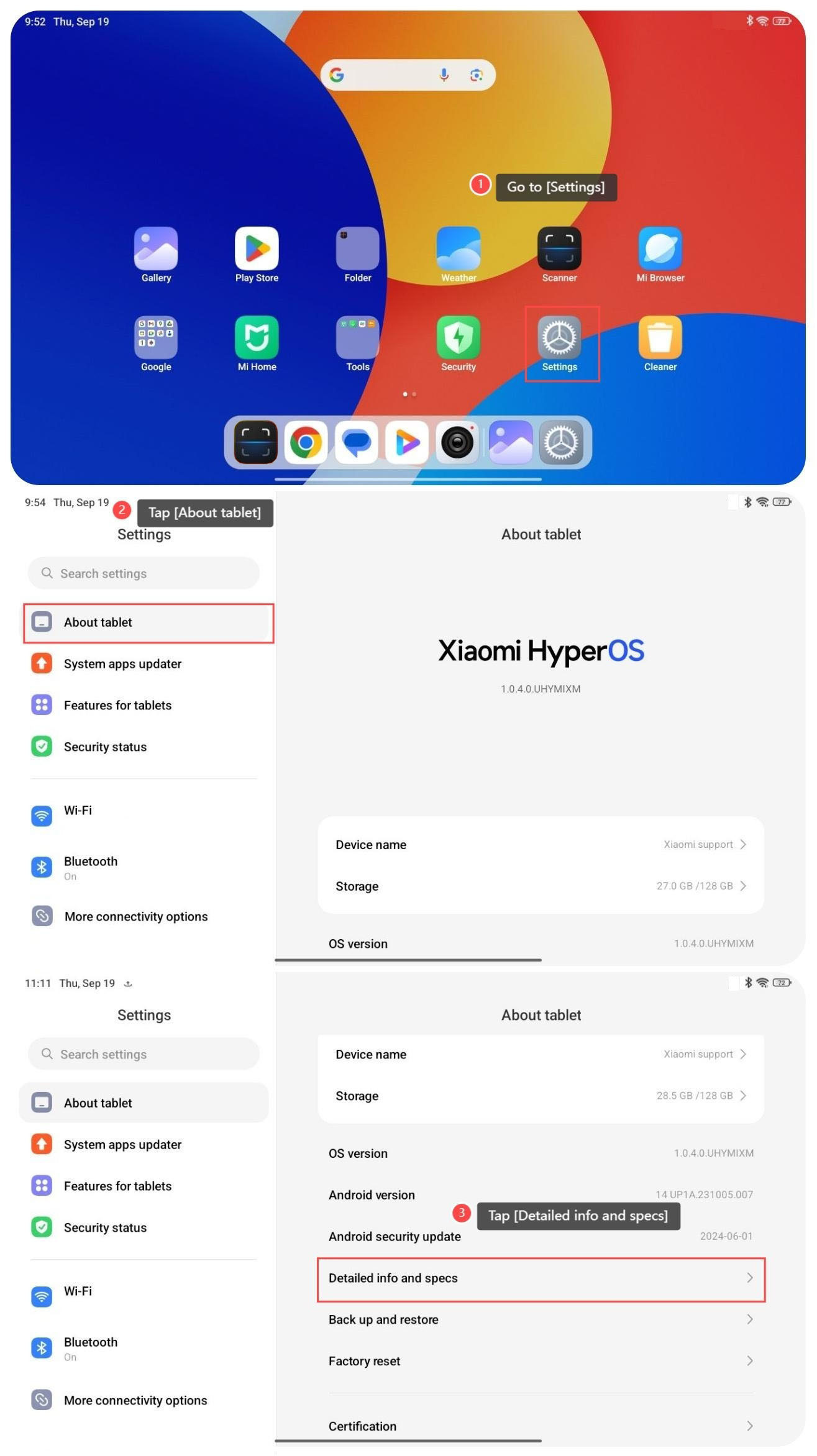
1. Go to [Settings];
2. Tap [About tablet];
3. Swipe down to find and tap [Detailed info and specs];
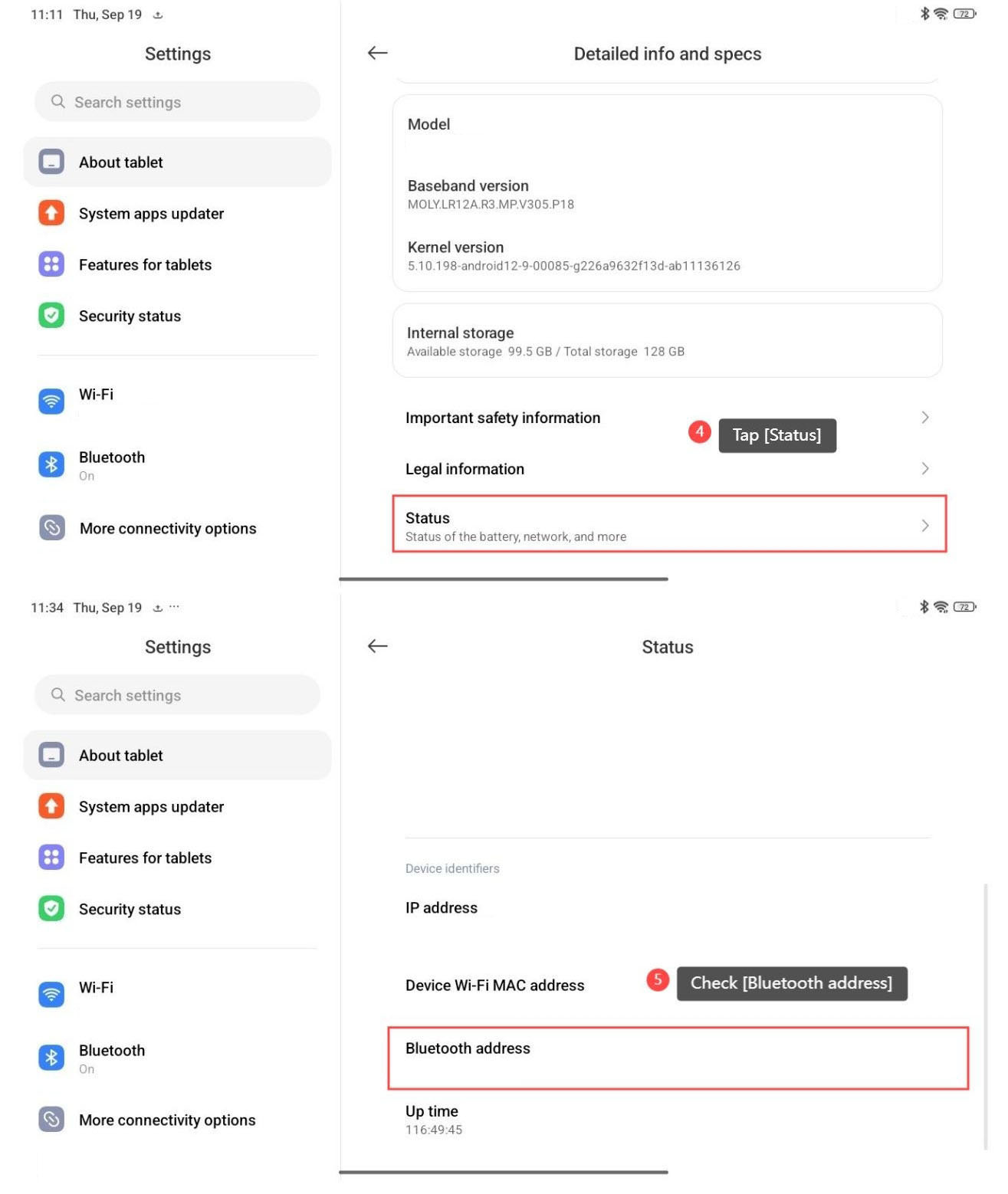
4. Swipe down to find and tap [Status];
5. Swipe down to find and check [Bluetooth address].
To check the Bluetooth address on your tablet, please refer to the following steps:
1. Go to [Settings];
2. Tap [About tablet];
3. Swipe down to find and tap [Detailed info and specs];
4. Swipe down to find and tap [Status];
5. Swipe down to find and check [Bluetooth address].
Does it help?
Yes
No