

How to check the MAC address on the Redmi Pad SE 8.7?
The MAC(Media Access Control) address is a unique identifier for your tablet's network interface and can be used for network configuration or troubleshooting.
To check the MAC address on the tablet, please refer to the following steps:
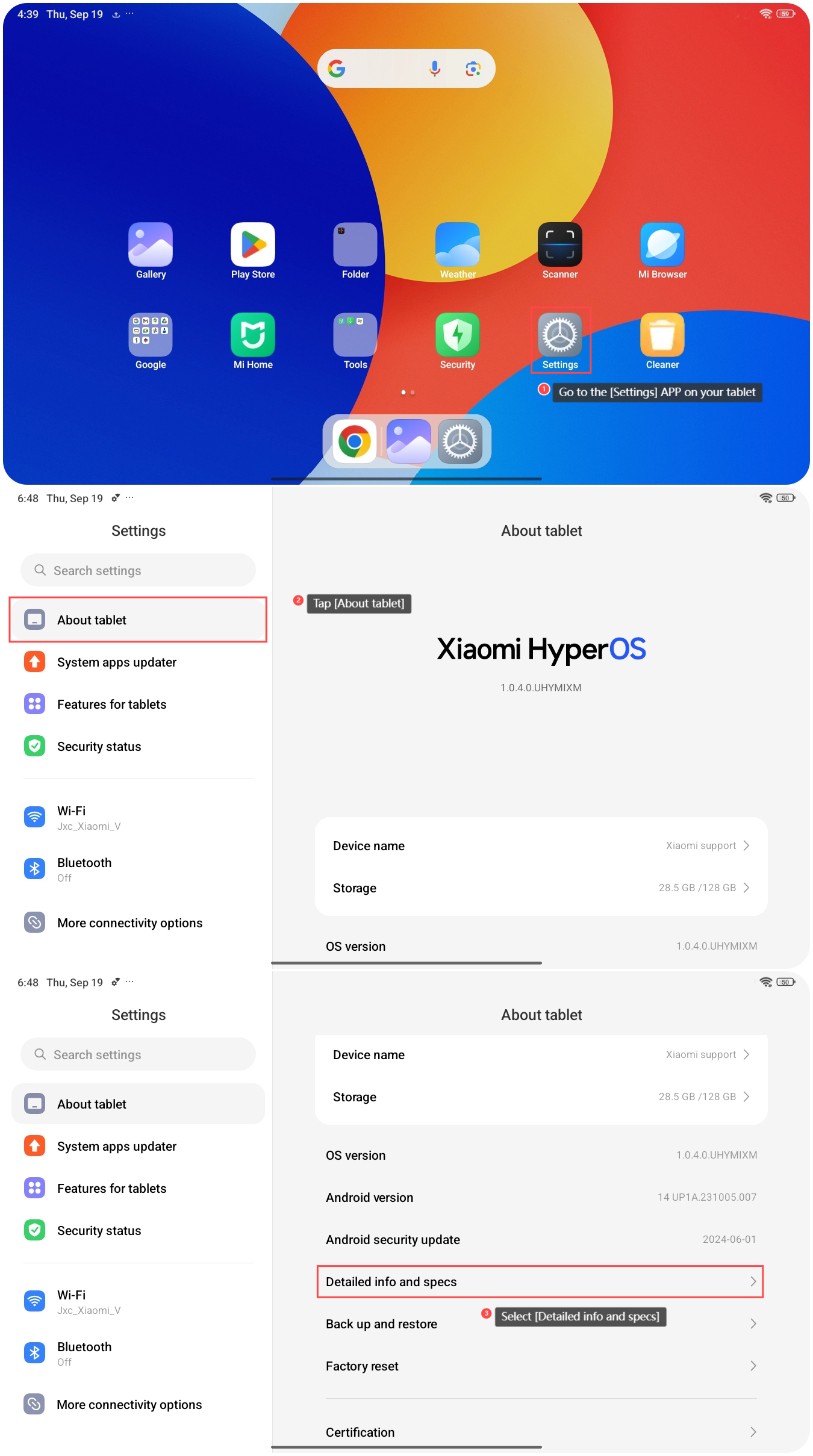
1. Go to the [Settings] APP on your tablet;
2. Tap [About tablet];
3. Select [Detailed info and specs];
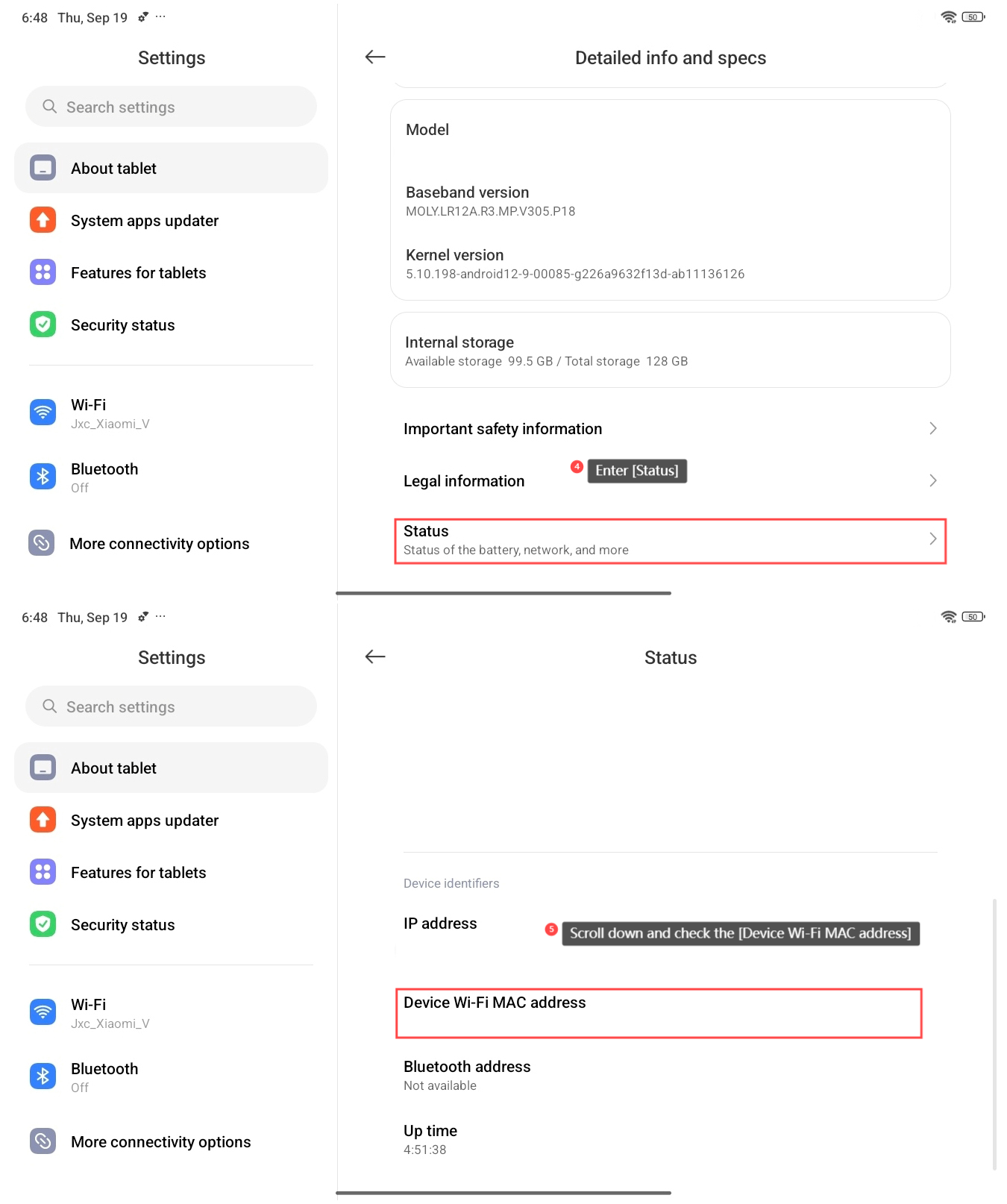
4. Enter [Status];
5. Scroll down and check the [Device Wi-Fi MAC address]. This will display the MAC address of your tablet's Wi-Fi network interface.
Note:
1. When configuring network devices or troubleshooting connectivity issues, knowing your MAC address can be helpful for tasks such as MAC filtering or IP reservation;
2. Always handle your MAC address with care and only share it with trusted parties when necessary.
To check the MAC address on the tablet, please refer to the following steps:
1. Go to the [Settings] APP on your tablet;
2. Tap [About tablet];
3. Select [Detailed info and specs];
4. Enter [Status];
5. Scroll down and check the [Device Wi-Fi MAC address]. This will display the MAC address of your tablet's Wi-Fi network interface.
Note:
1. When configuring network devices or troubleshooting connectivity issues, knowing your MAC address can be helpful for tasks such as MAC filtering or IP reservation;
2. Always handle your MAC address with care and only share it with trusted parties when necessary.
Does it help?
Yes
No