

How to set up home surveillance settings on the Xiaomi Outdoor Camera CW700S?
To set up home surveillance settings, please refer to the following steps:
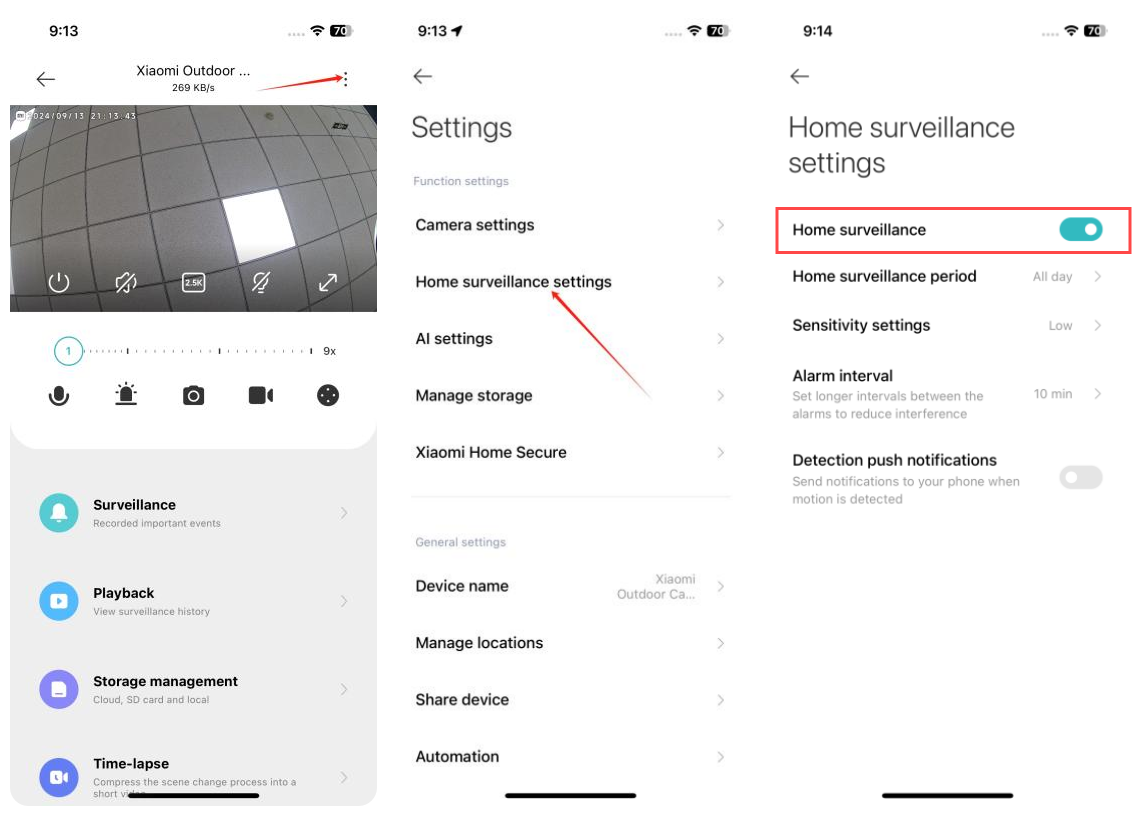
1. Open the Mi Home/Xiaomi Home APP;
2. Select the Xiaomi Outdoor Camera CW700S;
3. Tap the three-dot icon at the upper right corner;
4. Go to [Home surveillance settings];
5. Turn on [Home surveillance];
6. Tap [Home surveillance period] and you can set for 24-hour surveillance or specific time segments;
7. Tap [Sensitivity settings] and you can choose from High, Medium, or Low sensitivity. The high sensitivity range is 5~7.5 meters, the medium sensitivity range is 2.5~5 meters, and the low sensitivity range is 1~2.5 meters;
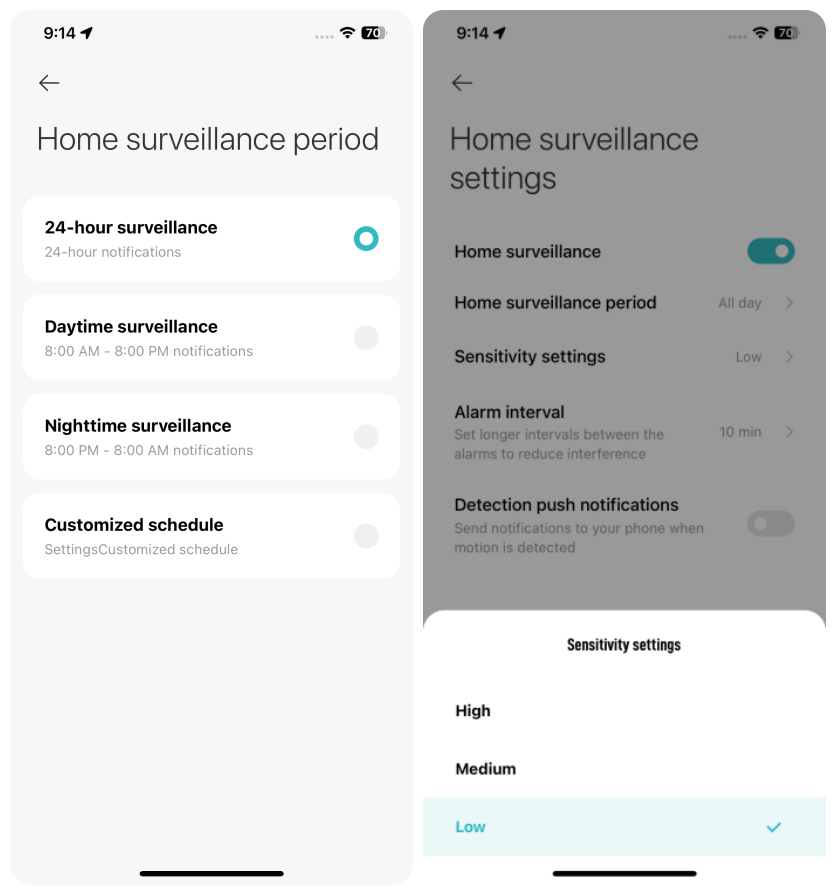
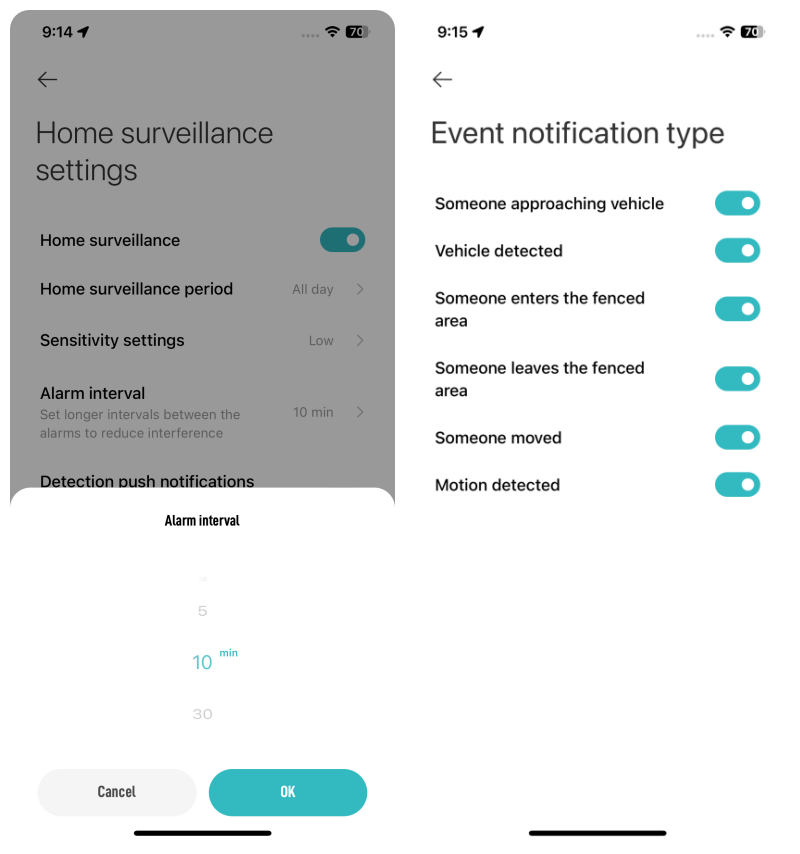
8. Tap [Alarm interval] and you can choose from 3 to 30 minutes (you can only choose the preset intervals and can’t customize intervals);
9. Turn on [Detection push notifications] and you can choose the event types. The types include Someone approaching vehicle, Vehicle detected, Someone enters the fenced area, Someone leaves the fenced area, Someone moved, and Motion detected.
1. Open the Mi Home/Xiaomi Home APP;
2. Select the Xiaomi Outdoor Camera CW700S;
3. Tap the three-dot icon at the upper right corner;
4. Go to [Home surveillance settings];
5. Turn on [Home surveillance];
6. Tap [Home surveillance period] and you can set for 24-hour surveillance or specific time segments;
7. Tap [Sensitivity settings] and you can choose from High, Medium, or Low sensitivity. The high sensitivity range is 5~7.5 meters, the medium sensitivity range is 2.5~5 meters, and the low sensitivity range is 1~2.5 meters;
8. Tap [Alarm interval] and you can choose from 3 to 30 minutes (you can only choose the preset intervals and can’t customize intervals);
9. Turn on [Detection push notifications] and you can choose the event types. The types include Someone approaching vehicle, Vehicle detected, Someone enters the fenced area, Someone leaves the fenced area, Someone moved, and Motion detected.
Does it help?
Yes
No