

How to unbind the Redmi Watch 5 Lite?
For your reference, the unbinding steps are as follows:
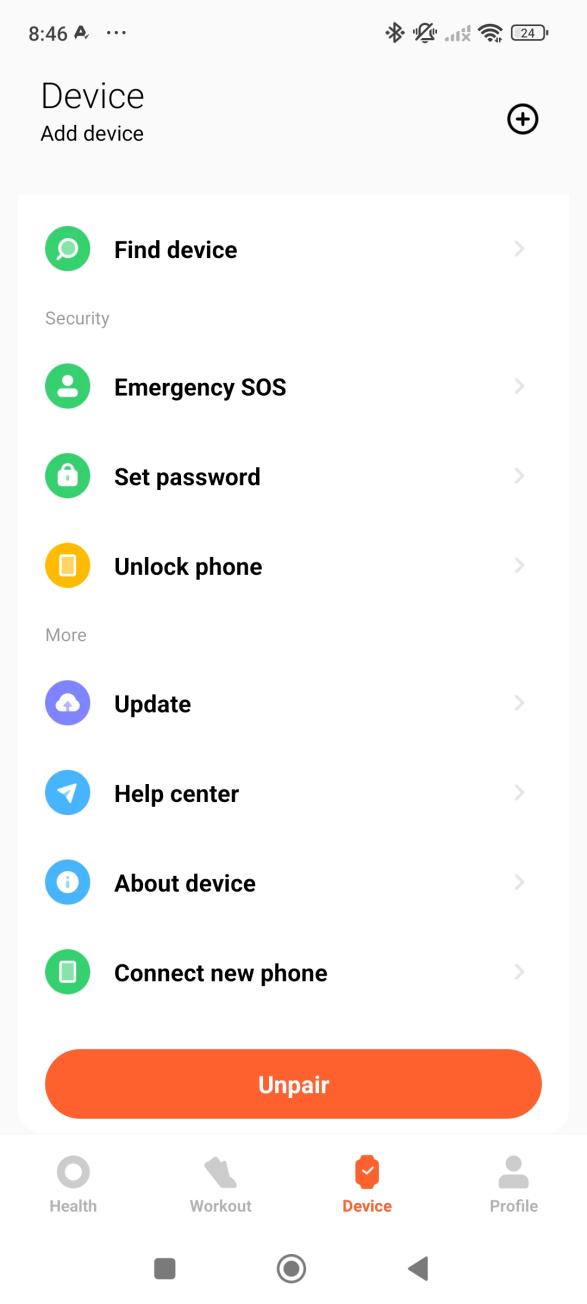
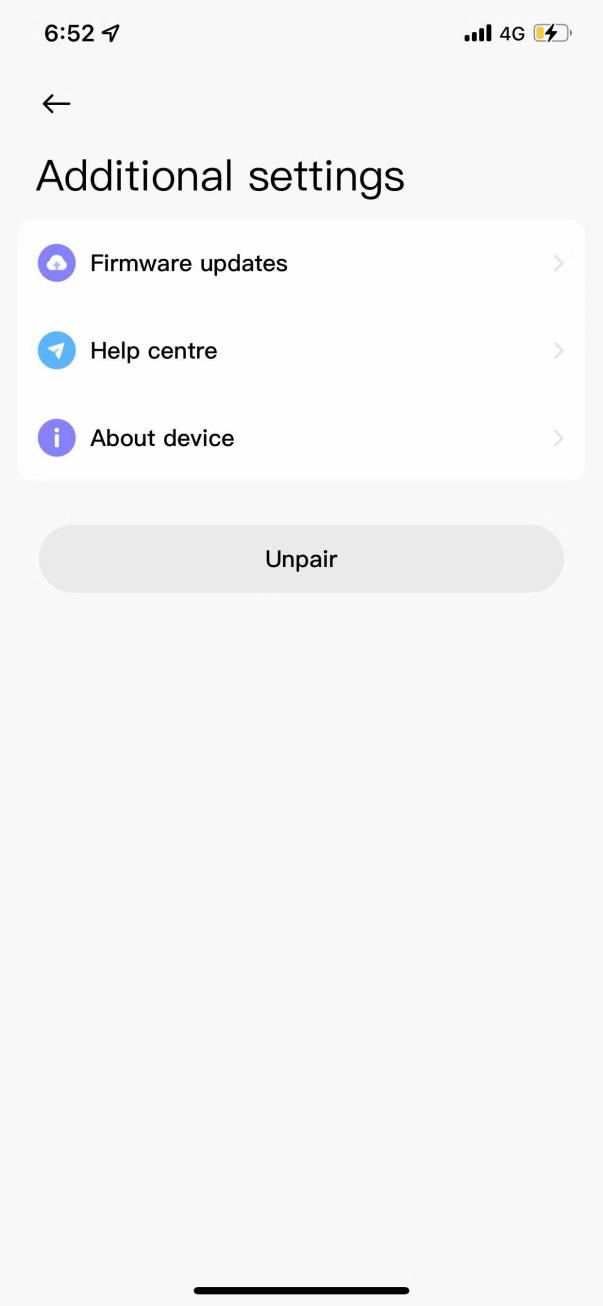
1. For Android phones, open the Mi Fitness APP and tap [Unpair] on the [Device] interface. For iOS phones, open the Mi Fitness APP, tap [Additional settings] on the [Device] interface, and then tap [Unpair];
2. After the watch resumes its factory settings, it will automatically unbind from the mobile phone;
3. After unbinding, the watch will resume its factory settings and all data will be emptied.
Note:
1. The Mi Fitness APP can bind multiple watches. 5-10 watches can be bound under the same account, but only one can be enabled when using it;
2. To switch between different watches in the Mi Fitness APP, enter [Device] >> tap [Manage your devices] (Android) or tap [Wearables] (iOS) to view all devices, and select the watch to switch.
1. For Android phones, open the Mi Fitness APP and tap [Unpair] on the [Device] interface. For iOS phones, open the Mi Fitness APP, tap [Additional settings] on the [Device] interface, and then tap [Unpair];
2. After the watch resumes its factory settings, it will automatically unbind from the mobile phone;
3. After unbinding, the watch will resume its factory settings and all data will be emptied.
Note:
1. The Mi Fitness APP can bind multiple watches. 5-10 watches can be bound under the same account, but only one can be enabled when using it;
2. To switch between different watches in the Mi Fitness APP, enter [Device] >> tap [Manage your devices] (Android) or tap [Wearables] (iOS) to view all devices, and select the watch to switch.
Does it help?
Yes
No