

How to reset the Xiaomi account password on the POCO M5?
To reset the Xiaomi account password on the POCO M5 with Xiaomi HyperOS, please refer to the following steps:
1. Go to [Settings];
2. Scroll down and select [Xiaomi Account];
3. Tap [Help];
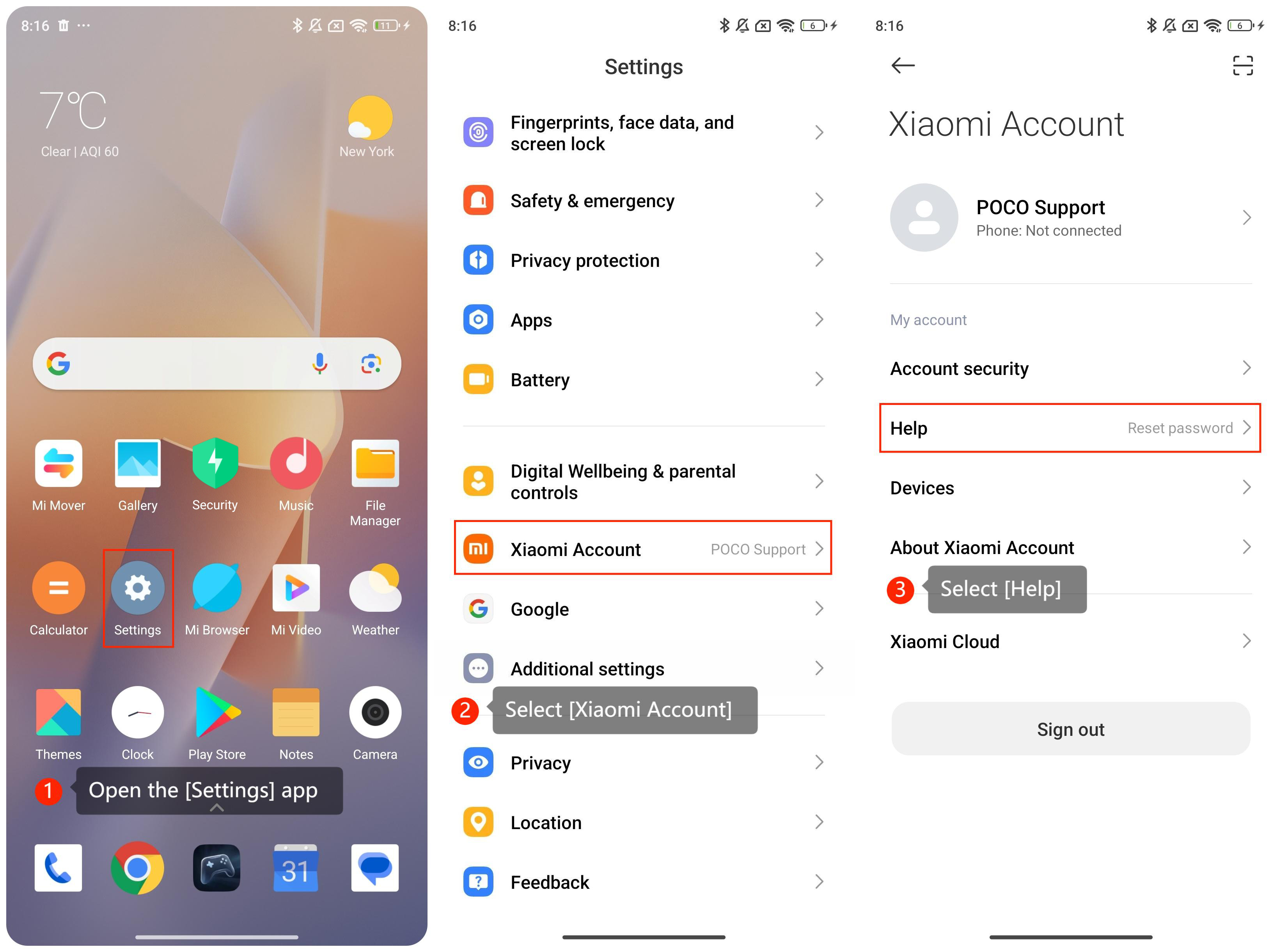
1. Go to [Settings];
2. Scroll down and select [Xiaomi Account];
3. Tap [Help];
4. Tap [Reset password];
5. Enter your [Xiaomi Account ID] or [your phone number] or [email number] associated with your account and tap [Next]. Then you can reset your password and submit.
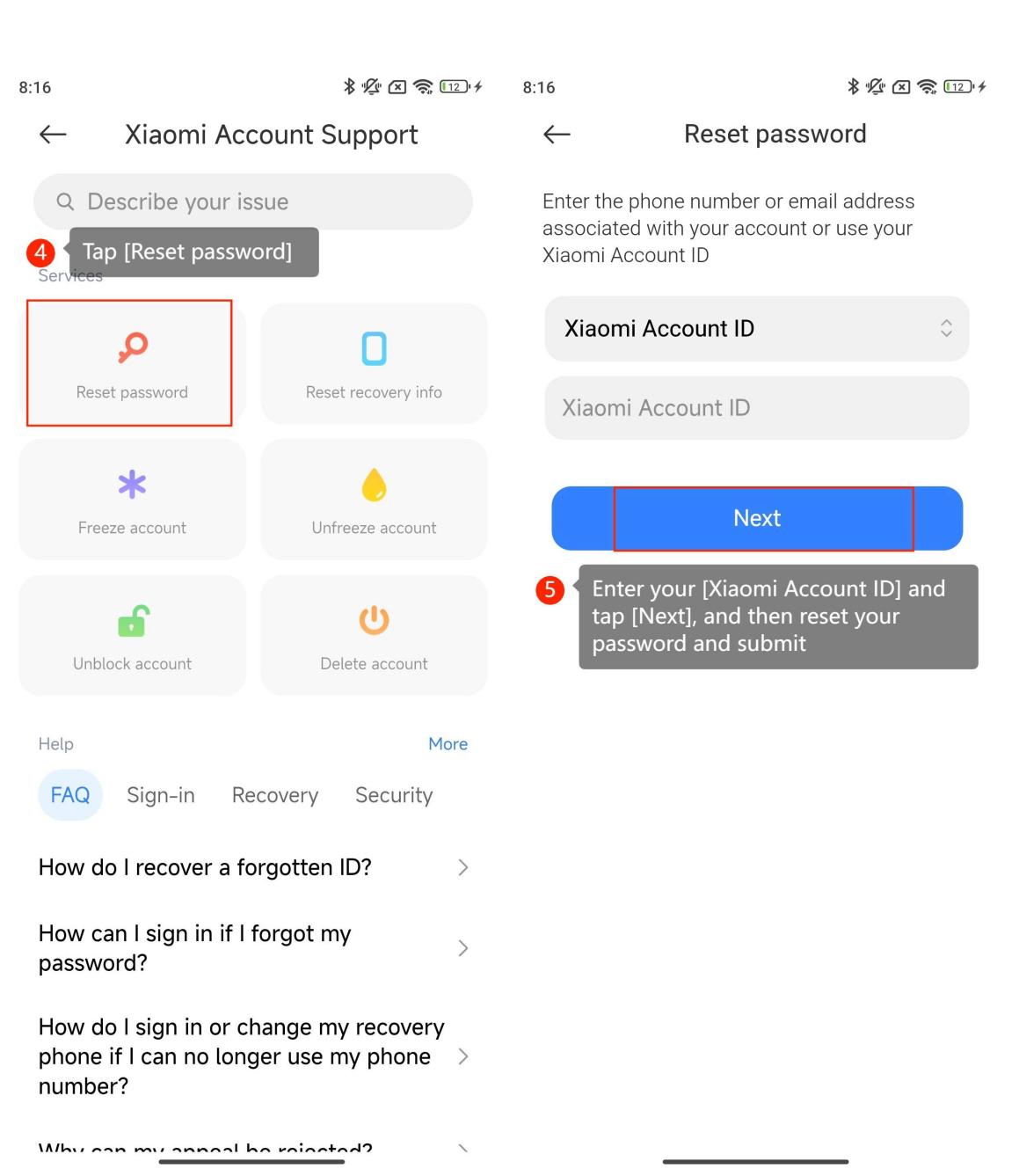
5. Enter your [Xiaomi Account ID] or [your phone number] or [email number] associated with your account and tap [Next]. Then you can reset your password and submit.
Friendly tips:
1. Depending on the verification method chosen, Xiaomi will send you a reset link to your email or a verification code to your phone number;
2. Your new account password should be 8-16 characters, combining at least 2 of the following: digits, letters, and special symbols. You’d better enter a strong and secure password that you’ll remember;
3. Once you've successfully reset your password, you should receive a confirmation message. You can now use your new password to sign in to your Xiaomi account on your smartphone.
1. Depending on the verification method chosen, Xiaomi will send you a reset link to your email or a verification code to your phone number;
2. Your new account password should be 8-16 characters, combining at least 2 of the following: digits, letters, and special symbols. You’d better enter a strong and secure password that you’ll remember;
3. Once you've successfully reset your password, you should receive a confirmation message. You can now use your new password to sign in to your Xiaomi account on your smartphone.
Does it help?
Yes
No