

Solution:
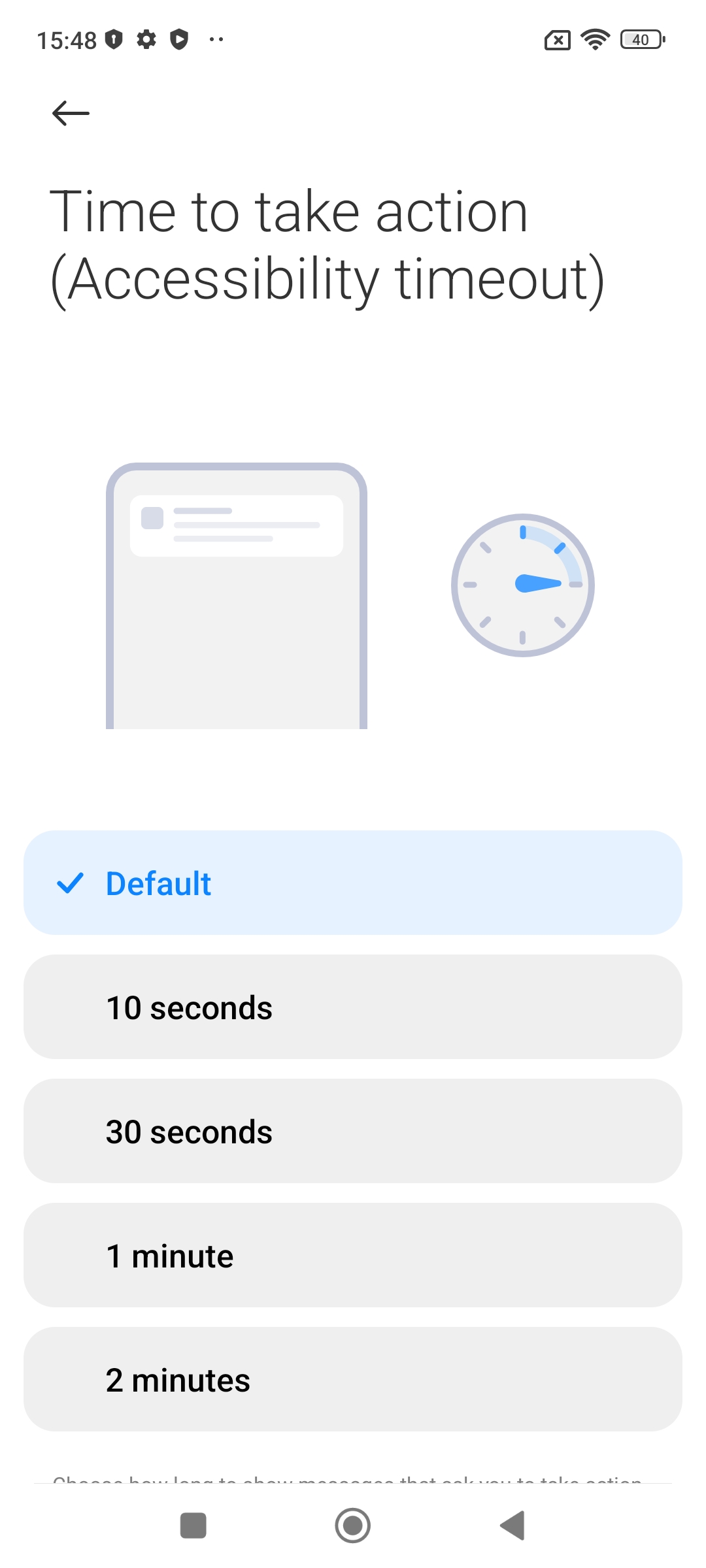
Phone-Settings---Additional settings-Accessibility-Physical-Time-to-take-action-Time to take action (Accessibility timeout), if the time is set to other options than the default will cause the notification popup to disappear beyond the default time. This feature is designed to keep the notification pop-ups on screen for a longer period of time to allow users more time to operate the relevant notification content, and some users may need extra time to check the controls or operate the pop-ups.
If you have turned on the above features, please try to turn off the relevant settings and try again; if the problem is still not resolved, please submit the service and feedback immediately after recurrence of the fault, pending R&D analysis and confirmation.
We recommend that you do not turn on the options in Accessibility unless it is necessary, as this may affect your experience.
Phone-Settings---Additional settings-Accessibility-Physical-Time-to-take-action-Time to take action (Accessibility timeout), if the time is set to other options than the default will cause the notification popup to disappear beyond the default time. This feature is designed to keep the notification pop-ups on screen for a longer period of time to allow users more time to operate the relevant notification content, and some users may need extra time to check the controls or operate the pop-ups.
If you have turned on the above features, please try to turn off the relevant settings and try again; if the problem is still not resolved, please submit the service and feedback immediately after recurrence of the fault, pending R&D analysis and confirmation.
We recommend that you do not turn on the options in Accessibility unless it is necessary, as this may affect your experience.