

The setting of the Wi-Fi network on Redmi Note 12 Pro+ 5G refers to the process of adjusting various settings related to the Wi-Fi connection on the device. You can view and manage a list of saved Wi-Fi networks, including forgetting the network, renaming the network, or modifying network settings.
To set the Wi-Fi network on your smartphone, please refer to the following steps:
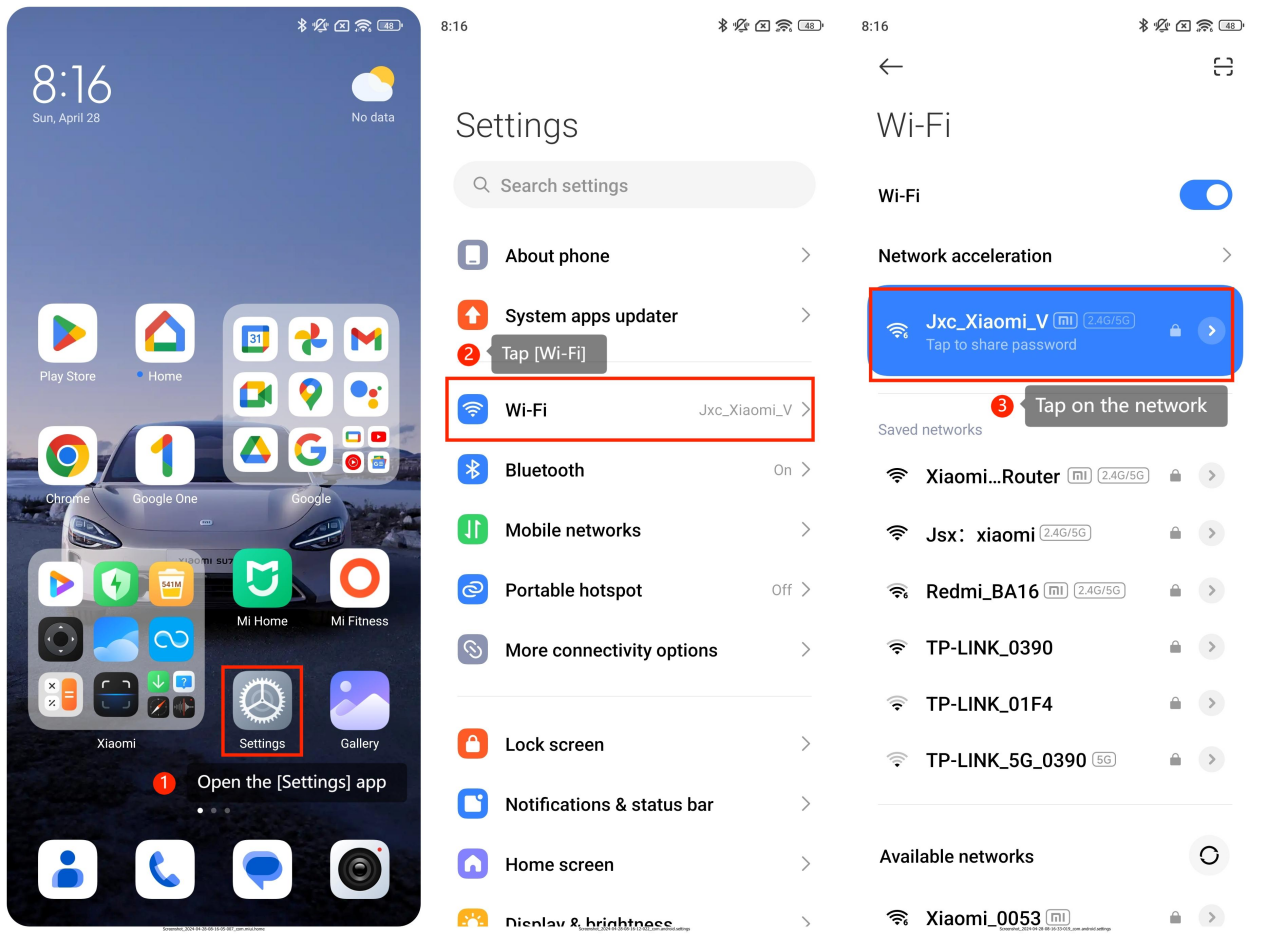
1. Open the [Settings] app;
2. Tap [Wi-Fi];
3. Tap on the network you want to set to open detailed information;
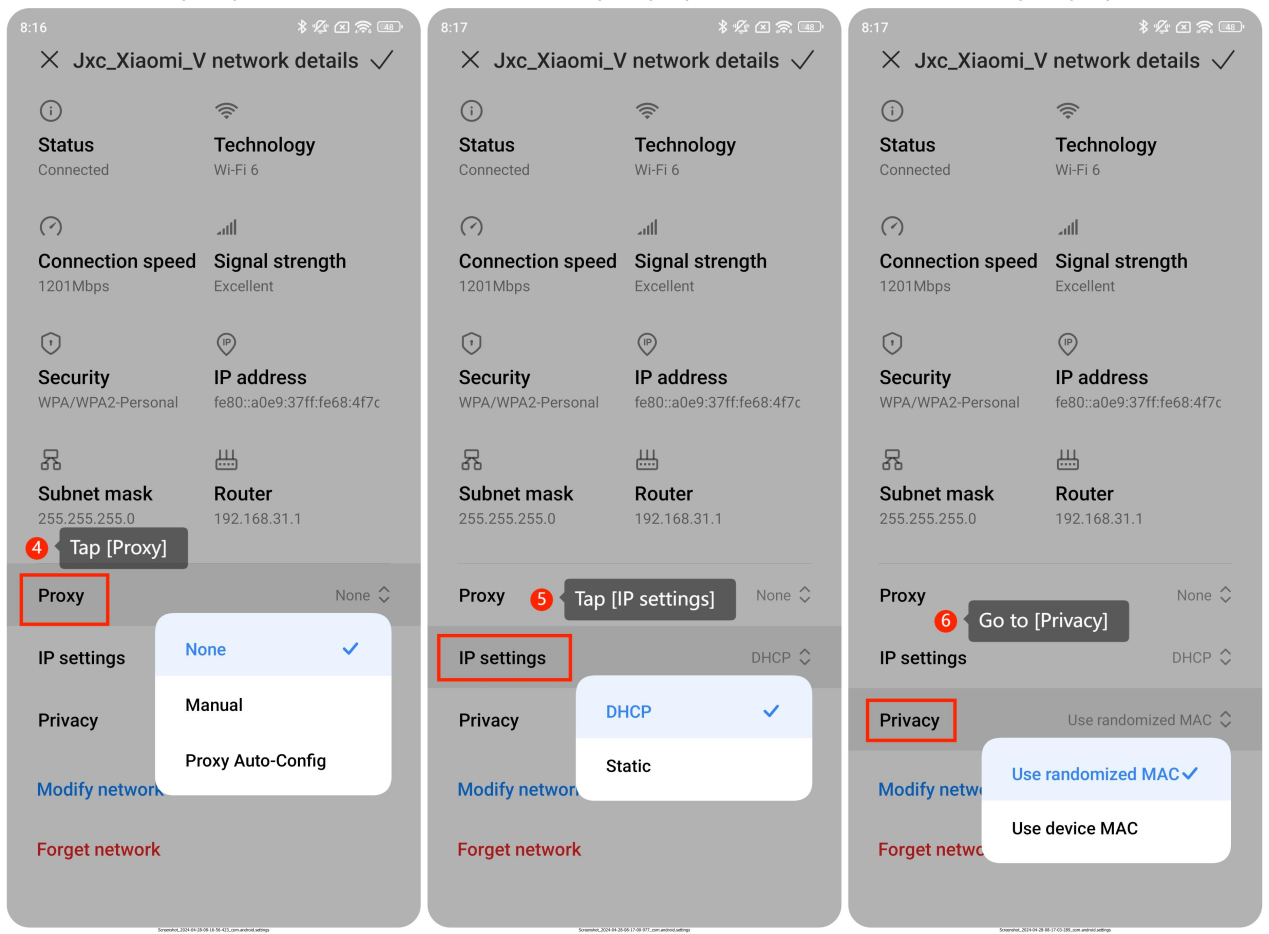
4. You can set the proxy method by tapping [Proxy];
5. Tap [IP settings] to select [DHCP] and [Static];
6. Go to [Privacy]. You can change the MAC mode in this interface;
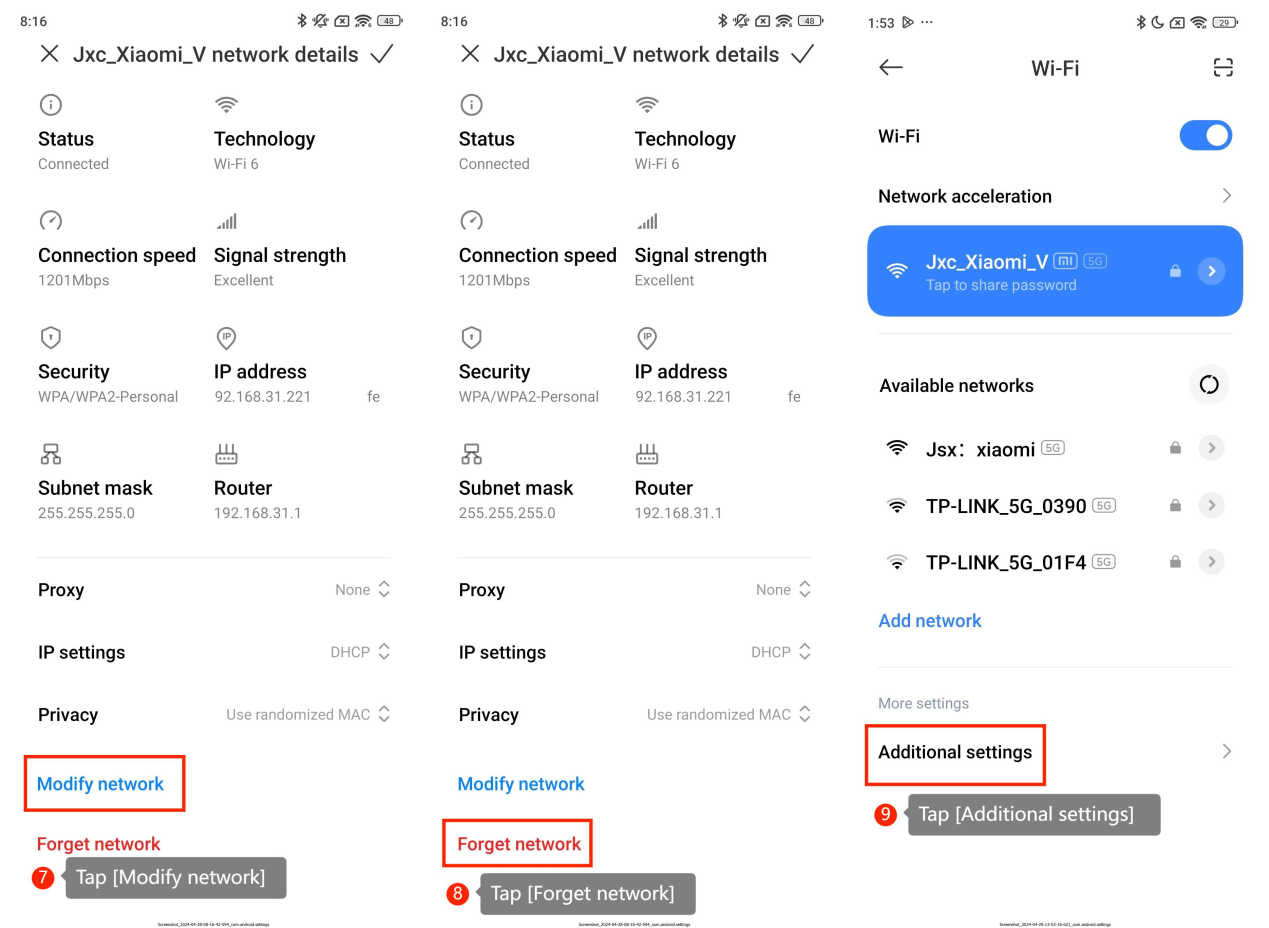
7. Tap [Modify network] and enter a new name, then the Wi-Fi name will be modified;
8. Tap [Forget network] to remove saved Wi-Fi networks from the list of remembered networks on the device;
9. You can also swipe down the screen and tap [Additional settings] to manage saved networks or check install certificates in the Wi-Fi interface.
To set the Wi-Fi network on your smartphone, please refer to the following steps:
1. Open the [Settings] app;
2. Tap [Wi-Fi];
3. Tap on the network you want to set to open detailed information;
4. You can set the proxy method by tapping [Proxy];
5. Tap [IP settings] to select [DHCP] and [Static];
6. Go to [Privacy]. You can change the MAC mode in this interface;
7. Tap [Modify network] and enter a new name, then the Wi-Fi name will be modified;
8. Tap [Forget network] to remove saved Wi-Fi networks from the list of remembered networks on the device;
9. You can also swipe down the screen and tap [Additional settings] to manage saved networks or check install certificates in the Wi-Fi interface.