

The Second Space feature, available in the Redmi Note 13 Pro 5G, enables you to create a separate, isolated environment within your smartphone. This space functions as a distinct profile, allowing you to have two separate sets of apps, settings, files, and data on the same device. It can also be used as a guest mode, allowing others to use the phone without accessing your personal data.
To manage the Second space on the Redmi Note 13 Pro 5G with Xiaomi HyperOS, please refer to the following steps:
Method 1:
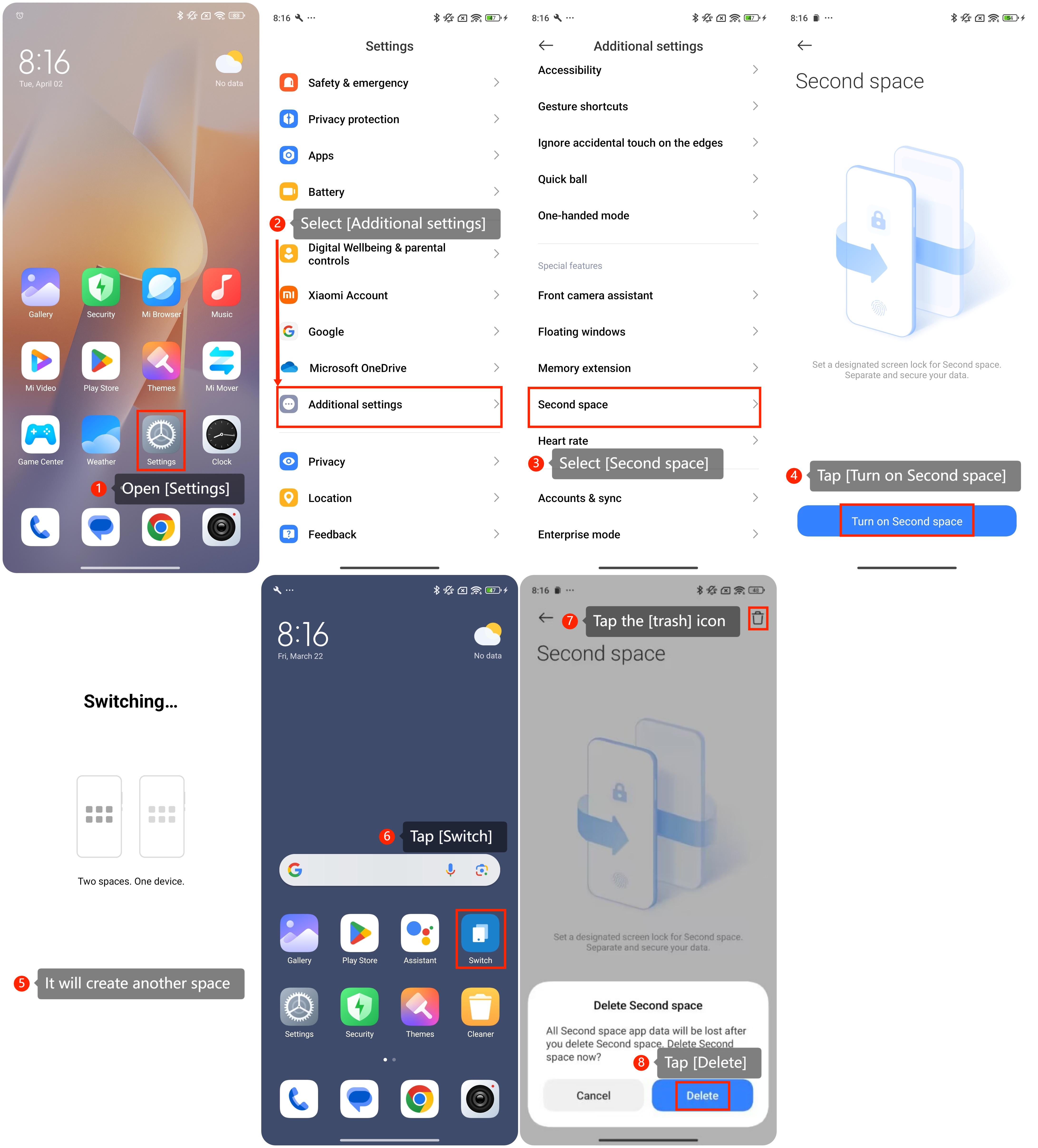
1. Open the [Settings];
2. Select [Additional settings];
3. Select [Second space];
4. Tap the [Turn on Second space];
5. The system will create another space and switch to it, then you will switch to another space interface;
6. Tap the [Switch] appearing on the home screen to return back, and you can find [Switch] icon also appears in the initial space;
7. To delete the [Second space], please follow the first three steps, and then tap the [trash] icon;
8. Finally tap the [Delete].
 Method 2:
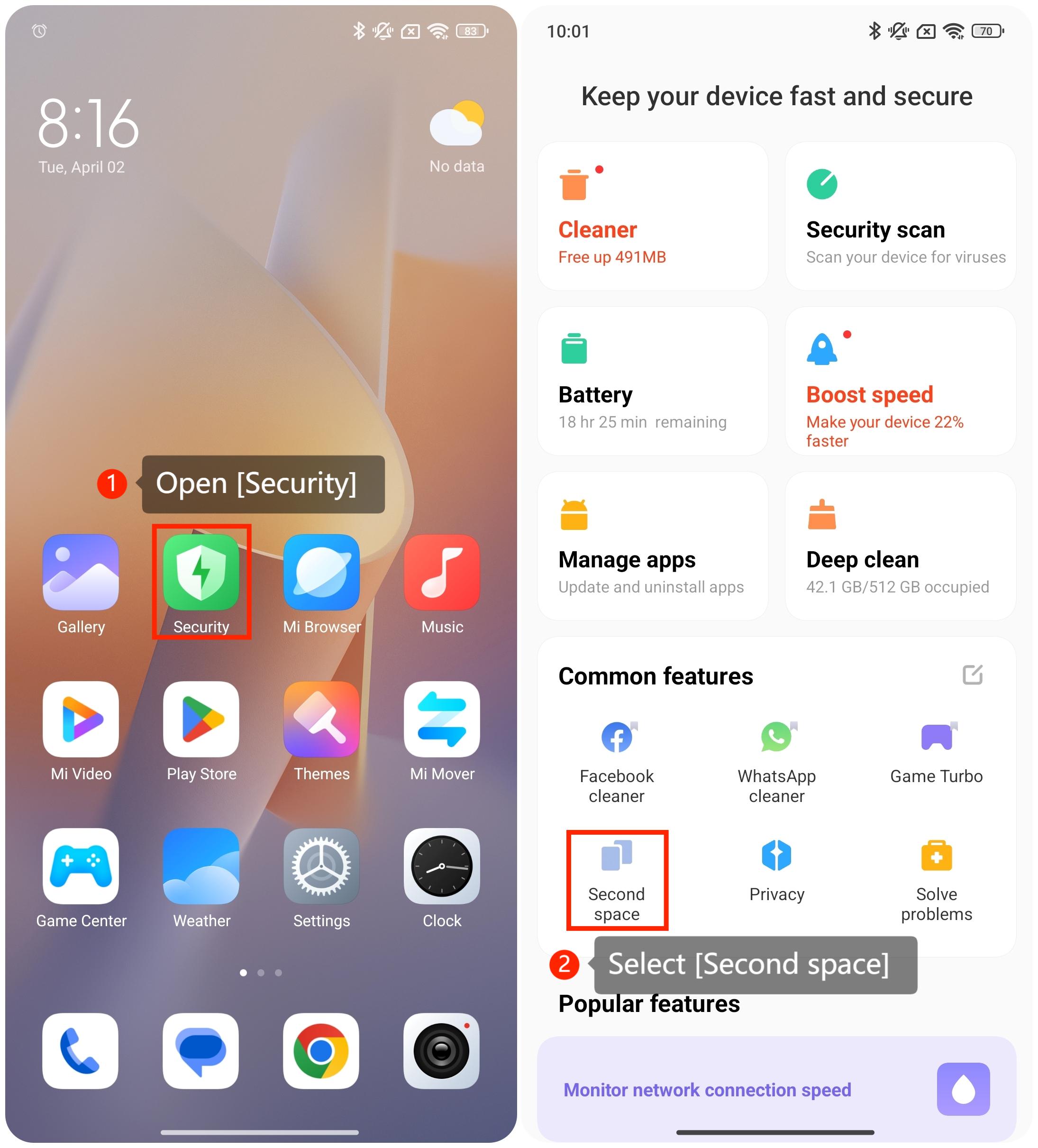
1. Open the [Security];
2. Scroll down and select [Second space] in the [Common features];
3. The following steps please refer to Method 1.
To manage the Second space on the Redmi Note 13 Pro 5G with Xiaomi HyperOS, please refer to the following steps:
Method 1:
1. Open the [Settings];
2. Select [Additional settings];
3. Select [Second space];
4. Tap the [Turn on Second space];
5. The system will create another space and switch to it, then you will switch to another space interface;
6. Tap the [Switch] appearing on the home screen to return back, and you can find [Switch] icon also appears in the initial space;
7. To delete the [Second space], please follow the first three steps, and then tap the [trash] icon;
8. Finally tap the [Delete].
Method 2:1. Open the [Security];
2. Scroll down and select [Second space] in the [Common features];
3. The following steps please refer to Method 1.