Controlling smart home devices has never been easier with the Xiaomi Smart Home Hub 2. As a central hub for your smart home ecosystem, the How can I control smart home devices with the Xiaomi Smart Home Hub 2 allows you to seamlessly connect and control a wide range of devices, from lights and plugs to cameras and sensors. Using the Mi Home app, you can easily access and manage these devices, creating custom schedules, automation routines, and scenes to suit your lifestyle. Whether you're at home or away, the Xiaomi Smart Home Hub 2 puts control at your fingertips, offering convenience and efficiency:
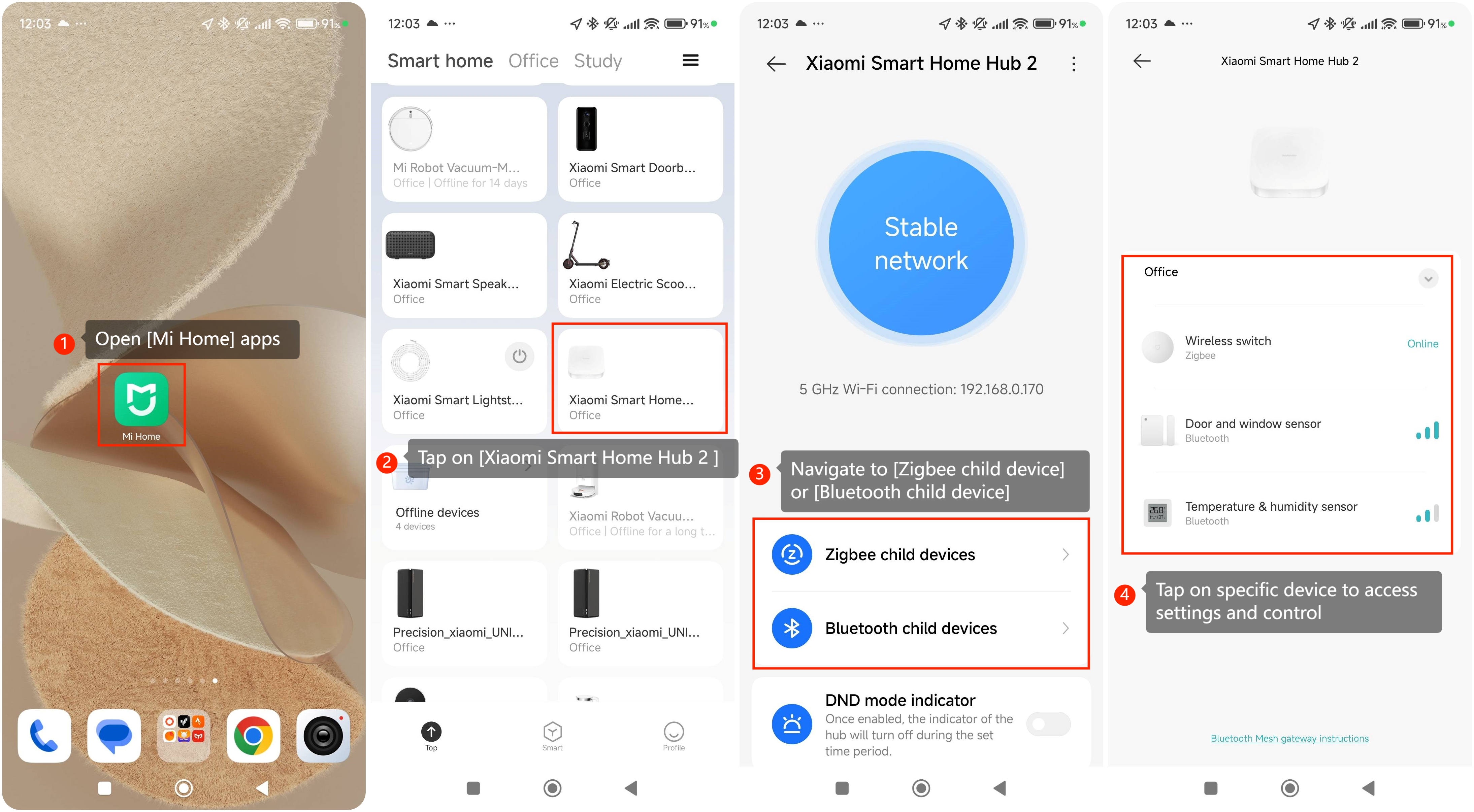
To control smart home device on the Mi Smart Home Hub, please refer to the following steps:
1. Open the [Mi Home] apps on your smartphone or tablet;
2. Tap on the [Mi Smart Home Hub] in the list of connected device in Mi home apps;
3. Navigate to the [Zigbee child device] or [Bluetooth child device] depends on which protocol device you have connected;
4. Tap on the specific device paired Mi Smart Home Hub to access the sub-device settings and control options.
To control smart home device on the Mi Smart Home Hub, please refer to the following steps:
1. Open the [Mi Home] apps on your smartphone or tablet;
2. Tap on the [Mi Smart Home Hub] in the list of connected device in Mi home apps;
3. Navigate to the [Zigbee child device] or [Bluetooth child device] depends on which protocol device you have connected;
4. Tap on the specific device paired Mi Smart Home Hub to access the sub-device settings and control options.