The Xiaomi Home Hub 2 has the capacity to support and access up to 100 Bluetooth and Zigbee child devices, offering users a wide range of options to enhance their smart home ecosystem. These devices, including smart lights, plugs, sensors, and more, can be seamlessly integrated and controlled through the Mi Home app;
To ensure proper integration and control, Bluetooth and Zigbee devices need to be connected and paired via the Mi Home app. This process allows users to access and manage these sub-devices directly from their smartphone or tablet.
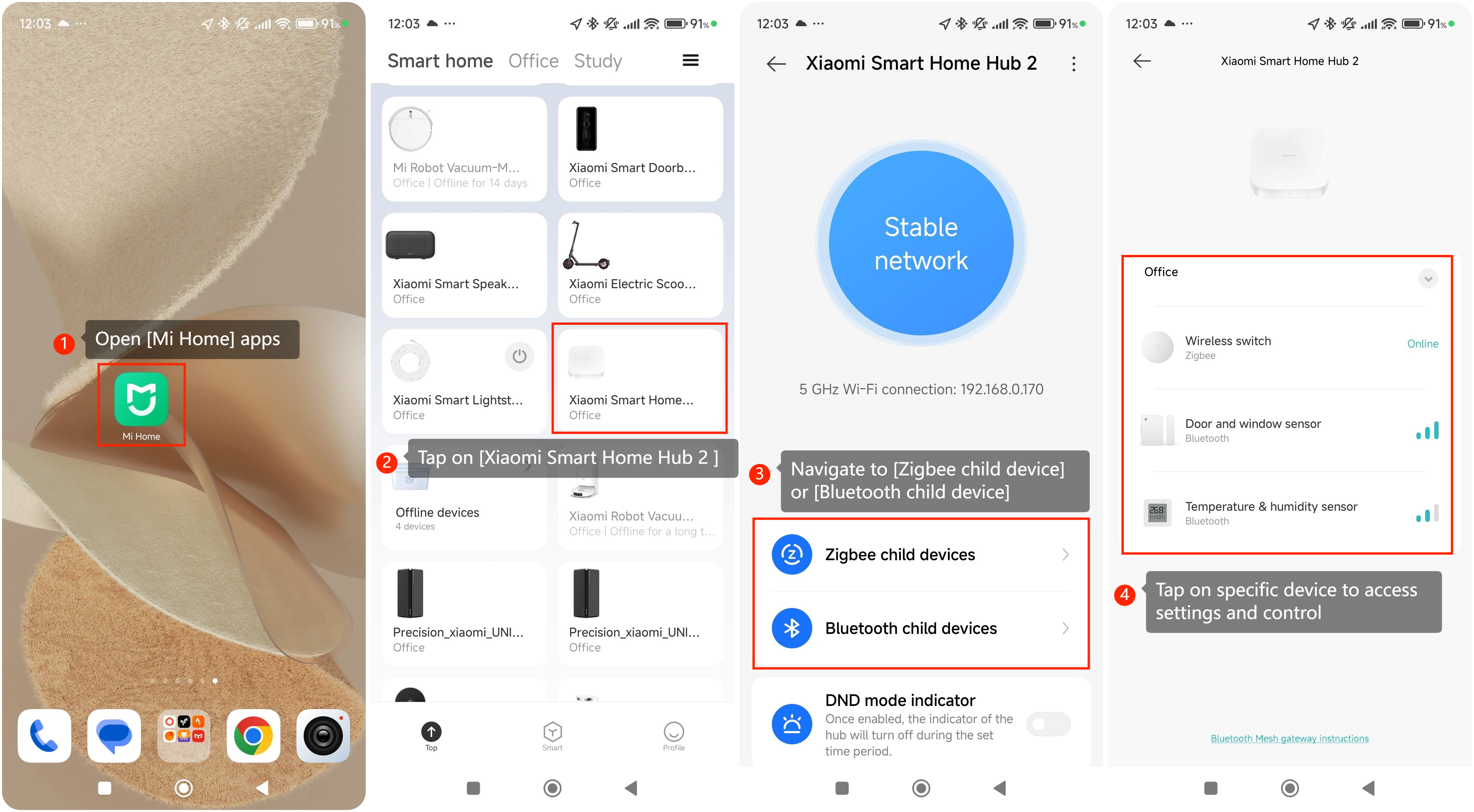
To access sub-device on the Xiaomi Home Hub 2, please refer to the following steps:
1. Open the [Mi Home] apps on your smartphone or tablet;
2. Tap on the [Xiaomi Home Hub 2] in the list of connected device in Mi home apps;
3. Navigate to the [Zigbee child device] or [Bluetooth child device], depends on which protocol device you have connected;
4. Tap on the specific device paired Mi Smart Home Hub to access the sub-device settings and control options.
To ensure proper integration and control, Bluetooth and Zigbee devices need to be connected and paired via the Mi Home app. This process allows users to access and manage these sub-devices directly from their smartphone or tablet.
To access sub-device on the Xiaomi Home Hub 2, please refer to the following steps:
1. Open the [Mi Home] apps on your smartphone or tablet;
2. Tap on the [Xiaomi Home Hub 2] in the list of connected device in Mi home apps;
3. Navigate to the [Zigbee child device] or [Bluetooth child device], depends on which protocol device you have connected;
4. Tap on the specific device paired Mi Smart Home Hub to access the sub-device settings and control options.