

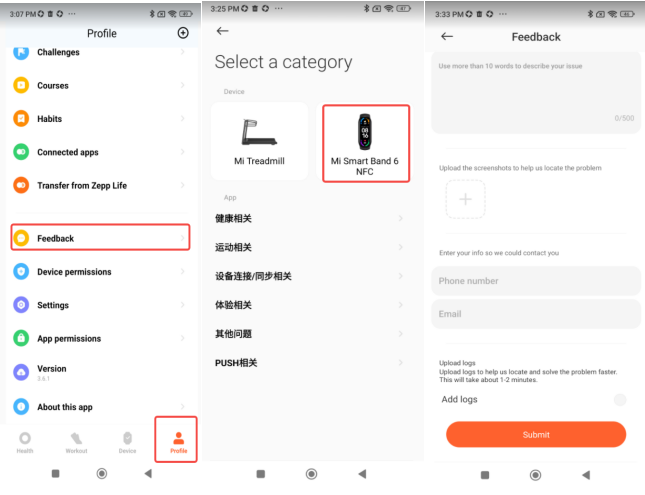
Path: Mi Fitness APP->Profile->Feedback->Mi Smart Band 6 NFC->select issues, enter the feedback page, fill in the description and contact information. Check "Upload logs" at the bottom of the user feedback page and submit your feedback.
After submitting the user feedback, the user is required to provide the user ID (Xiaomi ID).
User ID position: At the top of the Profile page.
After submitting the user feedback, the user is required to provide the user ID (Xiaomi ID).
User ID position: At the top of the Profile page.