
How to set the Add to favorites function on the Xiaomi Smart Camera C301?
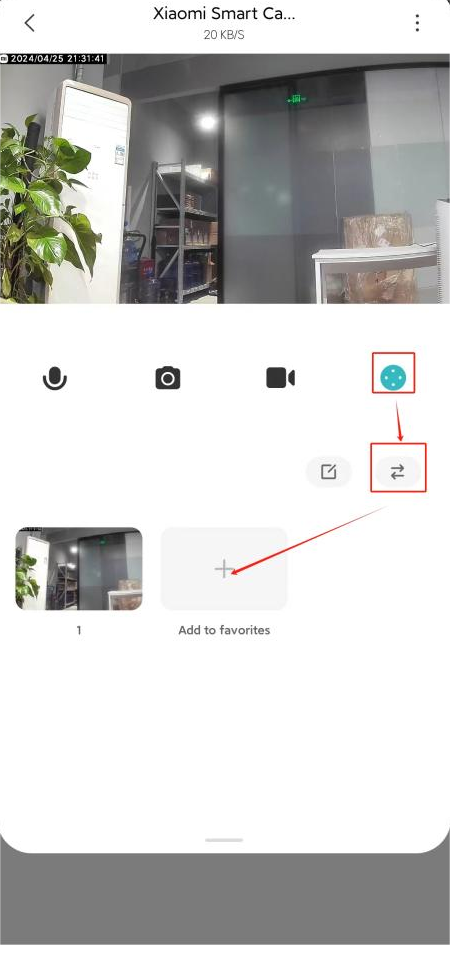
To set the Add to favorites function on the camera, please refer to the steps:
1. Go to the Mi Home/Xiaomi Home APP;
2. Select [Device Card];
3. Tap the [PTZ] icon;
4. Tap the [⇄] icon;
5. Add or delete the frequently viewed positions.
1. Go to the Mi Home/Xiaomi Home APP;
2. Select [Device Card];
3. Tap the [PTZ] icon;
4. Tap the [⇄] icon;
5. Add or delete the frequently viewed positions.
Does it help?
Yes
No