
How to install the Xiaomi Smart Camera C301?
You can place the camera on a horizontal surface, such as a desk, dining table, or coffee table. You can also mount it on a wall.
Here are the steps for the wall installation of the device:
1. Stick the mounting template sticker in a proper position on the wall. Drill holes in the wall that align with the holes on the sticker, with a diameter of about 6mm and a depth of about 30mm;
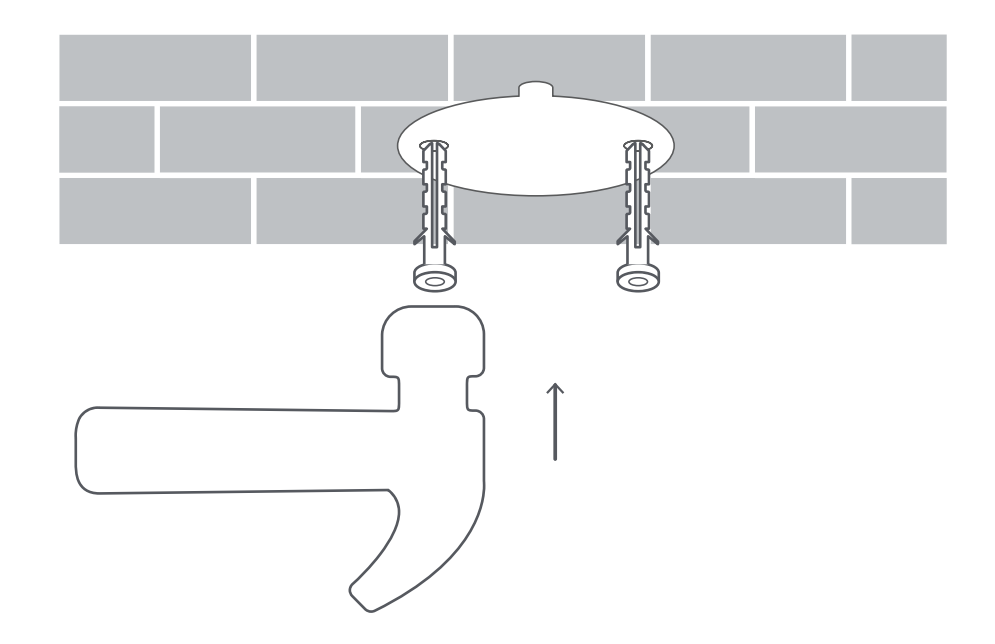
2. Insert the plastic wall plugs into the drilled holes;
3. Place the side of the base with arrows facing forward, and then align the holes. Insert the screws and then tighten them into the wall plugs with a Phillips screwdriver;

4. Align the grooves on the bottom of the camera with the protruding part on the base, and then turn the camera clockwise until it locks into place.

Note:
1. The wall should be able to support at least three times the total weight of the camera;
2. The camera should be securely fixed to the ceiling or wall according to the installation instructions to prevent possible injury;
3. If you choose to invert the camera, you need to rotate the image 180° in the Mi Home/Xiaomi Home APP's screen settings;
4. It is not recommended to install the camera outdoors. This product is an indoor camera and is not waterproof or dustproof.
Here are the steps for the wall installation of the device:
1. Stick the mounting template sticker in a proper position on the wall. Drill holes in the wall that align with the holes on the sticker, with a diameter of about 6mm and a depth of about 30mm;
2. Insert the plastic wall plugs into the drilled holes;
3. Place the side of the base with arrows facing forward, and then align the holes. Insert the screws and then tighten them into the wall plugs with a Phillips screwdriver;
4. Align the grooves on the bottom of the camera with the protruding part on the base, and then turn the camera clockwise until it locks into place.
Note:
1. The wall should be able to support at least three times the total weight of the camera;
2. The camera should be securely fixed to the ceiling or wall according to the installation instructions to prevent possible injury;
3. If you choose to invert the camera, you need to rotate the image 180° in the Mi Home/Xiaomi Home APP's screen settings;
4. It is not recommended to install the camera outdoors. This product is an indoor camera and is not waterproof or dustproof.
Does it help?
Yes
No