
How to install the Xiaomi Dust Mite Vacuum Cleaner Pro?
To install the Xiaomi Dust Mite Vacuum Cleaner Pro, please refer to the following steps:
1. Press and hold the Dust Compartment Release Button, and simultaneously pull out the dust compartment assembly;
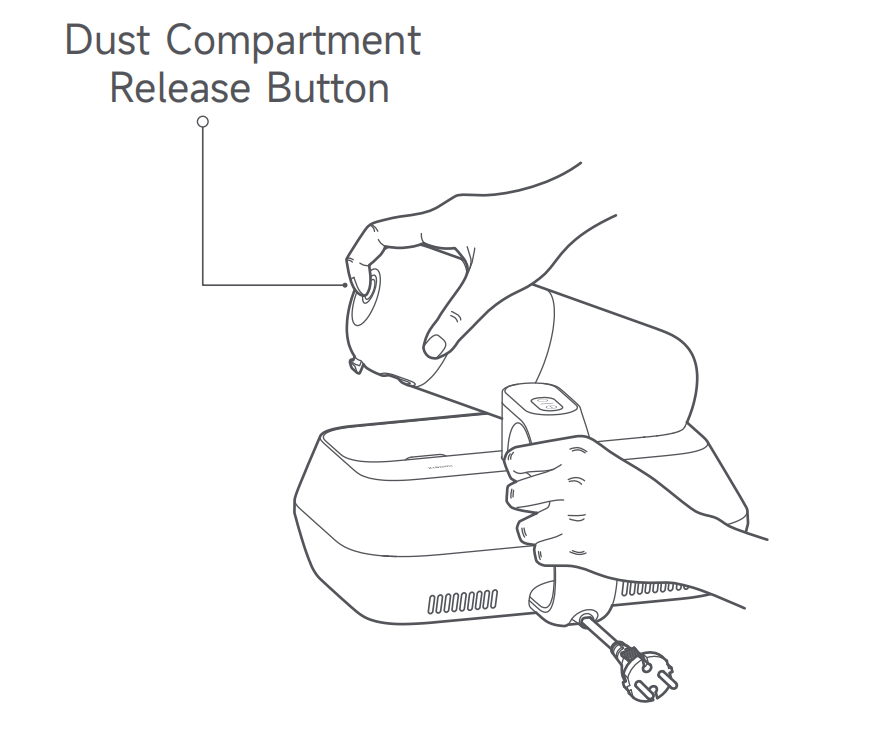
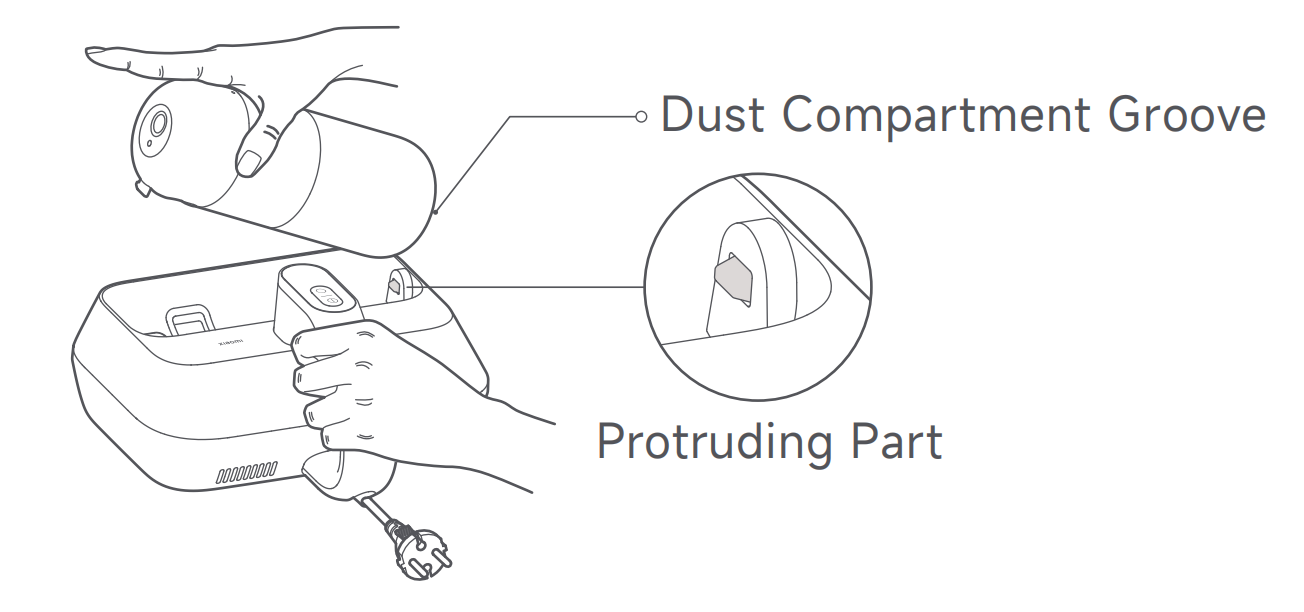
2. Align the dust compartment groove with the protruding part. Press down on the dust compartment until you hear a "click" sound, indicating it is installed in place.
1. Press and hold the Dust Compartment Release Button, and simultaneously pull out the dust compartment assembly;
2. Align the dust compartment groove with the protruding part. Press down on the dust compartment until you hear a "click" sound, indicating it is installed in place.
Does it help?
Yes
No