
Mi Handheld Vacuum Cleaner FAQ
Specification
 |
Mi Handheld Vacuum Cleaner |
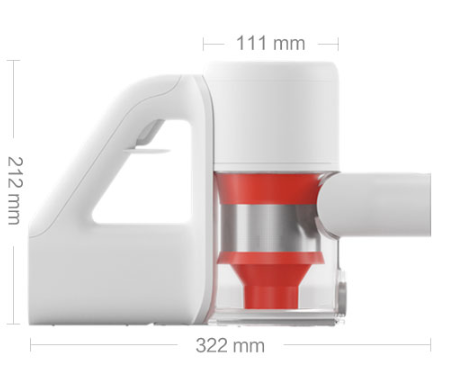 |
|
| Primary device specs | Model number:SCWXCQ01RR Battery:21.6V/2500mAh (typ) lithium battery Weight:1.5kg (without electric brush) Rated voltage:21.6V Rated power:350WModel |
| Power adaptor specs | Model numberRRQ250008C Rated input100-240V ~ 0.6A Rated output25.6V0.8A Rated frequency50-60Hz |
| Primary device elements | 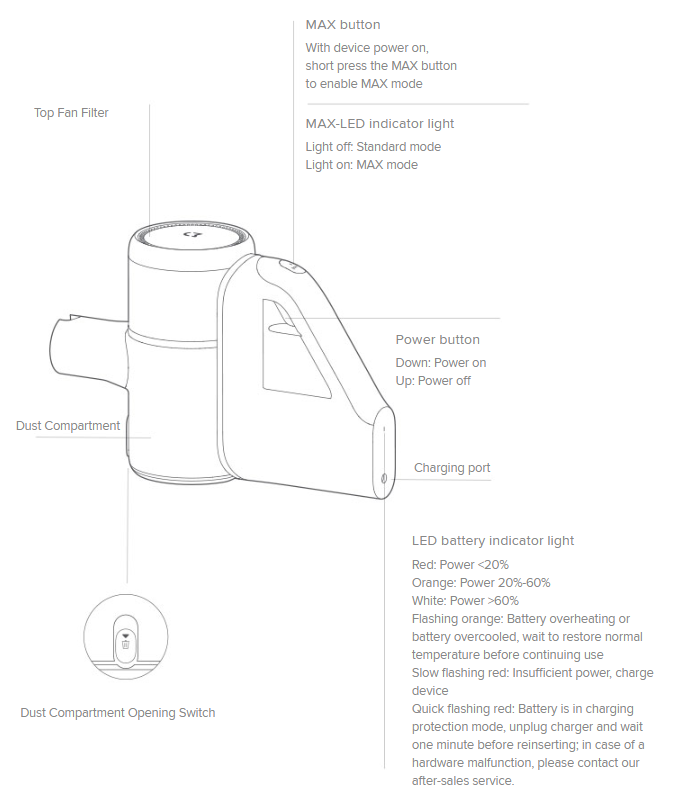 |
| Vacuum and Accessories Installation Diagram |
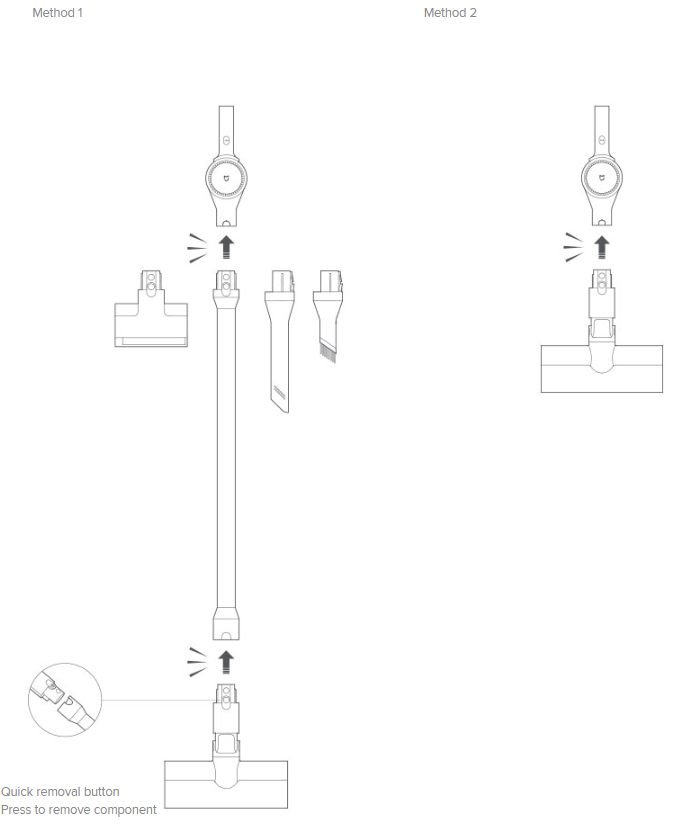 |
| Package contents | 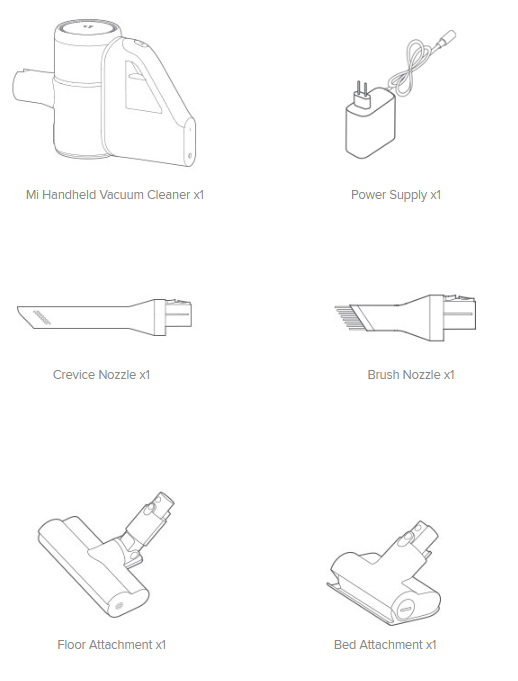 |
Product Introduction
1.Q: What features does Mi Handheld Vacuum Cleaner have?
A: 1.Suction that won't decline:9-cyclone engine.
2. 100AW suction:100K rpm brushless motor.
3. 4x suction power instantly:Incredible MAX mode(6 minutes of use with 4 times the suction power to help you clean those hard-to-reach places).
4. 99.9% mite removal:Eliminates allergens.
5. Clean 160㎡ on a full charge:30 minute battery use.
6. Purify emissions: 5 filters.
7. Capture 99.97% of particulate matter:Eliminate PM2.5. (It takes a high-performance vacuum cleaner to absorb dust at the micro level. In fact, the most impressive capabilities of the Mi Handheld Vacuum Cleaner lie in the parts you can't see: How can a vacuum prevent dust from being recirculated back into the air, causing secondary pollution? By capturing the particles within its filtration system! Even PM2.5 particles are caught, helping to keep your air clean.)
8. 4 Multi-functional brush heads:Clean anywhere.
2.Q:How to use Mi Handheld Vacuum Cleaner MAX function?
A:Press the trigger of the vacuum cleaner, press the MAX button after the draught fan starts to work, the vacuum cleaner will enter the MAX mode to start the maximum suction work.When the trigger is released, the draught fan stops running and MAX mode will exit automatically.Press the trigger again,it will be in standard mode.
3.Q:How many brush heads are equipped with Mi Handheld Vacuum Cleaner?
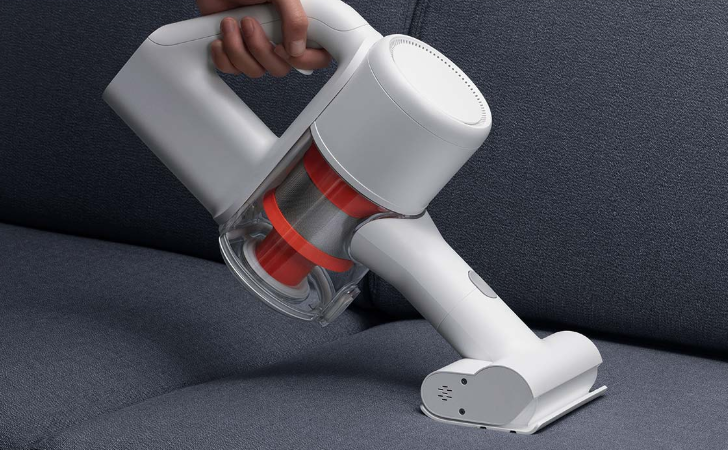
A:There are 4 multi-functional brush heads,cleans floors, beds and cars,even cleans your keyboard.
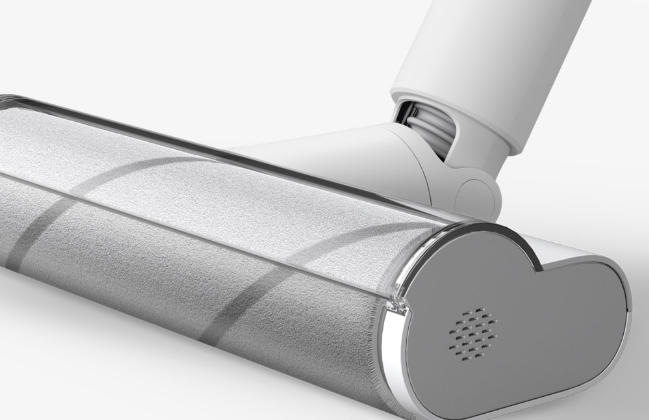
1.Extra-soft brush with built-in motor:Use on wood flooring and ceramic tile to give your floors a deep clean and eliminate dust and dirt from every nook and cranny.
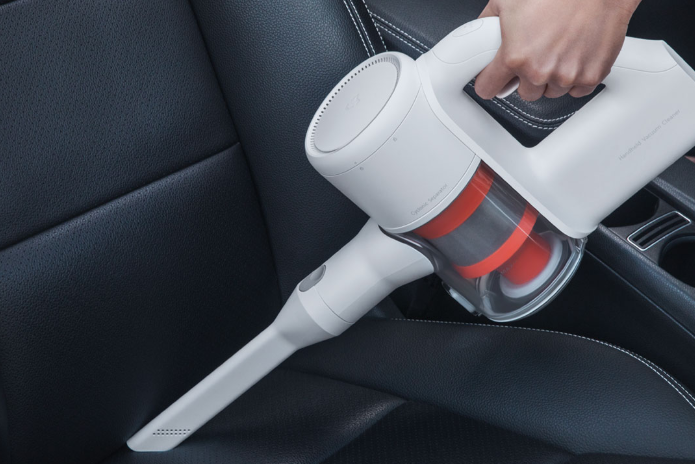
2.Flat nozzle:Clean dust, food and hair out of the crevices of the car
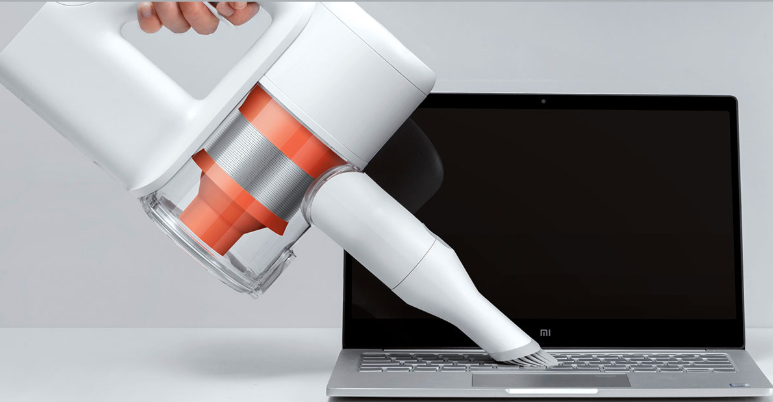
3.Extra-soft brush:Clean figurines, keyboards and bookcases
4.Electric mites brush:Clear mites off of mattresses and sofas
4.Q:Why are there two rows of small holes on both sides of the brush head?
A:The hole in the gap nozzle is the air vent to ensure enough air flow through to produce suction.
5.Q:Does Mi Handheld Vacuum Cleaner support dry and wet use methods?
A:Mi Handheld Vacuum Cleaner supports dry use only.The product itself has waterproof design, there is a very small amount of water on the ground when accidentally inhaled generally will not cause damage, but to avoid absorbing liquid, especially with sticky liquid.If the liquid is accidentally inhaled, it is necessary to disassemble and remove the dust collecting bucket and cyclone spinal canal components of the vacuum cleaner, put the host in a cool place to dry, and clean the dust bucket, orange secondary spinal canal, primary filter screen, rear filter screen and other components with tap water, and dry them after using.
6.Q:Can Mi Handheld Vacuum Cleaner be followed by the charger all the time? Is there overcharge protection?
A:Mi Handheld Vacuum Cleaner supports overcharge protection, and automatically power off when the electric power is fully charged.
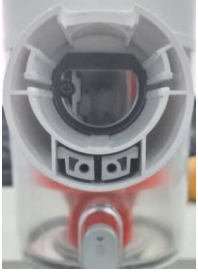
7.Q:What is the purpose of the black soft adhesive at the entrance of Mi Handheld Vacuum Cleaner?
A:This circle of black foam is made for air tightness sealing, preventing air leakage between brush head and dust barrel and affecting suction.
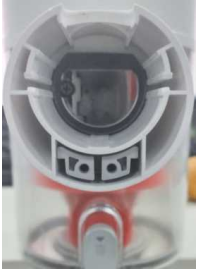
8.Q:What is the purpose of the two small circular holes at the suction inlet?
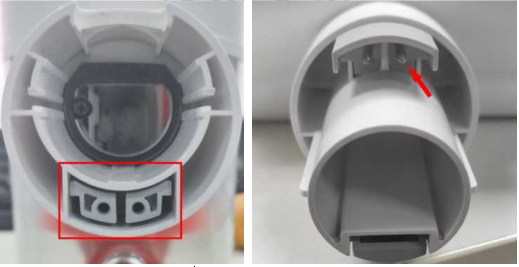
A:This is the power supply interface of the electric brush head of the vacuum cleaner. The bed brush and the ground brush head are connected with the host through this interface to supply power to the motor in the brush head.(As shown below, the left picture is the power supply interface of the vacuum cleaner host, and the right picture is the power supply interface of the bed brush)
9.Q:What is the meaning of Mi Handheld Vacuum Cleaner battery indicator states?
A:Red: electric quantity < 20%, orange: electric quantity 20-60%, white: electric quantity > 60%,
Blinking orange slowly: The battery temperature is too high or too low. Temporary protection is provided. Before using or charging the battery, wait until the battery temperature becomes normal.
Blinking red slowly: When the battery quantity is lower than 5%, the battery LED starts to blink red indicating that the battery quantity is about to be exhausted. If the battery quantity cannot be used and the LED blinks red, it indicates that the battery quantity has been completely exhausted. Please charge the battery before using it.
Blinking red quickly:
1. The battery is in charge protection state, please try to unplug the charger for one minute and then plug it in again for charging.
2. If the red indicator flash fails to be removed by inserting and removing the charger, the hardware may be faulty and needs to be solved by the after-service.
10.Q:How long does it take for the Mi Handheld Vacuum Cleaner to be fully charged?
A:It takes about 3.5 hours to charge from 0% to 100%.After continuous use in MAX mode, the battery temperature is high, which may increase the charging time. It is recommended to cool down the host for 30 minutes before charging.
11.Q:Does Mi Handheld Vacuum Cleaner have motor overload protection function?
A:All motors on the Mi Handheld Vacuum Cleaner are equipped with overload protection, including dust blower, bed brush motor and ground brush motor. When foreign matter enters and blockage seriously causes overload, they will automatically stop and protect themselves.
Troubleshooting
1. Q:How to deal with the failure to install the rear HEPA filter screen on the top of the vacuum cleaner?
A: When installing the top cover of HEPA filter screen, it is necessary to find the dot mark of the top cover, align with the lock mark of the fuselage, and rotate clockwise until the dot turns to the lock mark, which is the state of installation.
2. Q:What should I do if the filter screen on the orange secondary separator cannot be installed?
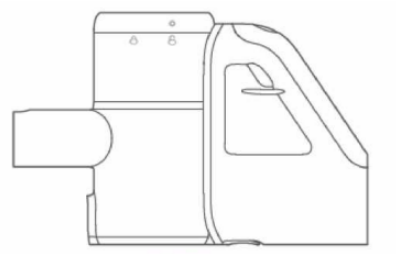
A:When the filter is installed, the lock tongue on the top of the secondary separator needs to be put back in plac
Does it help?
Yes
No