
The brightness of the Redmi A1 can be adjusted to suit your preferences to provide a better experience and optimize battery life.
To adjust the brightness level on your smartphone, please refer to the following methods:
Method 1:
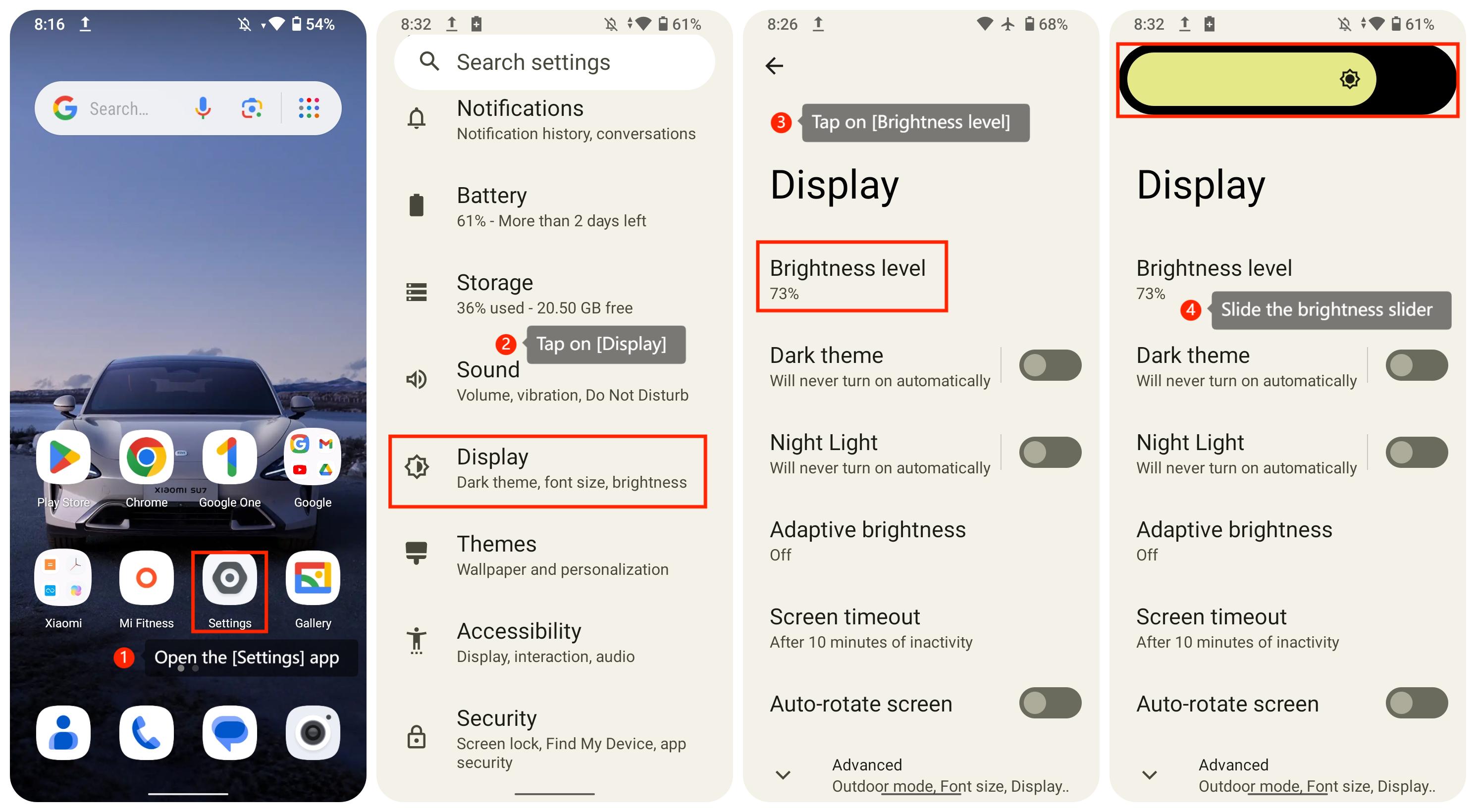
1. Open the [Settings] app on your smartphone;
2. Scroll down and tap on [Display];
3. Tap on [Brightness level];
4. Slide the brightness slider to adjust the brightness.
Method 2:
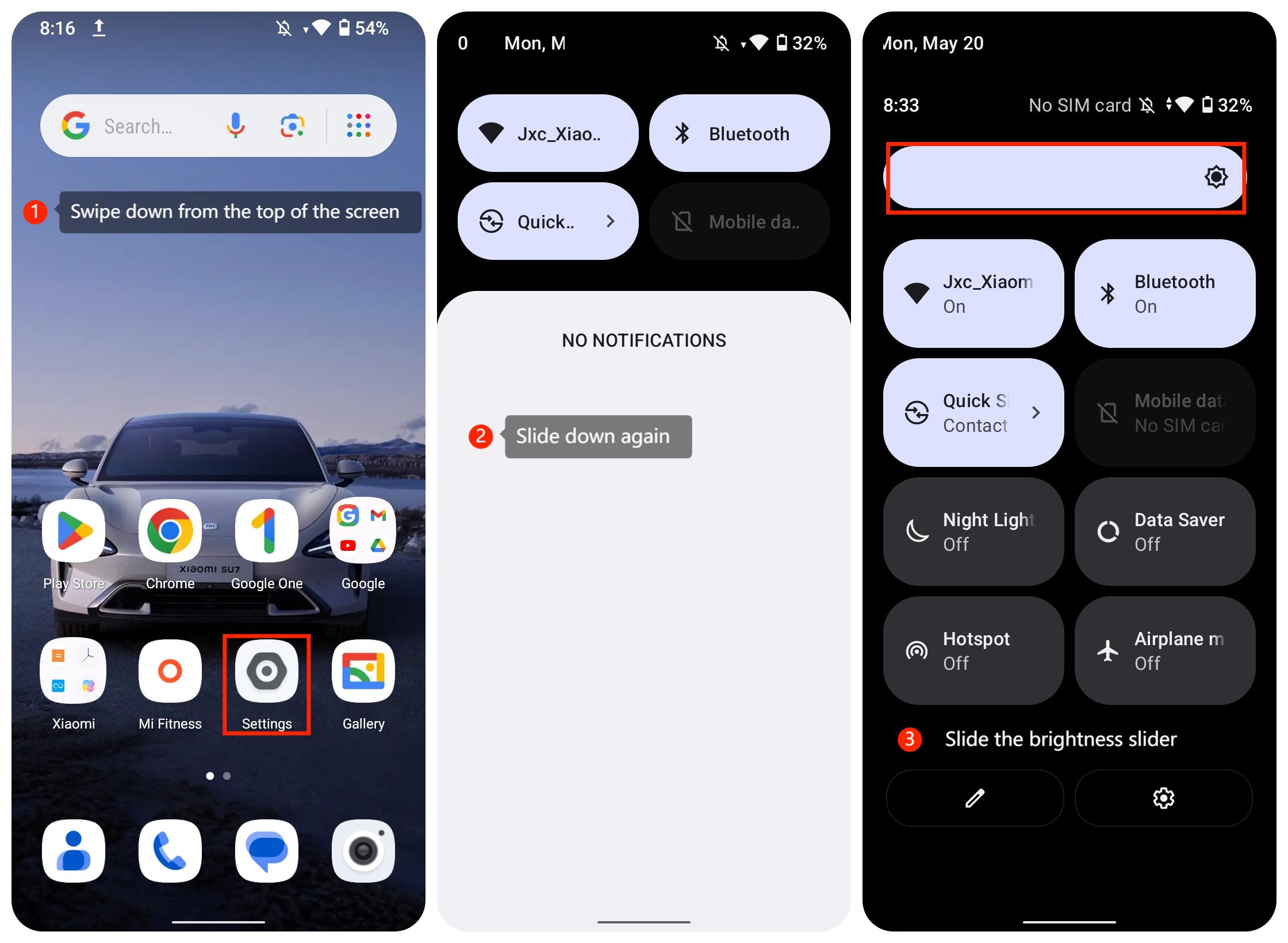
1. Swipe down from the top of the screen to enter the [Control center];
2. Slide down again in the Control center to locate the brightness slider;
3. Slide the brightness slider to adjust the brightness.
Note:
1. Tap the [Adaptive brightness] option to turn on [Use adaptive brightness]. This setting allows your phone to adjust the brightness based on the ambient light conditions automatically;
2. High brightness levels can cause eye strain and consume more battery power, while low brightness levels can make it difficult to read the screen in bright sunlight.
To adjust the brightness level on your smartphone, please refer to the following methods:
Method 1:
1. Open the [Settings] app on your smartphone;
2. Scroll down and tap on [Display];
3. Tap on [Brightness level];
4. Slide the brightness slider to adjust the brightness.
Method 2:
1. Swipe down from the top of the screen to enter the [Control center];
2. Slide down again in the Control center to locate the brightness slider;
3. Slide the brightness slider to adjust the brightness.
Note:
1. Tap the [Adaptive brightness] option to turn on [Use adaptive brightness]. This setting allows your phone to adjust the brightness based on the ambient light conditions automatically;
2. High brightness levels can cause eye strain and consume more battery power, while low brightness levels can make it difficult to read the screen in bright sunlight.