Solution:
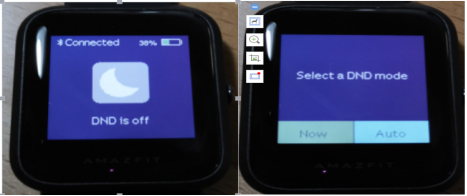
Swipe down from the home screen of the watch, Tap on DND, you will have two options: “Now” and “Auto”. When you choose “Now”, your watch will stop alerting for phone call, SMS/APP/EMAIL and other push notifications from apps you set immediately. However, if you choose Auto, Amazfit Bip will stop alerting only in the night when it detects you are sleeping.