
Problem Explanation:
1. Open the back compartment, take out the packing boxes in the compartment, and take out the power cord from the box;
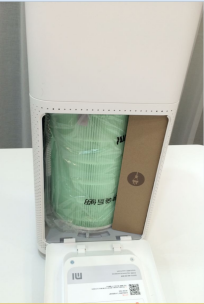
2. Unlock and take out the filter element, cut the packaging bag of the filter element, install the filter element according to the steps removed, and close the barn door.
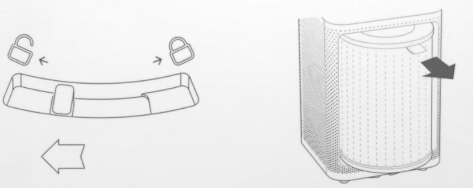
3.Connect the removed power cord to the power interface at the bottom of the host and connect the power supply;
4. After installation, click the power key on the top to start the machine.
Notes:
The procedure for replacing the filter element is the same as above. After replacing the filter element, the filter element shall be reset (long press the back light button for 6S).