

How to set the default SIM card for mobile data on the Xiaomi 14T?
If both SIM cards are activated on the Xiaomi 14T, the first SIM you used for data remains the default until you select another in the settings. Selecting the default SIM for mobile data avoids the need to switch the SIM card whenever you need to use data manually.
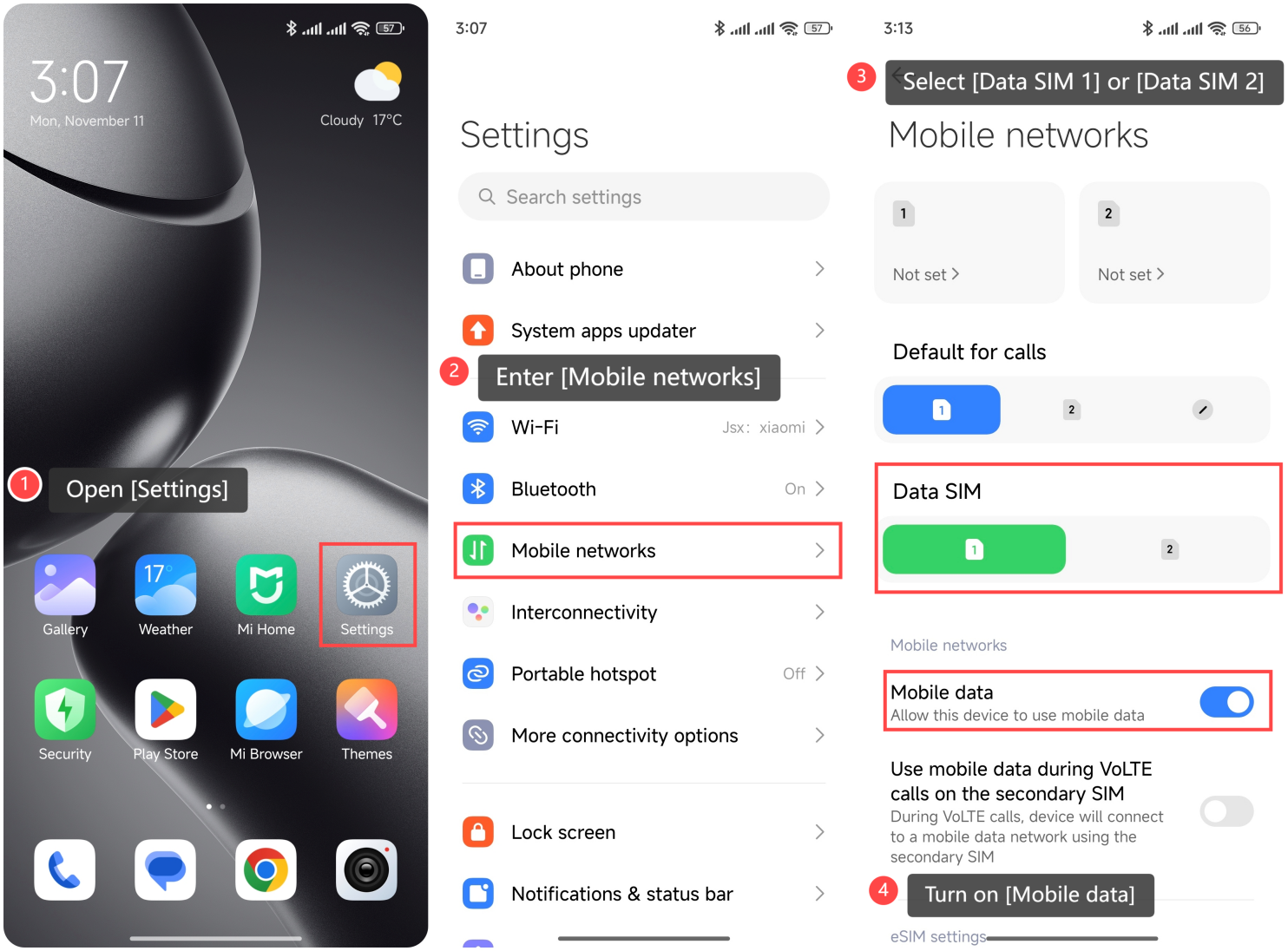
To set the default SIM card for mobile data on the Xiaomi 14T, please refer to the following methods:
Method 1:
1. Open [Settings];
2. Enter [Mobile networks];
3. Select [Data SIM 1] or [Data SIM 2];
4. Turn on [Mobile data].
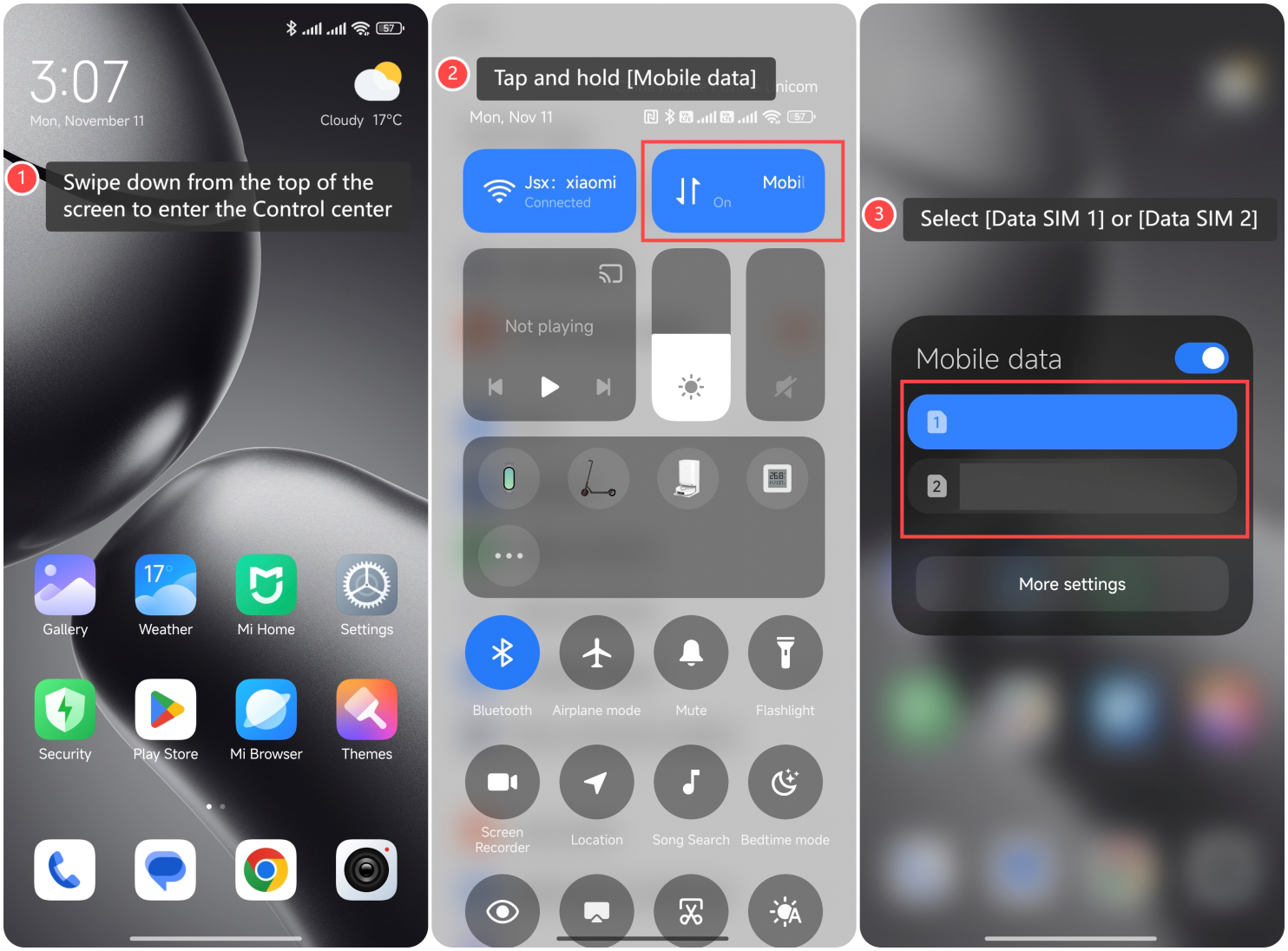
Method 2:
1. Swipe down from the top of the screen to enter the Control center;
2. Tap and hold [Mobile data];
3. Select [Data SIM 1] or [Data SIM 2].
To set the default SIM card for mobile data on the Xiaomi 14T, please refer to the following methods:
Method 1:
1. Open [Settings];
2. Enter [Mobile networks];
3. Select [Data SIM 1] or [Data SIM 2];
4. Turn on [Mobile data].
Method 2:
1. Swipe down from the top of the screen to enter the Control center;
2. Tap and hold [Mobile data];
3. Select [Data SIM 1] or [Data SIM 2].
Does it help?
Yes
No