

How to turn on/off data roaming on the Xiaomi 14T?
The “Data roaming” on the Xiaomi 14T refers to using mobile data services on a network outside your primary carrier’s coverage areas, when you’re in a different country or region, ensuring uninterrupted access.
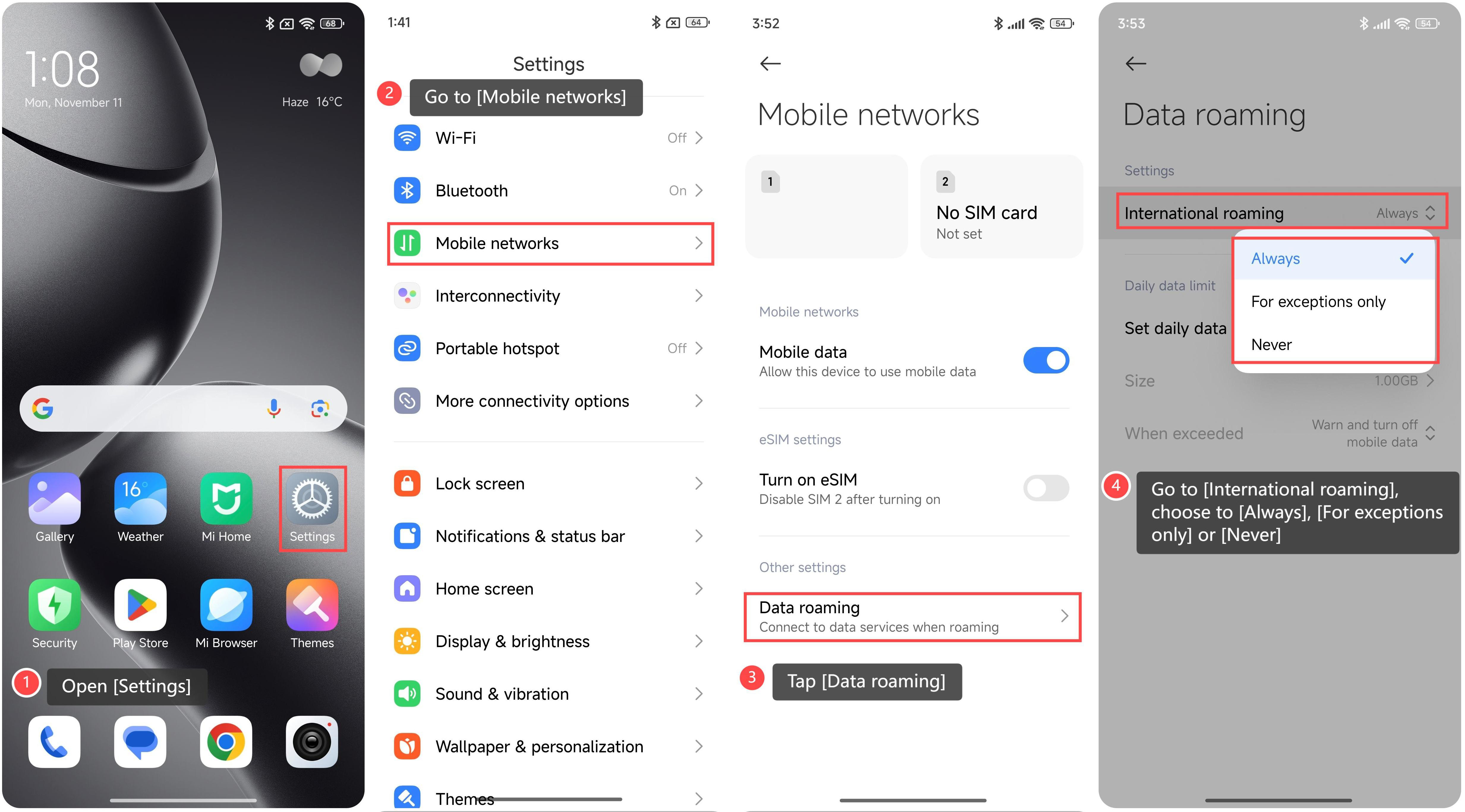
To turn on/off data roaming, please refer to the following steps:
1. Open [Settings];
2. Go to [Mobile networks];
3. Tap [Data roaming];
4. Go to [International roaming], you can choose the specific mode as your preference, including [Always], [For exceptions only], or [Never];
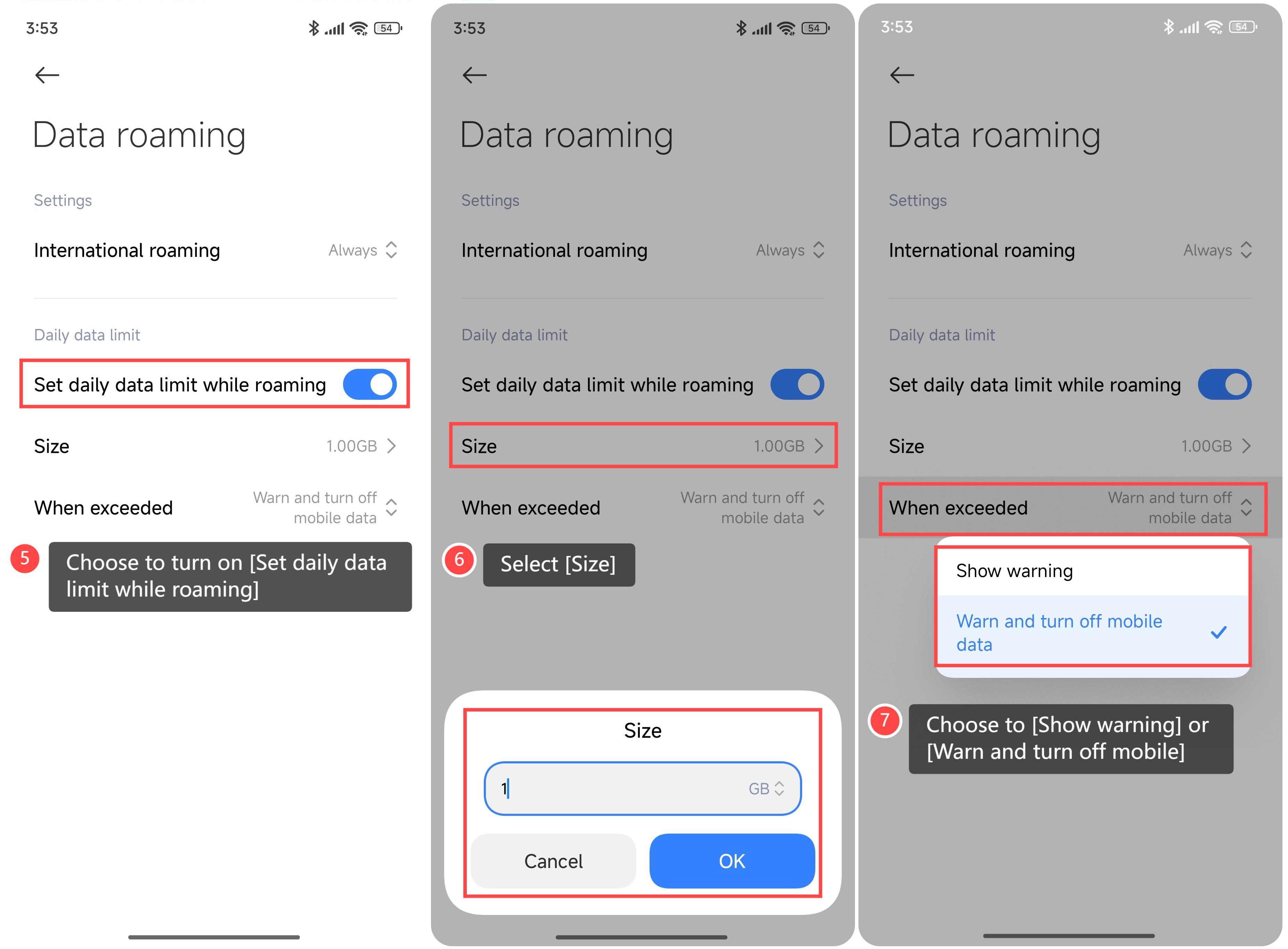
5. Additionally, choose to turn on [Set daily data limit while roaming];
6. Select [Size];
7. Choose to [Show warning] or [Warn and turn off mobile].
Friendly tips:
In case of an emergency, Data roaming helps you quickly access maps, emergency contacts, or apps to contact the authorities.
To turn on/off data roaming, please refer to the following steps:
1. Open [Settings];
2. Go to [Mobile networks];
3. Tap [Data roaming];
4. Go to [International roaming], you can choose the specific mode as your preference, including [Always], [For exceptions only], or [Never];
5. Additionally, choose to turn on [Set daily data limit while roaming];
6. Select [Size];
7. Choose to [Show warning] or [Warn and turn off mobile].
Friendly tips:
In case of an emergency, Data roaming helps you quickly access maps, emergency contacts, or apps to contact the authorities.
Does it help?
Yes
No