

How to reset eSIM on the Xiaomi 14T Pro?
The “Reset eSIM” function on the Xiaomi 14T Pro helps resolve connection issues, clear outdated or corrupt profiles, facilitate carrier changes, enhance security and privacy, and improve performance after network updates.
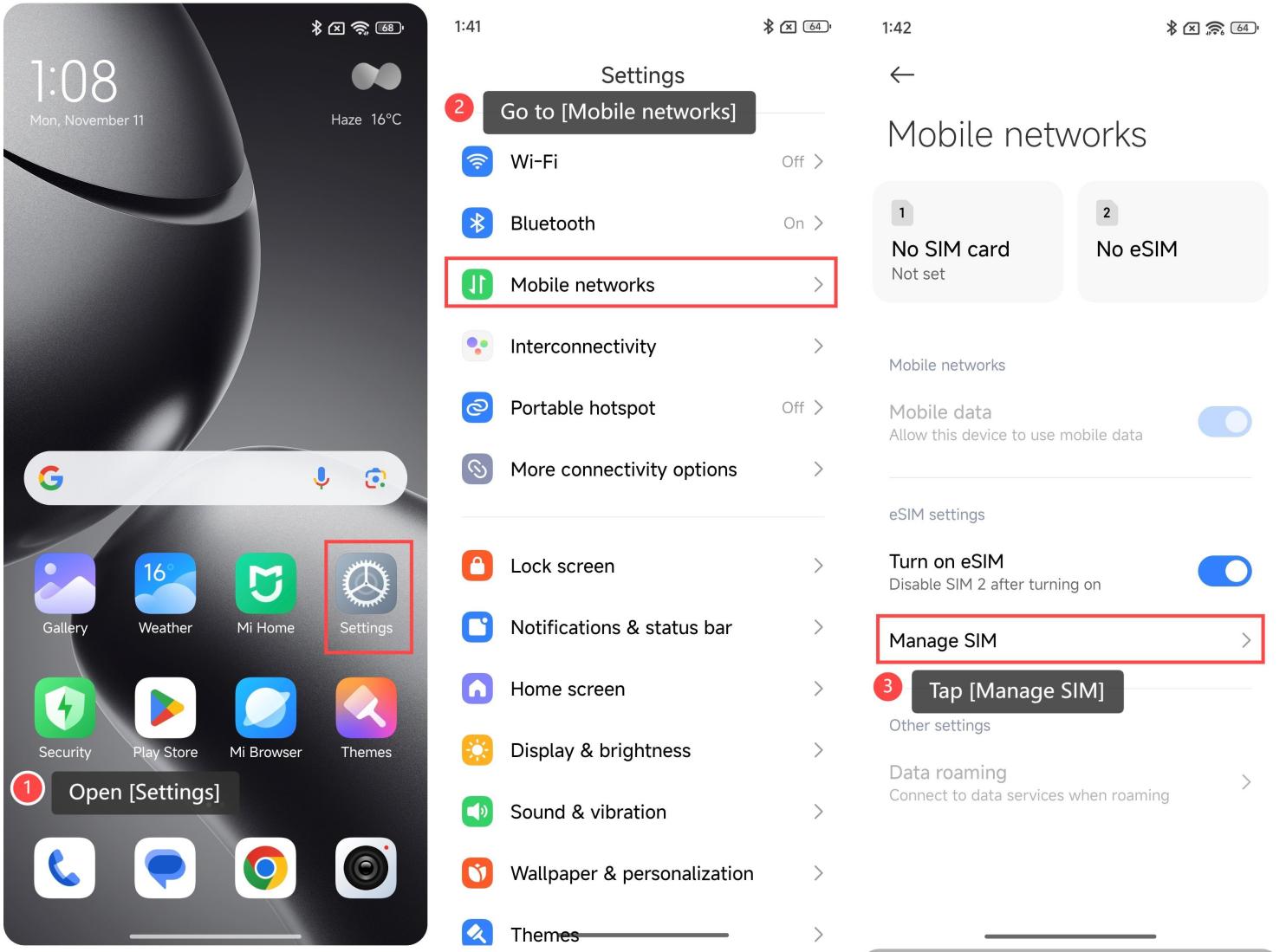
To reset eSIM, please refer to the following steps:
1. Open [Settings];
2. Go to [Mobile networks];
3. Tap [Manage SIM];
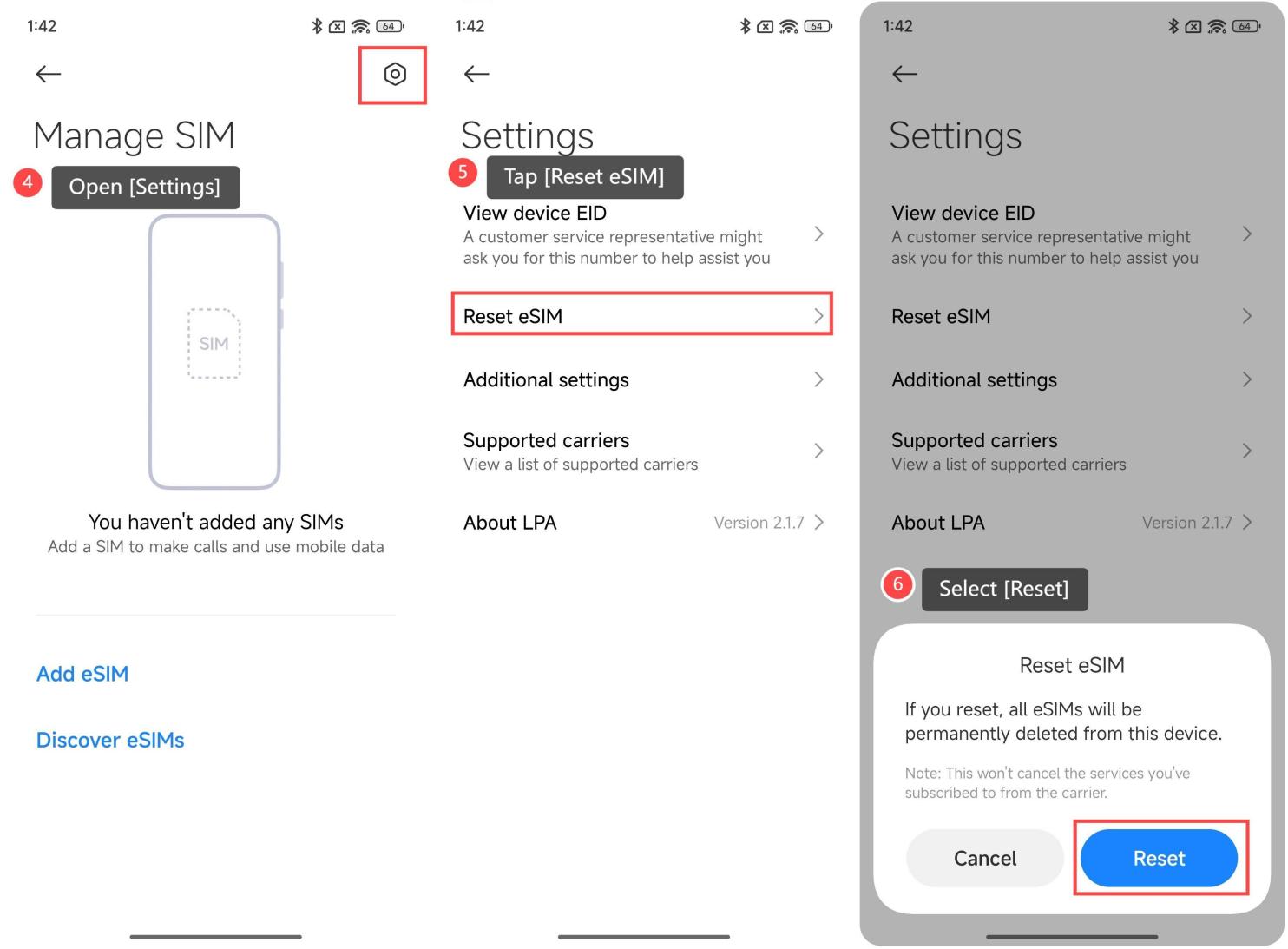
4. Open [Settings] in the upper right corner;
5. Tap [Reset eSIM];
6. Select [Reset].
Friendly tips:
1. Take care to back up your data before resetting;
2. If the SIM card has been reset, it only deletes all information about the eSIM card on the current device;
3. After resetting, please re-download or re-activate the eSIM profile through your carrier or QR code setup.
To reset eSIM, please refer to the following steps:
1. Open [Settings];
2. Go to [Mobile networks];
3. Tap [Manage SIM];
4. Open [Settings] in the upper right corner;
5. Tap [Reset eSIM];
6. Select [Reset].
Friendly tips:
1. Take care to back up your data before resetting;
2. If the SIM card has been reset, it only deletes all information about the eSIM card on the current device;
3. After resetting, please re-download or re-activate the eSIM profile through your carrier or QR code setup.
Does it help?
Yes
No