

Why can't the phone find the Bluetooth of the Xiaomi Watch 5 during pairing?
If the phone cannot find the Bluetooth of the Xiaomi Watch 5 during pairing, please refer to the following information:
1. The phone and watch appear to have completed pairing, but the binding was not successfully established. In this case, the phone and watch remain disconnected. You can press and hold the power button on the watch >> swipe down and tap [Settings] >> select [Disconnect & reset] >> tap [Factory reset]. After restoring factory settings, try pairing again.
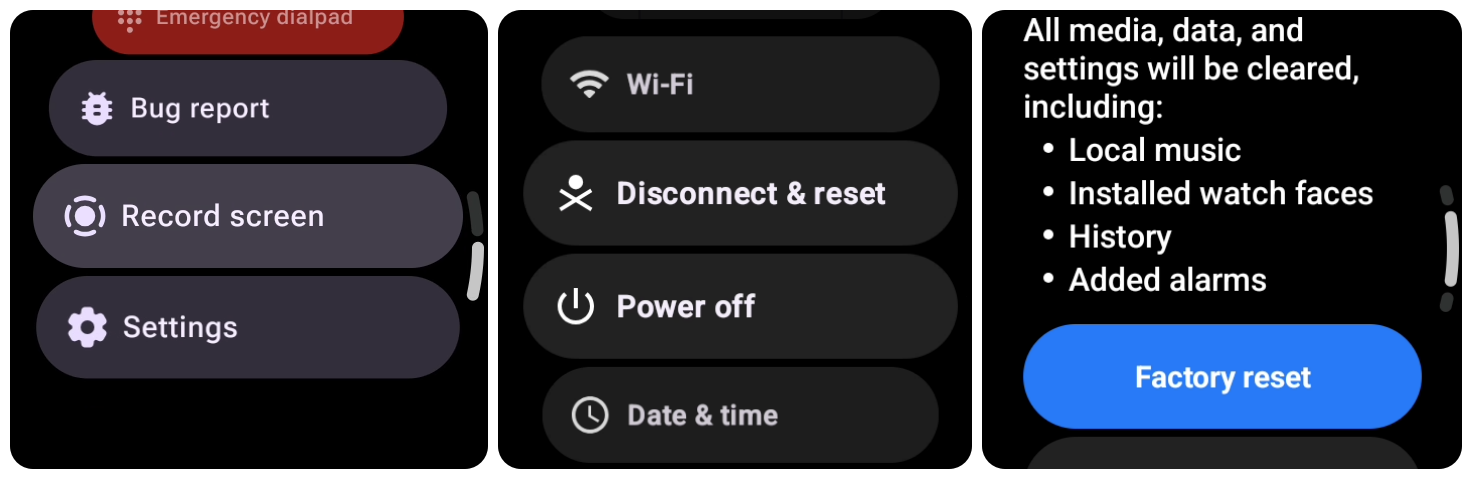
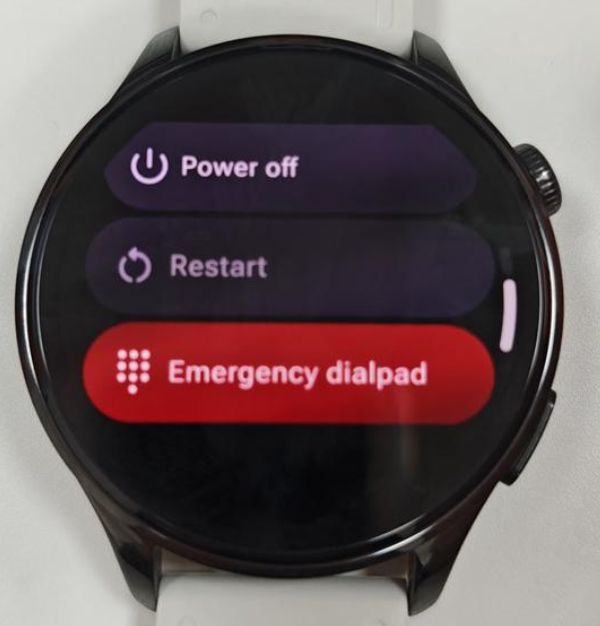
2. During pairing, the phone cannot detect the watch’s Bluetooth signal, preventing the process from continuing. Please press and hold the power button on the watch, tap [Restart], and wait until the watch restarts successfully. Then try pairing again.
3. Ensure that Bluetooth is enabled on the phone and keep the phone close to the watch during pairing.
4. Update the Mi Fitness App and the phone system to the latest version, then try pairing again.
5. If the issue still persists, please try clearing the Bluetooth cache on the phone or restarting the phone before attempting to pair again.
6. If the issue persists, please contact after-sales service for further assistance.
Does it help?
Yes
No