

How to turn on Favorite mode of the Mijia Air Conditioner automatically?
You can turn on Favorite mode of the Mijia Air Conditioner automatically in the Xiaomi Home App. This function ensures the air conditioner switches to the Favorite mode every time it is turned on, saving you the trouble of manual adjustment and delivering an instantly personalized cooling/heating experience.
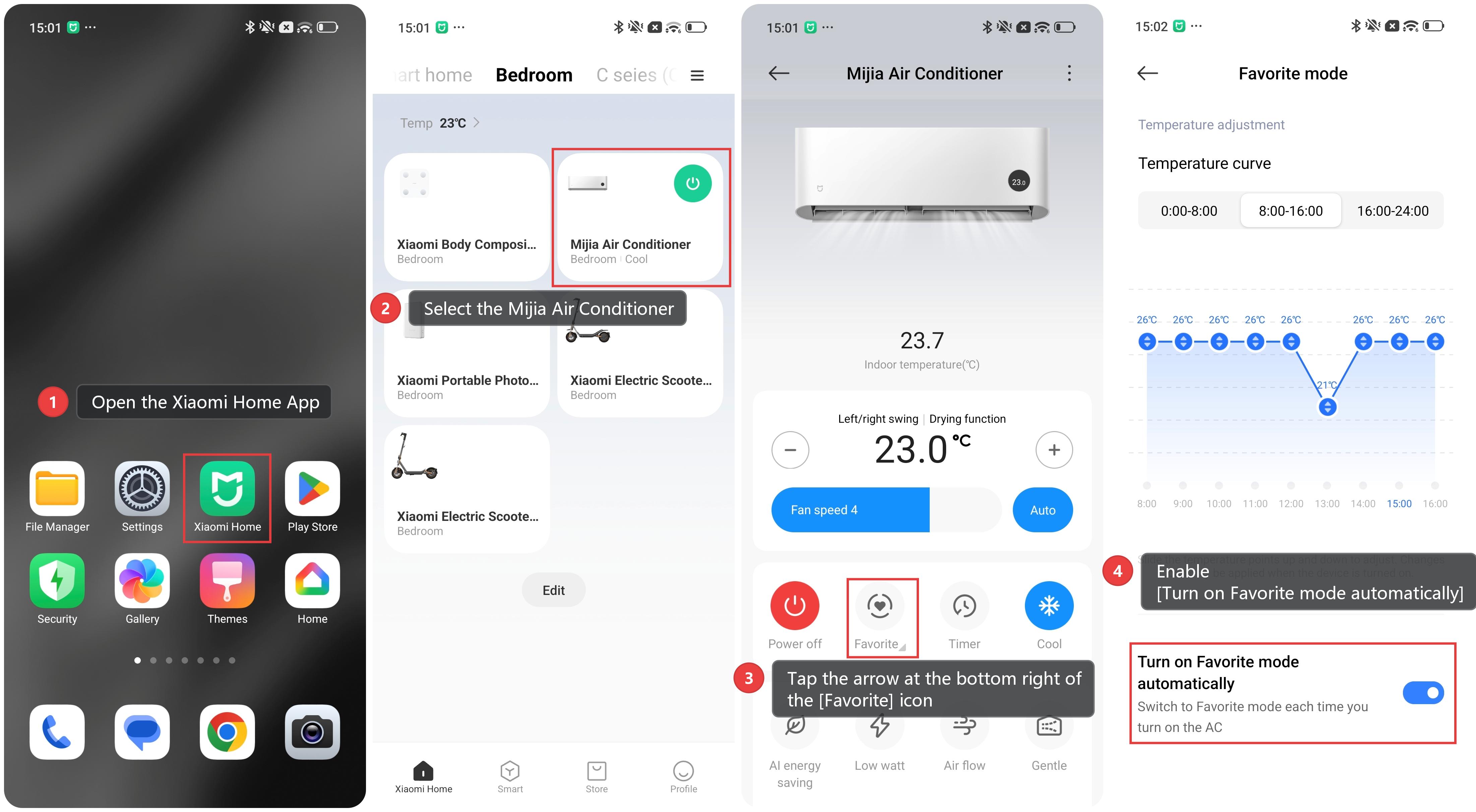
To turn on Favorite mode of the Mijia Air Conditioner automatically, please refer to the following steps:
1. Open the Xiaomi Home App and make sure the Mijia Air Conditioner is connected successfully.
2. Select the [Mijia Air Conditioner] device card.
3. Tap the arrow at the bottom right of the [Favorite] icon.
4. Scroll down and enable [Turn on Favorite mode automatically].
Does it help?
Yes
No