

Why doesn’t the phone show the 5G icon while connected to Wi-Fi?
When the phone is connected to Wi-Fi, the SIM card signal will not show the 5G icon. This is by design to reduce clutter in the status bar. The device can still use 5G, and there is no impact on 5G network usage.
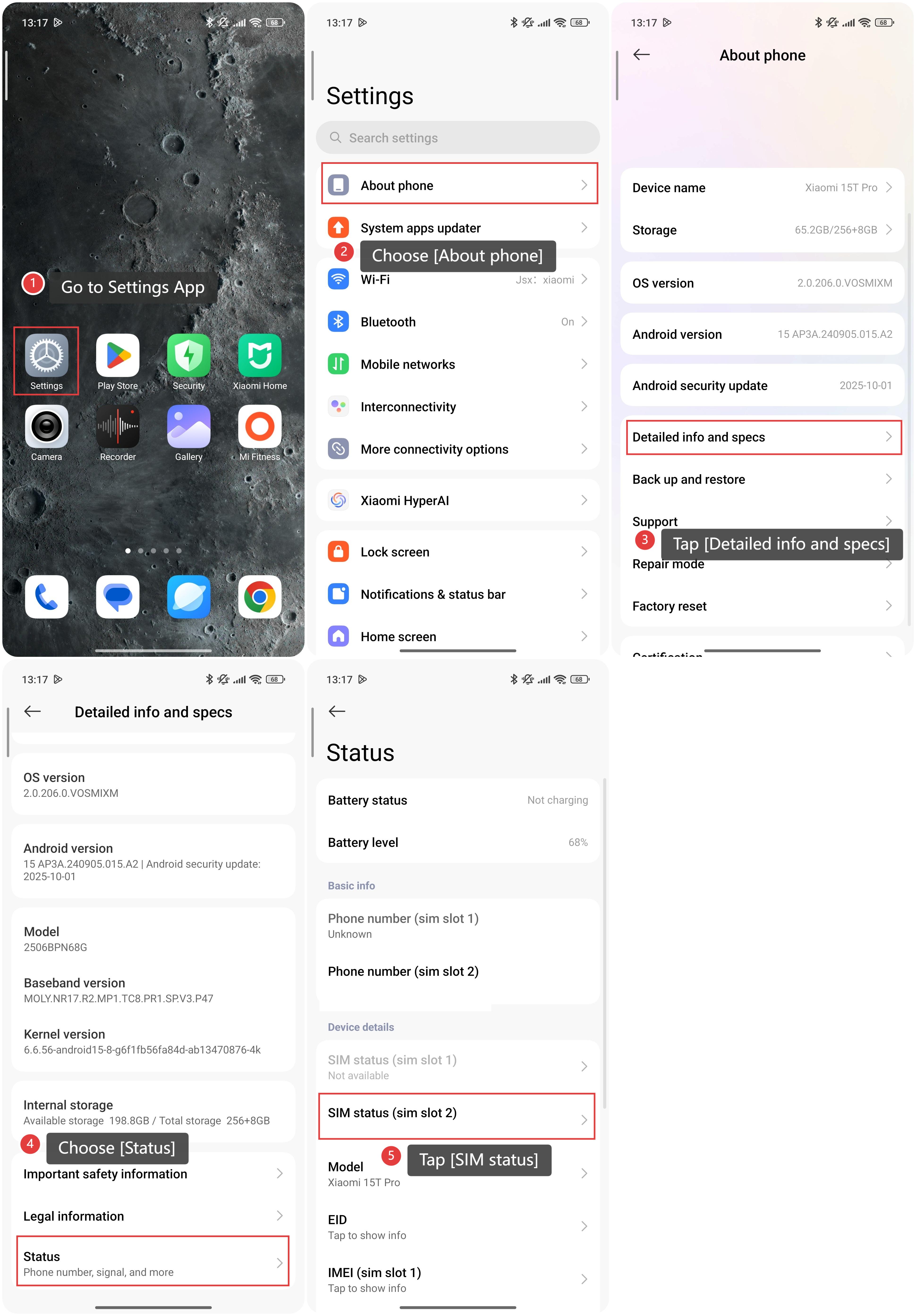
To check the network type being used, please refer to the following steps:
1. Go to the Settings App on your phone.
2. Choose [About phone].
3. Tap [Detailed info and specs].
4. Choose [Status].
5. Tap [SIM status].
6. Then you can check the network type being used.
Note:
In HyperOS 2.2 and above, the 5G icon will be displayed on the SIM card signal even when connected to Wi-Fi.
Does it help?
Yes
No