

How to enter the Xiaomi Home Secure?
Xiaomi Home Secure is the platform within the Xiaomi Home App that allows you to view cloud storage, playback recorded videos, and manage your security cameras.
To enter the Xiaomi Home Secure, please refer to the following methods:
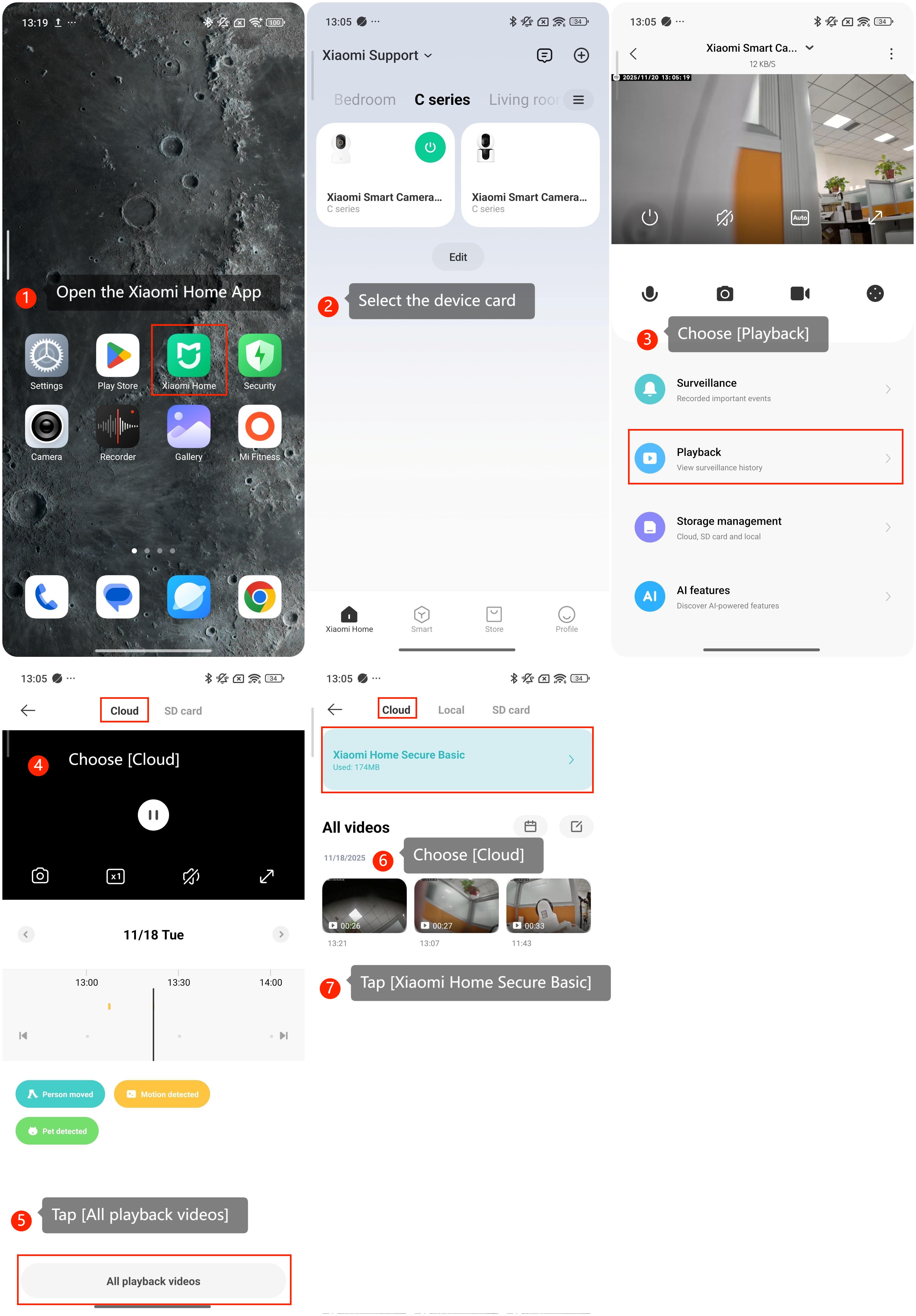
Method 1:
1. Open the Xiaomi Home App on your phone.
2. Select the device card.
3. Choose [Playback].
4. Choose [Cloud].
5. Tap [All playback videos].
6. Choose [Cloud].
7. Tap [Xiaomi Home Secure Basic].
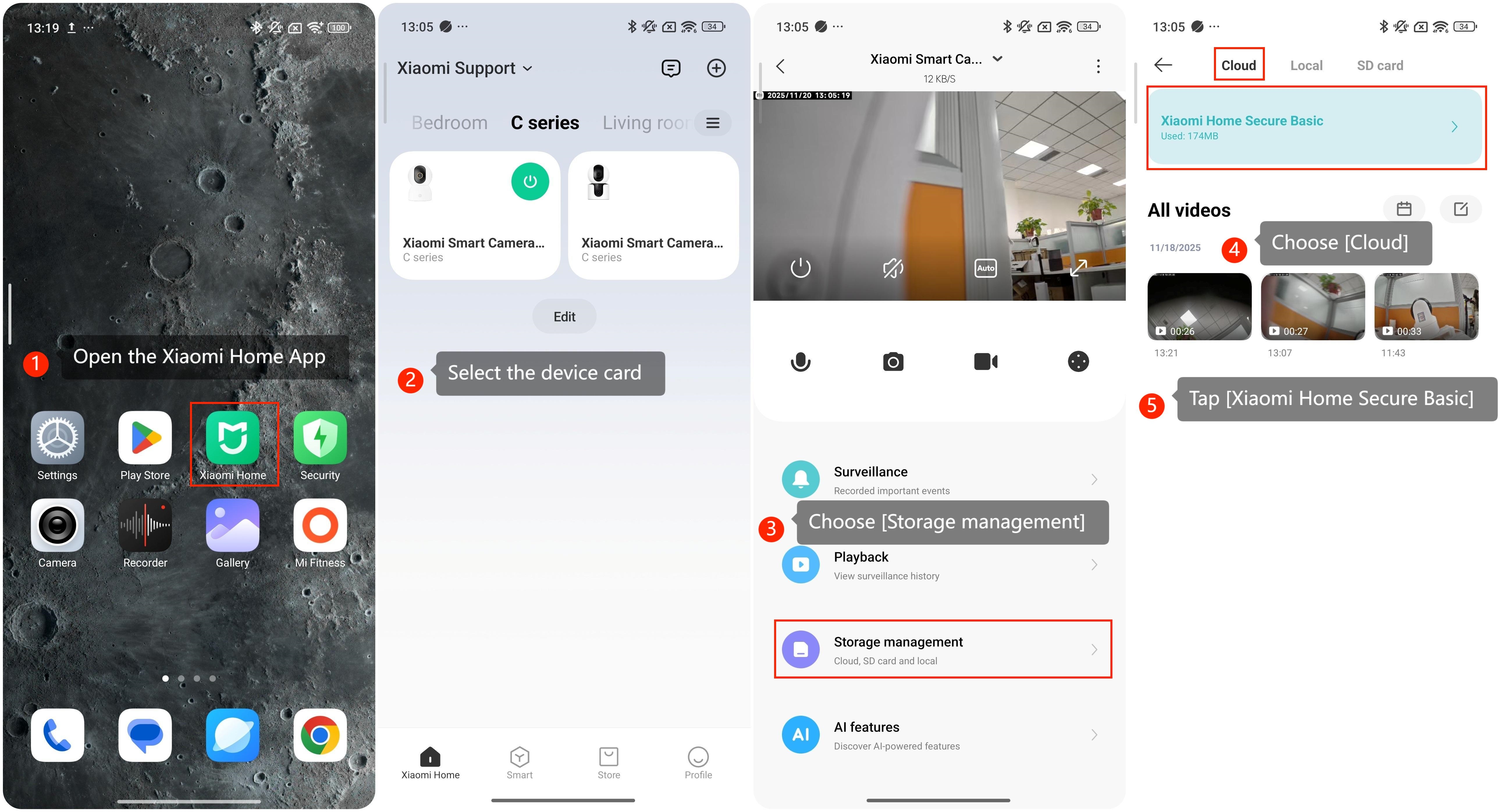
Method 2:
1. Open the Xiaomi Home App on your phone.
2. Select the device card.
3. Choose [Storage management].
4. Choose [Cloud].
5. Tap [Xiaomi Home Secure Basic].
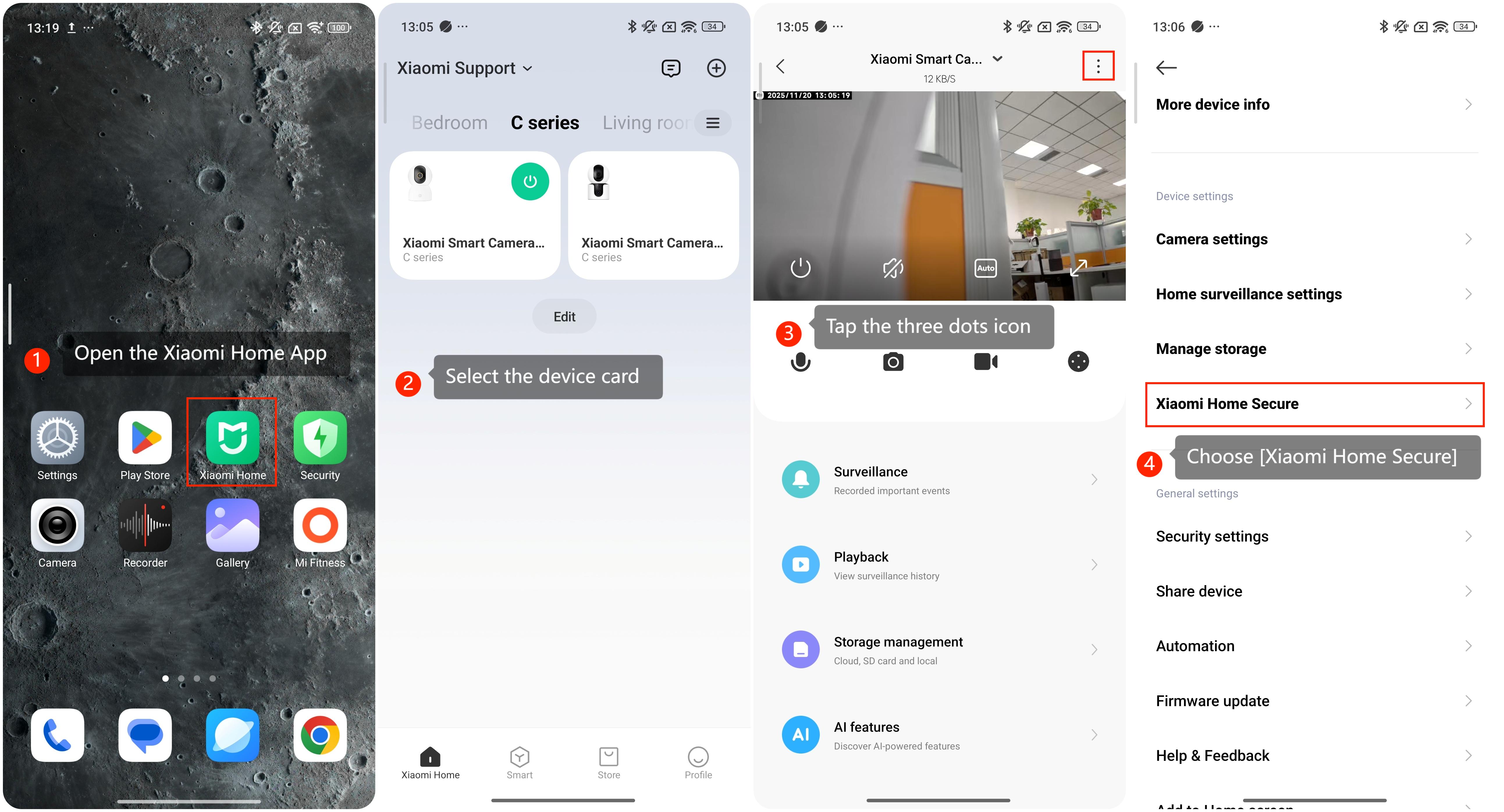
Method 3:
1. Open the Xiaomi Home App on your phone.
2. Select the device card.
3. Tap the three dots icon in the upper-right corner.
4. Choose [Xiaomi Home Secure].
Does it help?
Yes
No