

Why does the Xiaomi Smart Camera C302 record alarm video but not send a notification message?
If the Xiaomi Smart Camera C302 records an alarm video but you do not receive a notification, please first check whether the home surveillance switch in the settings is turned on and ensure that the detection push notification switch is also enabled.
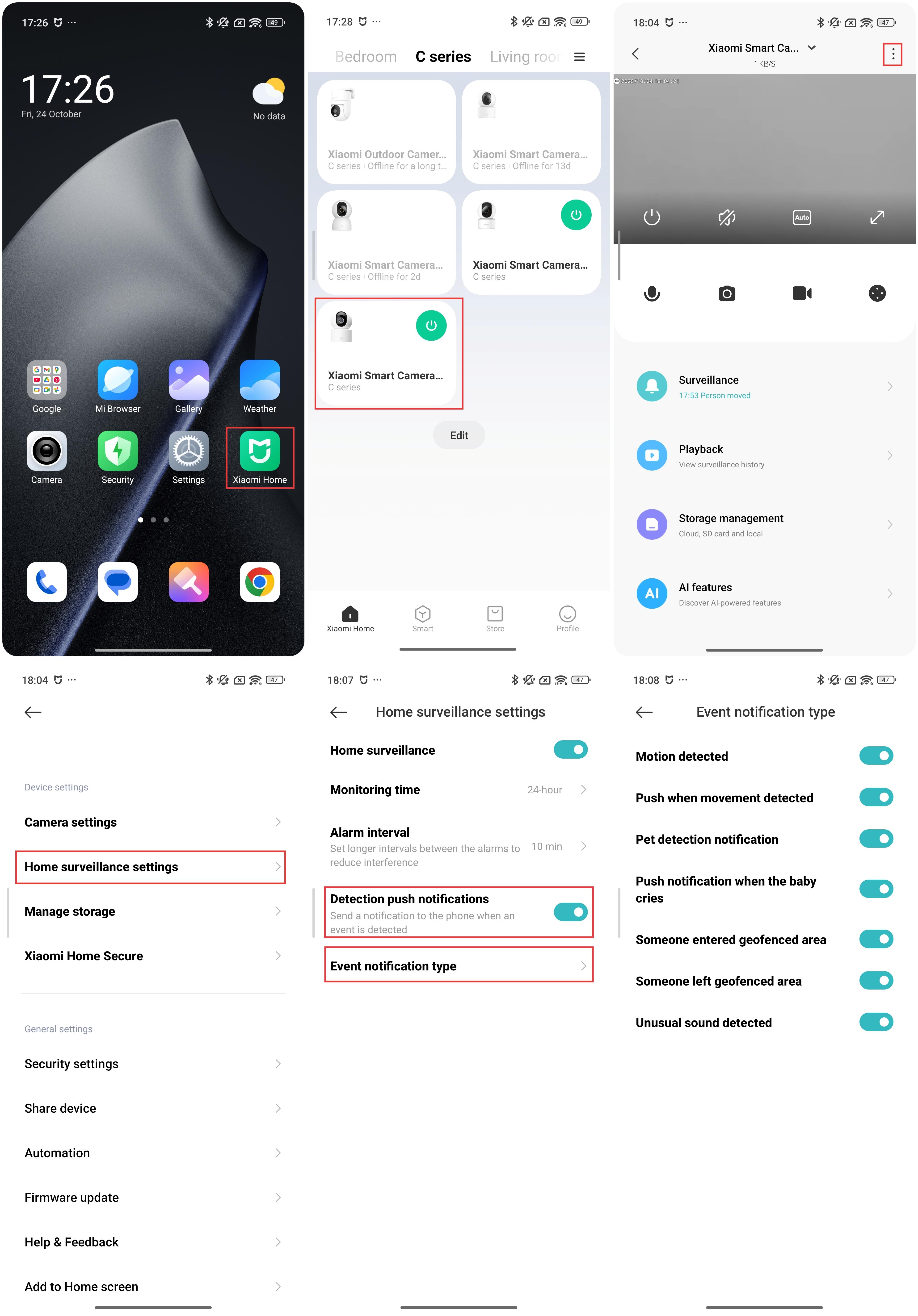
To check if the notifications are enabled, please refer to the following steps:
1. Open the Xiaomi Home App.
2. Select [Device card].
3. Tap the three dots icon at the upper right corner.
4. Enter [Home surveillance settings].
5. Enable [Home surveillance] and [Detection push notifications].
6. Tap [Event notification type] and enable the types of events you want to be notified about.
Does it help?
Yes
No