

How to adjust the temperature of the refrigerator in the Mijia Refrigerator Cross Door 502L?
If a lock icon is displayed on the Mijia Refrigerator Cross Door 502L screen, please press and hold the Mode button for 3 seconds to unlock the screen.
To adjust the temperature of the refrigerator in the Mijia Refrigerator Cross Door 502L, please refer to the following information:
- In custom mode, tap the Fridge button once on the Mijia Refrigerator Cross Door 502L, and the refrigerator temperature icon will begin to flash, indicating that it is ready for setting.
- Repeatedly touch the Fridge button, and you can cycle the set temperature from 2℃ to 8℃. Each tap increases the temperature by 1℃ within the selectable range.
- After selecting the temperature, the icon will flash for 5 seconds and then confirm the temperature setting.
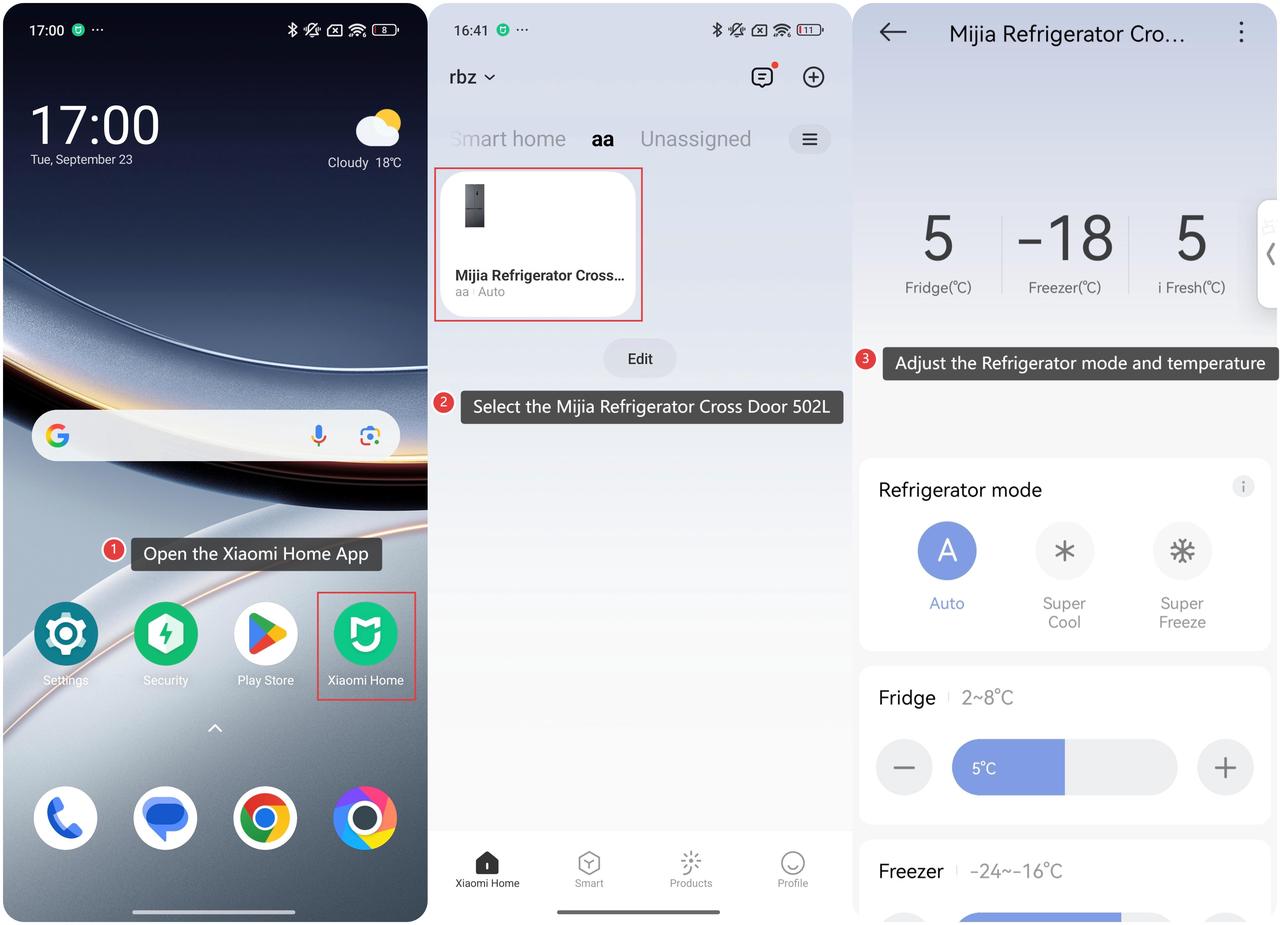
To set the Mijia Refrigerator Cross Door 502L temperature in the Xiaomi Home App, please refer to the following information:
- Open the Xiaomi Home App on your phone.
- Select the Mijia Refrigerator Cross Door 502L.
- You can adjust the Refrigerator mode (Auto mode, Super Cool mode, Super Freeze mode) and temperature in Fridge, i Fresh, and Freezer. Tap the corresponding temperature plus or minus button or slide the temperature bar to change the set temperature.
Does it help?
Yes
No