

How to use the Auto clean function of the Mijia Air Conditioner Pro Eco Inverter 1.0 HP?
The Mijia Air Conditioner Pro Eco Inverter 1.0 HP is equipped with an Auto clean mode, designed to help maintain the cleanliness and performance of the air conditioner’s heat exchanger. This mode helps remove accumulated dust, dirt, and moisture, keeping the unit running efficiently and ensuring a steady output of clean and fresh air.
To use the Auto clean function of the air conditioner, please refer to the following methods:
Method 1:
When the Mijia Air Conditioner Pro Eco Inverter 1.0 HP is off, press and hold the [ECO] and [Timer] buttons on the remote control simultaneously for 3 seconds to activate the Auto clean mode. The Auto clean process takes approximately 40 minutes.
Method 2:
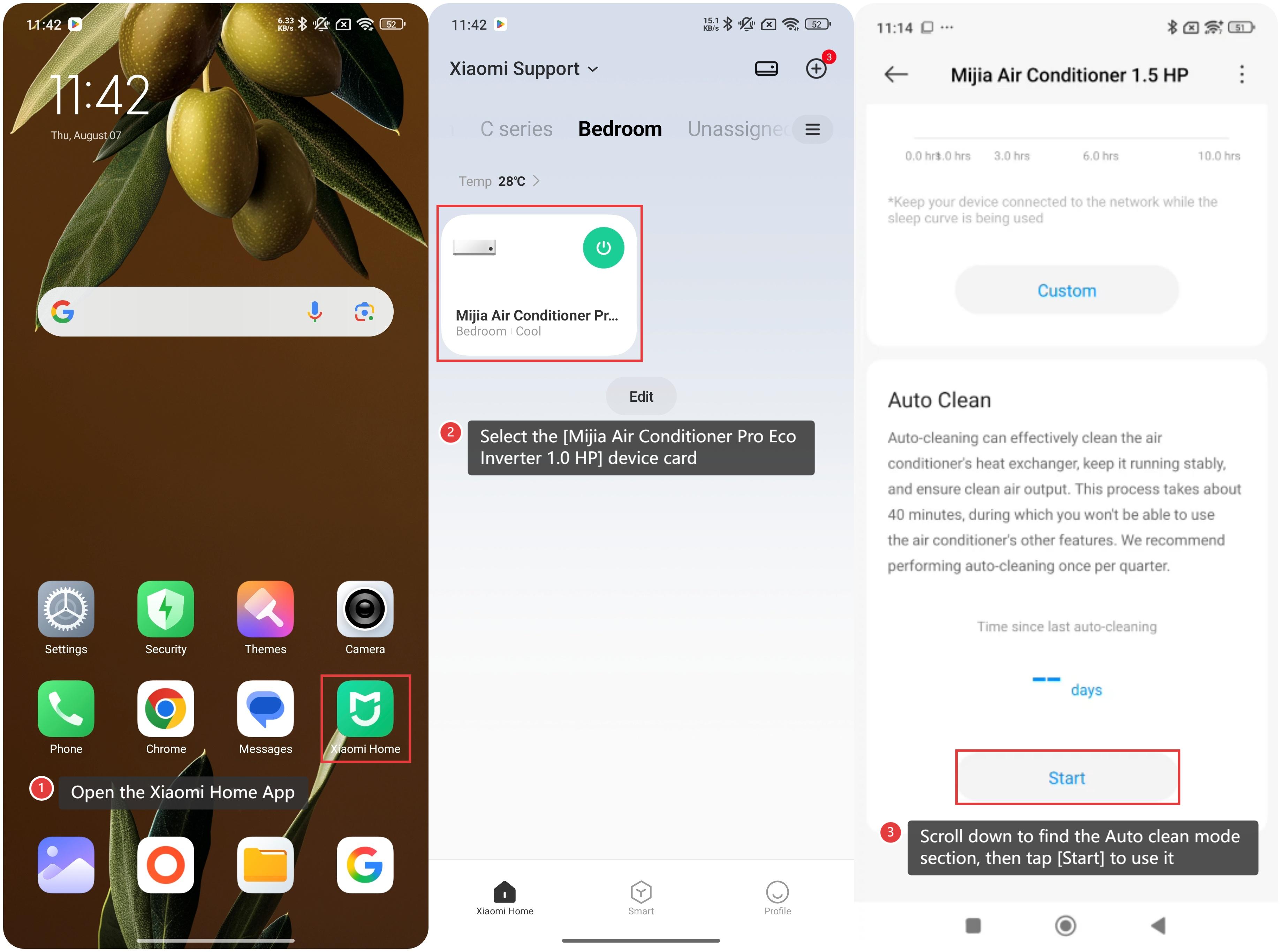
1. Open the Xiaomi Home App on your device;
2. Select the [Mijia Air Conditioner Pro Eco Inverter 1.0 HP] device card;
3. Scroll down to find the Auto clean mode section, then tap [Start] to use it.
To use the Auto clean function of the air conditioner, please refer to the following methods:
Method 1:
When the Mijia Air Conditioner Pro Eco Inverter 1.0 HP is off, press and hold the [ECO] and [Timer] buttons on the remote control simultaneously for 3 seconds to activate the Auto clean mode. The Auto clean process takes approximately 40 minutes.
Method 2:
1. Open the Xiaomi Home App on your device;
2. Select the [Mijia Air Conditioner Pro Eco Inverter 1.0 HP] device card;
3. Scroll down to find the Auto clean mode section, then tap [Start] to use it.
Does it help?
Yes
No