

How to use the Favorite program of the Mijia Front Load Washer Dryer 10.5kg?
To use the Favorite program on the Mijia Front Load Washer Dryer 10.5kg, please refer to the following steps:
1. Please press and hold the Power button to turn on;
2. Put the clothes into the drum and close the door;
3. Press and hold on [Steam] and [High Temp.] on the panel at the same time to enable remotely control;
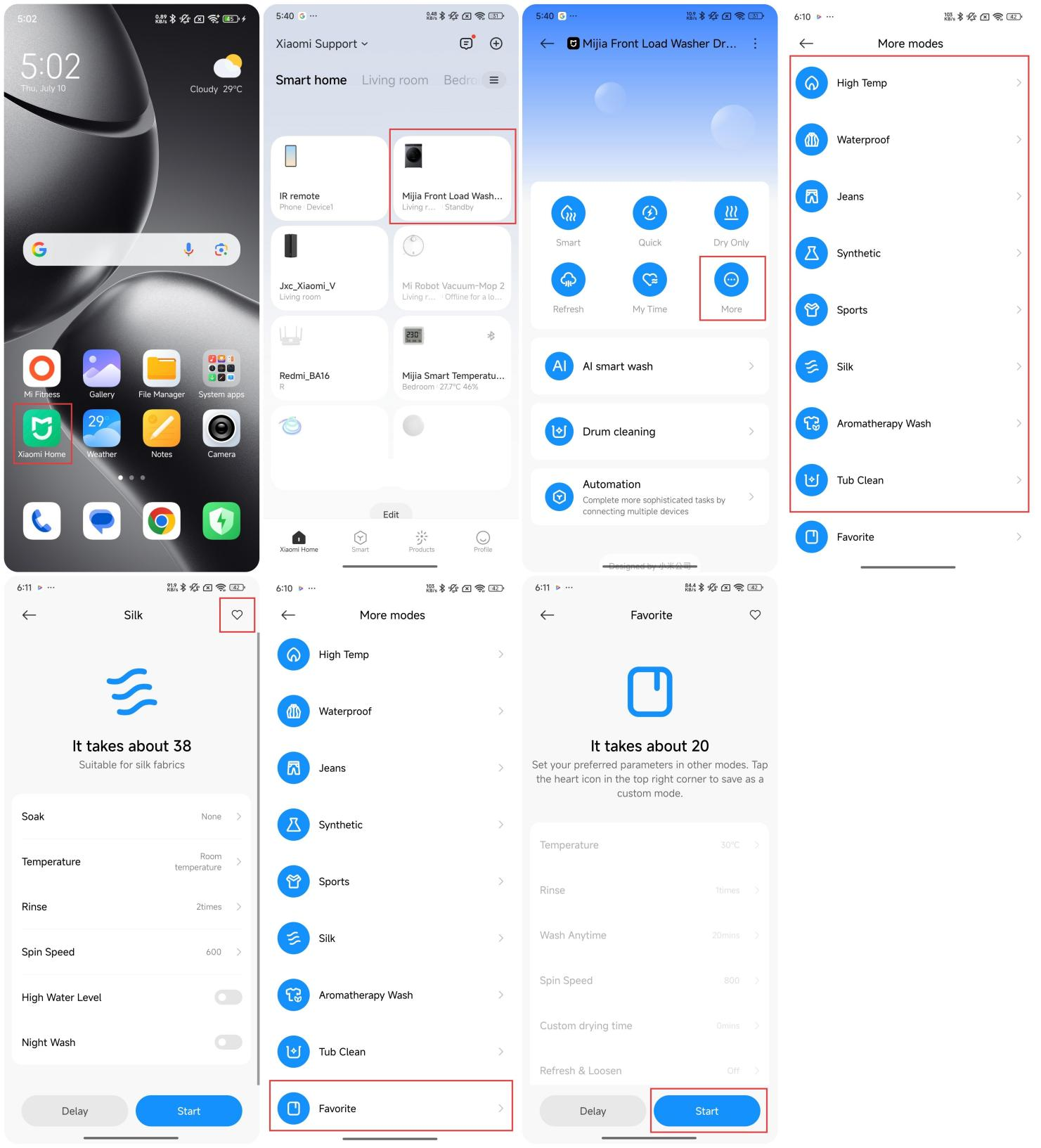
4. Open the Mi Home/Xiaomi Home APP;
5. Tap the [Mijia Front Load Washer Dryer 10.5kg];
6. Tap [More];
7. Select a desired program;
8. Tap the heart icon on the upper right to set the program as your Favorite program;
9. Tap the [Favorite] program;
10. Tap [Start] to run the Favorite program.
1. Please press and hold the Power button to turn on;
2. Put the clothes into the drum and close the door;
3. Press and hold on [Steam] and [High Temp.] on the panel at the same time to enable remotely control;
4. Open the Mi Home/Xiaomi Home APP;
5. Tap the [Mijia Front Load Washer Dryer 10.5kg];
6. Tap [More];
7. Select a desired program;
8. Tap the heart icon on the upper right to set the program as your Favorite program;
9. Tap the [Favorite] program;
10. Tap [Start] to run the Favorite program.
Does it help?
Yes
No