

How to set the language for Gemini?
Gemini is an AI assistant which can answer questions and generate text, summarize documents, translate languages and write email, essay and code. Besides, it can process large amounts of information, extract key insights from documents and assist in scientific research. You can also select different languages that work with Gemini. With this feature, you can speak multiple languages to Gemini.
To set the language for Gemini, please refer to the following steps:
1. Go to the Gemini App.
2. Tap the profile icon at the top right of the screen.
3. Tap [Settings].
4. Tap [Languages].
5. Select from the language options according to your needs.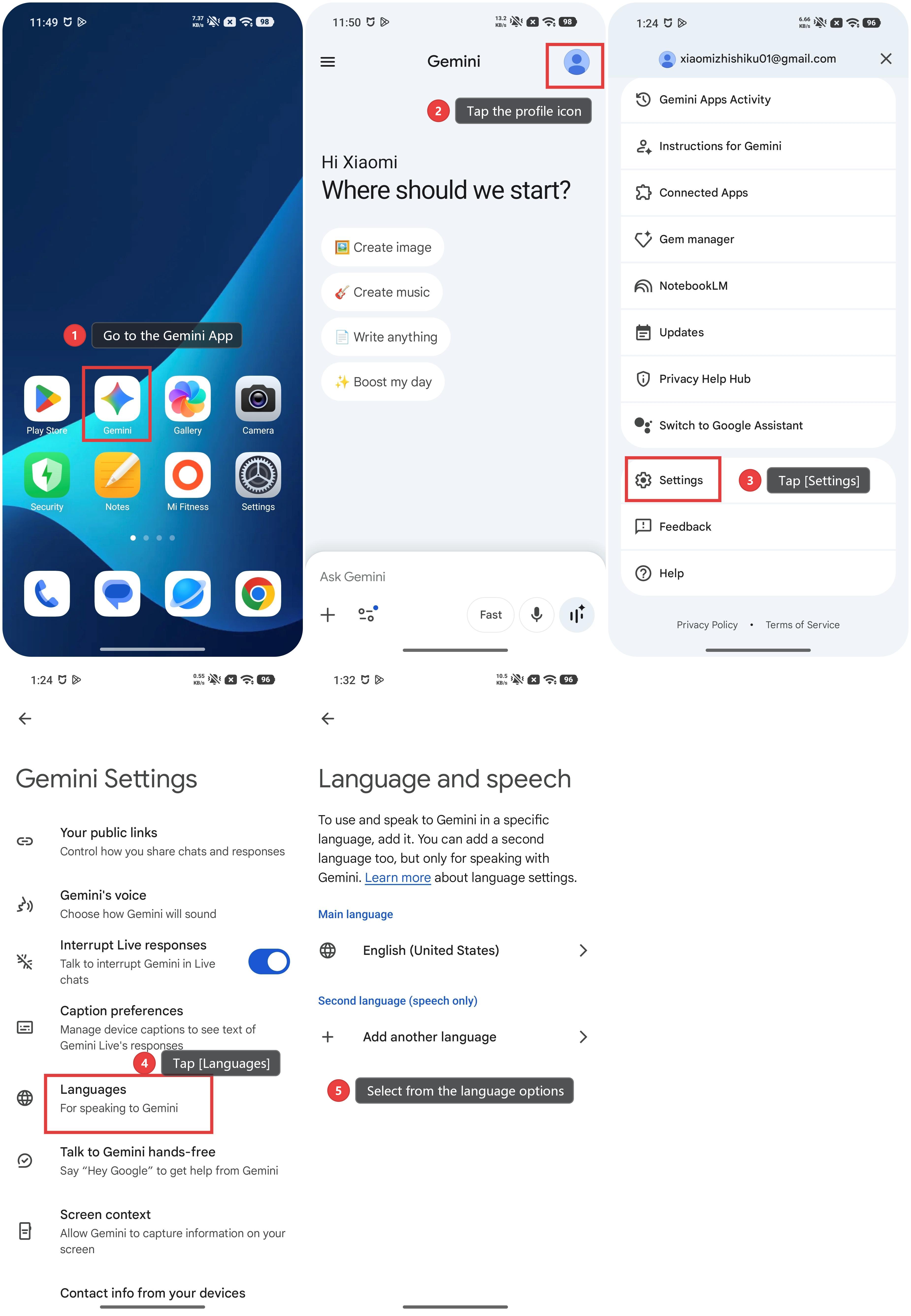
Note:
1. Not all of the languages support Gemini.
2. Gemini's availability varies by country or region, and Gemini must be set as the default voice assistant.
Does it help?